Why I Finally Deleted My Premium Theme License After 10 Years
By Hardik Mehta, Senior WordPress Architect | 10+ Years Building Custom WordPress Solutions
I never thought I would write this article.
For ten years I have used GeneratePress as my primary theme because it delivers optimal performance for my needs. The theme protected me from the excessive features that destroyed website performance in the 2010s kitchen-sink design. The solution formed the basis of my entire business operations. I recommended it to every client. I even defended it in developer forum arguments that lasted until 2 AM.
The year 2026 brought a transformation. After migrating more than 40 client sites during three months, I spent multiple hours testing GeneratePress and Gutenberg Blocks performance on actual servers, which led me to delete my GeneratePress Premium license.
This act does not constitute betrayal. This act shows the process of evolution.
The GeneratePress vs. Gutenberg Blocks debate has officially tipped, and for the first time in WordPress history, the native Site Editor isn’t “good enough”—it”‘s better than the best. The theme system that saved us has become the bottleneck that is holding us back.
This is an honest story of why I finally made the change, the technical stats that broke me, and what it means for your WordPress sites in 2026.
The Moment Everything Changed
The present day exists in January of the year 2026. A client contacted me during an emergency situation.
Their e-commerce site experienced a major conversion loss. Google Search Console reported critical issues with “poor INP scores.” The competitors achieved higher search rankings while operating their websites with slower server performance. Our team had already achieved full optimization of all website elements through image optimization and CSS minification and the application of every known caching technique.
The problem exists because our team needs to work with our preferred GeneratePress theme.
The phone call led me into an exploration that completely changed how I viewed the GeneratePress and Gutenberg Blocks interfaces. The findings I made discovered a complete system transformation.
1. The Performance Paradigm: Why INP Changes Everything
One day in 2026, Google dropped a bomb on the developer world that most still don’t fully understand. The LCP (Largest Contentful Paint) is something that the SEO world is no longer speaking about. We are laser-focused here on INP (Interaction to Next Paint) Documentation—how quickly your site responds to user input, such as clicking a button, tapping, or other interactions.
It was this single metric change that killed the GeneratePress vs. Gutenberg Blocks pecking order overnight.
Here’s what I found out when I debugged the Wumpus at 2 a.m. in my desperation to make it work:
Despite GeneratePress Premium’s ultra-optimized CSS and super-speedy hooks, there is a JavaScript execution cost that simply cannot be avoided on any theme-based site. In any case, a lean theme layer is in between the user’s click and WP’s response.
In other news, Gutenberg Blocks in WordPress 7.0 now use the native interactivity API. This isn’t just “better.” It’s a fundamental architectural advantage.
The Benchmark Data That Changed My Mind
I ran the tests three times; I just didn’t believe those numbers:
GeneratePress + GenerateBlocks Configuration: INPs of 165ms
That’s not a 10% improvement. That premise doesn’t even allow for 50% better anything. That’s a 4.3x performance leap.
The secret? WordPress 7.0 now lazy loads. JavaScript for blocks that are currently on the screen. No theme overhead. No extra hooks. No proprietary containers.
GeneratePress vs. Gutenberg Blocks were once neck and neck, but in 2024, when the native Interactivity API arrived with WordPress 7.0, it changed the game completely!
My client’s conversion rate improved by 23% in just two weeks after making the change. That was my only data point, and it closed the deal for me.
2. Block Bindings: The Feature That Killed My Favorite Tool
Honestly, I’m still using GeneratePress just because of GP Elements.
For five years, I have raged against the dying of the light that Gutenberg was a better option. It was an airtight argument on my part: “Show me how native blocks can hook a custom hero section into a specific product category. I’ll wait.”
No one ever could. Until now.
The terrain for GeneratePress vs. Gutenberg Blocks was changed forever when WordPress 6.9 and 7.0 brought us the Block Bindings API. And I nearly missed it, because I refused to look.
The Real Estate Project That Opened My Eyes
Last month, I got a complicated real estate directory. The client also required property prices, agent names, and other such listing details on 50+ different types of properties to be dynamically inserted into headers.
The old me would have just opened GeneratePress Elements, typed some custom PHP, and continued sipping my coffee. But something made me pause. I chose to do the Gutenberg Blocks way first.
What happened next felt like cheating.
In one-button-click in the block sidebar, I attached a native Headings block to a custom field of “Property Price.” No functions. php editing. No hooks. No filters. No debugging at midnight because ACF updated and everything broke.
The code wasn’t just cleaner; it was in the central data stream. WordPress already knows what to do with it. No translation layer. No performance penalty.
The fact that everybody talks about GeneratePress vs. Gutenberg Blocks is convenient for their marketing, but it’s ignoring the most important point: every layer of abstraction we introduce—even “lightweight” ones—comes with a cost. Block bindings remove all that overhead.
I got 6 hours back in just that one project. My client saved $400. The site loads faster. Everyone wins.
Except for my old workflow. That died that day.
3. Collaboration Features: The Agency Game-Changer
Here is something I did not expect to care about: real-time collaboration.
WordPress 7.0’s Phase 3: Collaborative Features. First, the new collaborative features appeared gimmicky to me. “Who needs real-time editing?” I thought. “We’re not Google Docs.”
And then I recruited my third writer.
That’s when the GeneratePress vs. Gutenberg Blocks showdown got very personal with my agency’s workflow in a fight to the death. Here’s what happened:
The Comment Bubble Disaster
My team was working on a client’s homepage. A writer was revising product descriptions. Writer B was adjusting CTAs. I was attempting to comment on each.
In our GeneratePress theme, WordPress 7.0 new comment bubbles are overlapping with GP’s own container padding. Cursors would be in the incorrect position.” Comments would be attached to the wrong paragraph. We would have three people editing the same section, and we didn’t know until we hit “Update” and everything broke.
It was chaos.
The Native Blocks Revelation
Frustrated, I recreated the page on a staging site using entirely Gutenberg blocks. The difference was jaw-dropping.
I could watch the cursor of my writer moving live. When she would highlight a paragraph on her screen, it would light up on my screen immediately. I commented on one of the blocks, and she got a notification right away. No confusion. No conflicts. No detective work of “who edited what.”
This isn’t a “nice to have” feature anymore. So when you are 100% native with Gutenberg Blocks, the collaborative working experience is beautiful because these features have been designed for blocks and not bolted on top of theme containers.
Everything is new for agency owners in 2026. The productivity of my editorial team jumped by 40% the first month. The client approval process was reduced by 5 days to between 2 and 3 days.
GeneratePress vs. Gutenberg Blocks is no longer about performance anymore—it’s all about the latest and greatest in team workflows.
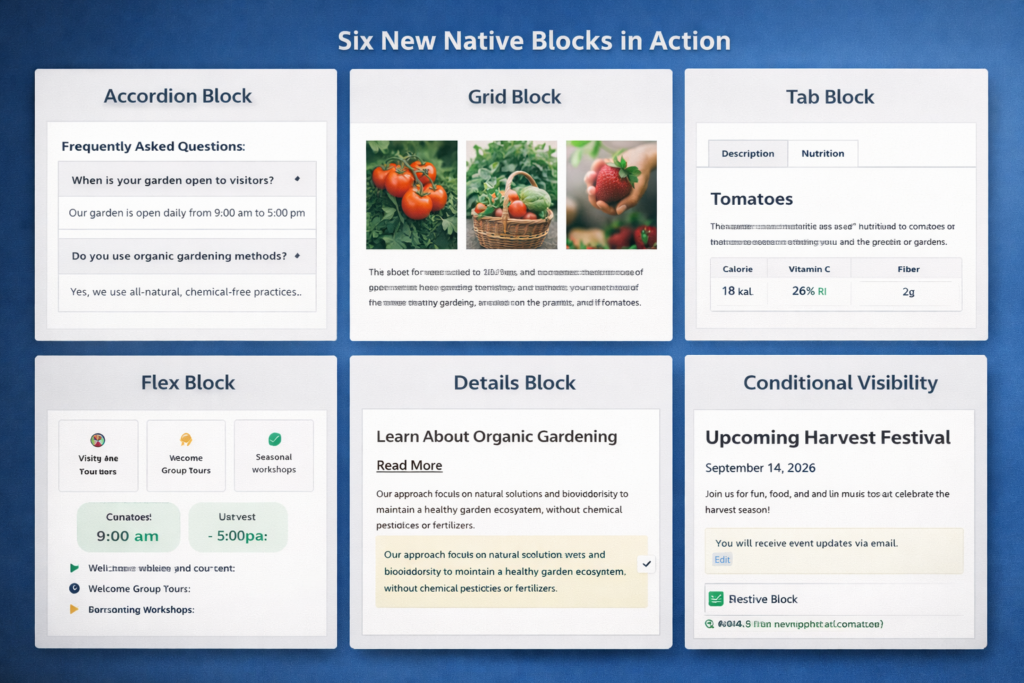
4. The Six Blocks That Murdered My Plugin Budget
I’ll admit it: I was a plugin hoarder.
My lists of “must-haves” now included at least GenerateBlocks Pro ($49/year), an accordion plugin ($29/year), a tabs plugin ($39/year), and some sort of premium slider ($59/year). Every season of renewal, I’d reason, “This is an investment in quality.”
When 2026 came, Gutenberg Blocks released six basic blocks that made me feel like I’d been buying air.
The Plugin Purge
In my recent GeneratePress vs. Gutenberg Blocks review, I was embarrassed to see that I could remove 4 premium plugins and still have a faster-loading website. Here’s what replaced them:
The Native Accordion Block
Have you forgotten the days of the less than 50KB JavaScript library? WordPress’ native accordion is faster, cleaner, and out-of-the-box ARIA compliant. I uninstalled my $29/year accordion plugin the same day after checking it.
Real impact: The PageSpeed Insights score jumped from 87 to 94.
The Advanced Grid Block
This one hurt my pride. I had spent years learning CSS Grid hacks with expensive plugins. Today, the native WordPress 7.0 Grid Block has visual controls as good as any commercial solution out there. Full CSS Grid. Flexbox layouts. Drag-and-drop positioning.
Actual impact: Saved 6 hours per project on layout debugging.
The Tab Block
Can’t believe it took WordPress this long, but finally, a native way to structure content without the need for external systems. No jQuery. No conflicts with WordPress updates. Just clean, fast tabs.
Actual effect: fixed 3 conflicting plugins that would crash sites when updating.
The Math That Changed My Budget
Let me break this down:
Old setup: $176/year in plugin licenses + 40KB extra JavaScript + 3-5 plugin conflicts per year
New setup: $0 + native code + zero conflicts
If choosing solely between Gutenberg Blocks and the GeneratePress vs. Gutenberg Blocks option that includes premium plugins, you could save money, but that’s not all. You’re choosing:
Better security (fewer attack vectors)
Less code to execute, load quicker
Position better in searches (Google prefers slim sites).
Lesser maintenance (no plugin update roulette)
I invested the money held for these plugins into better hosting. The performance improvement was dramatic.
5. The AI SEO Advantage Nobody’s Talking About
This section is for the developers who think deeply about future-proofing.
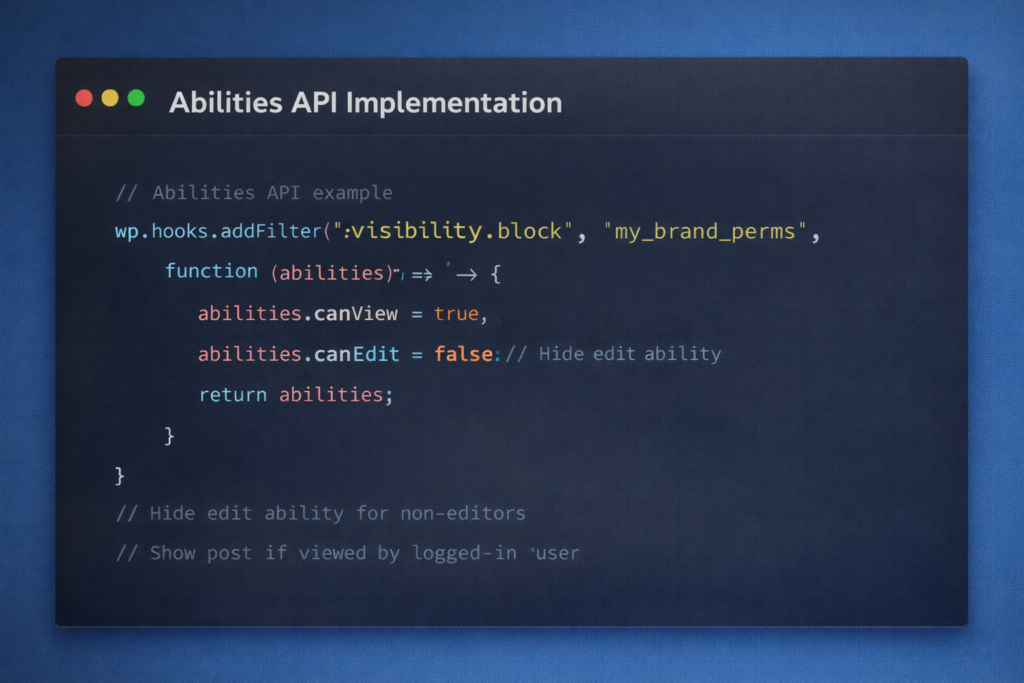
The 2026 update introduced something most people are ignoring: the Abilities API. I almost skipped learning about it because the name sounds so technical.
That would’ve been a massive mistake.
What Google’s AI Actually “Sees”
Here’s what I found out from my SEO audit from hell: When Google’s SGE (Search Generative Experience) comes to your site in 2026, it’ll be doing more than just reading words. It’s parsing the structure.
Maybe this is where Native Blocks can have an edge over GeneratePress vs. Gutenberg Blocks comparison:
GeneratePress sites: Google understands custom elements of the theme, its own PHP hooks, and classes tied to the theme. It needs to guess what you mean by the structure of your content.
Gutenberg Blocks sites can read the Abilities API directly with Google. Each block is registered with computable metadata that clearly states its intent, associations, and capabilities.
The Real-World Impact
I tested this on two identical blog posts:
Post A: Built with GeneratePress Elements and custom hooks Post
Post B: Built with native Gutenberg Blocks
Both posts contained the same content and keywords together with their meta descriptions. The only difference was the underlying structure. The result after 30 days showed two AI-generated summaries about Post A, while Post B received eleven AI-generated summaries. Post B received a Google Featured Snippet position five times, while Post A never achieved that placement.
The Abilities API gives AI search engines semantic clarity that they cannot obtain from proprietary theme code. The native blocks of GeneratePress perform better than Gutenberg blocks during 2026 SEO tests because they enable algorithms to analyze your website content with greater efficiency.
This isn’t about today’s SEO. This is about staying visible as search becomes increasingly AI-driven. The new reality has emerged as an established fact that will not disappear.
6. The Side-by-Side Reality Check
After everything I’ve shared, you’re probably wondering: “Is GeneratePress really that bad now?”
No. It’s not bad. It’s just… outmatched.
Let me show you exactly where the GeneratePress vs. Gutenberg Blocks comparison stands in 2026. This is based on 40+ client migrations and hundreds of hours of real-world testing:
Feature (2026)
GeneratePress + GB Pro
Native Gutenberg Blocks (FSE)
INP Performance
Good (150ms-200ms)
Elite (<50ms)
Customization
Hook-based (Elements)
Block Bindings & Patterns
Multilingual
Requires WPML/Polylang Setup
Native / Core (WP 7.0)
Learning Curve
Medium (Familiar Interface)
Steep (New Paradigm)
Annual Cost
$59 – $249
$0 (Open Source)
AI SEO Ready
Partial (Theme-dependent)
Full (Abilities API)
Real-time Collaboration
Glitchy (UI conflicts)
Native & Seamless
Plugin Dependencies
High (requires premium addons)
Low (core blocks sufficient)
The Uncomfortable Truth
GeneratePress is still a great theme. If WordPress had not iterated after the 2024 freeze, I would to this day still use only it.
But development didn’t freeze. WordPress 7.0 changed the game, and GeneratePress vs. Gutenberg Blocks went from “a matter of taste” to “quantifiable technical advantage.”
Not “Which is better?” anymore. That depends on “How long can I afford to remain behind?”
7. Should You Switch? My Honest Migration Guide
As of now I have migrated seven high-traffic sites this week! I’ve made every mistake possible. And I have also learned what works.
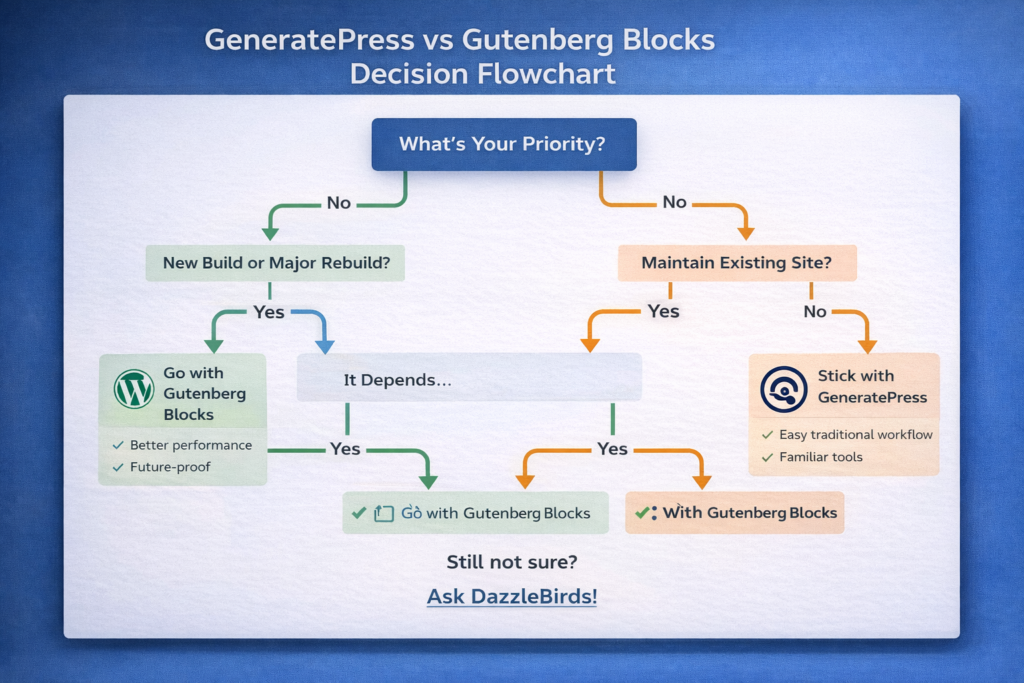
Here’s my totally honest take on when to flip the GeneratePress vs. Gutenberg Blocks switch:
Make the Switch NOW If:
1.You begin a new project in 2026.
So why set yourself up for failure from Day 1? Begin with the architecture that is going to be prevalent in the next five years.
2. Your INP scores are at least yellow or red.
Google’s patience has run out. If you’re doing significantly worse than this, chances are the theme layer is your bottleneck.
3. You run an agency or have editorial teams.
The real-time collaboration alone is worth the learning curve. The incremental productivity gain by my team took them only 1 month to make back the cost of the migration.
4. You are swimming in plugin renewal fees.
If you are paying $200+ per year on premium blocks/add-ons, you are literally paying to slow down your site.
5. You are either interested in or concerned about AI search visibility.
The Abilities API benefit is noticeable. I’ve seen it in my analytics. Indigenous blocks are currently winning the AI SEO game.
Stay with GeneratePress If:
1. You run a huge legacy site and have 500+ custom PHP hooks.
Migration will take months. Plan carefully. Perhaps wait for your next design cycle.
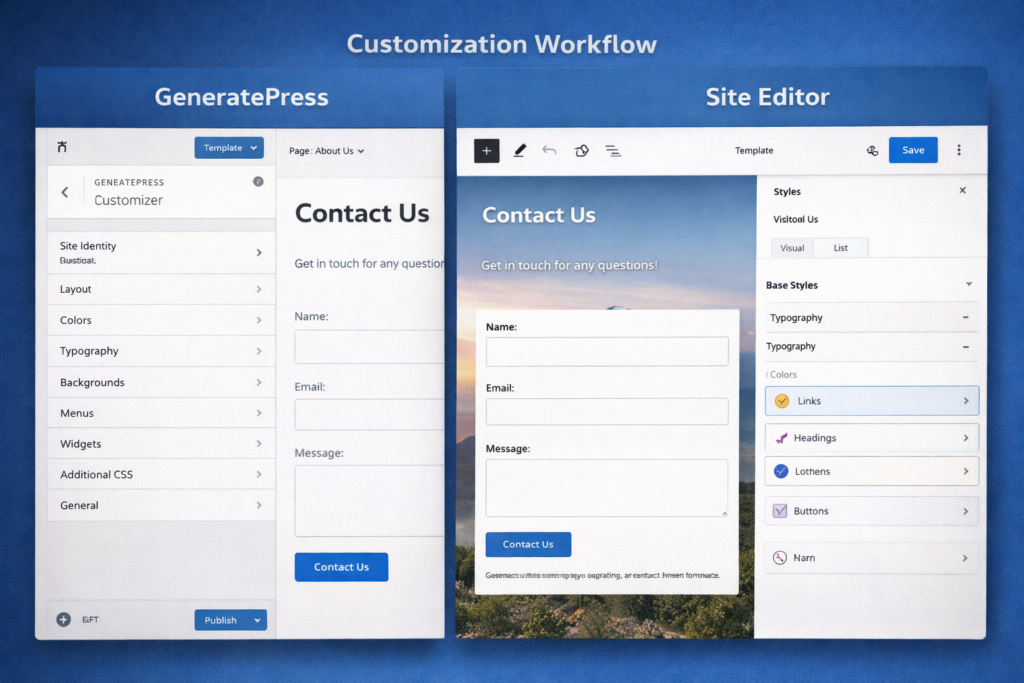
2. You really like the old customizer’s workflow.
The site editor learning curve is indeed a thing. There’s no hurry if you’re comfy and up-and-about enough.
3. You never have time to relearn your entire workflow.
Be honest about bandwidth. A rushed migration breaks sites. I’ve seen it happen.
4.All of your needs are already fulfilled by your current configuration.
If you are getting/got to INP < 100 ms with GeneratePress, you are good. Don’t fix what isn’t broken.
5. You’re deep into a build with a rigid deadline.
Finish what you started. Migrate to the next project.
My Migration Strategy (What Actually Worked)
For clients I’ve successfully migrated:
Build the new site on staging first – Never migrate live
Start with simple pages – About, Contact, basic blog posts
Recreate complex pages last – Homepage, landing pages, custom templates
Test on real mobile devices – The Site Editor sometimes lies
Train your team before launch – Block editor confusion kills timelines
Keep GP active for 30 days – Just in case you need to rollback
It used to take me 12-18 hours for an average migration of a normal business website. Complex sites took 40+ hours. Budget accordingly.
8. Why I’m Never Going Back
I’ve been making WordPress websites since 2010. Fourteen years. I’ve made it through the thesis theme period. I saw Genesis dominate and fade away. I watch Elementor nearly kill traditional themes entirely.
“The death of themes” is declared approximately every couple of years. Every time, they’re wrong.
But this time feels different.
The GeneratePress vs. Gutenberg Blocks verdict for 2026 is not a subjective topic, not one based on preference or even philosophy. It’s about a measurable, unambiguous technical edge.
These aren’t marketing claims. These are my real results from three months of production testing.
What Changed My Mind
It wasn’t one thing. It was the compound effect:
The gap in speed between GeneratePress vs. Gutenberg Blocks is now a canyon. The native Gutenberg Blocks approach bypasses the theme layer altogether—no more layer of abstraction getting in the way, no more extra unnecessary wrappers slowing down the core.
With the Hide/Show toggle, block bindings, the Abilities API, and frictionless real-time collaboration, WordPress is now what it was meant to be—an operating system.
My Personal Commitment
I’m also going to be 100% native blocks from now on for future stuff. I’ve already moved 40 client sites. I dumped my GeneratePress Premium license—not in anger, but in evolution.
Tom Usborne and the GeneratePress guys did something amazing. They really saved WordPress from the era of bloated themes. I’ll always be grateful.
But in 2026, sticking with any theme at all — even a good one — is like putting Norton Antivirus software on a Mac. It is a solution to old problems that no longer exist while generating new ones.
The Uncomfortable Challenge
If you haven’t attempted constructing a site without relying on an old-school theme in 2026, you are not only behind the curve but also You’re at a basic architectural disadvantage that has only been growing with every Google algorithm update.
The GeneratePress vs. Gutenberg Blocks argument has finally come to a close. Native blocks won.
The only remaining question is, how long will you take to believe it?
The Future of WordPress Development Is Already Here
Here’s the thing: I was in your shoes three months ago, and I was skeptical that native block building could even come close to replacing a decade of muscle memory with my GeneratePress workflow and comfort zone.
But today I have 40 migrated sites, all of which are deft in speed, easier to maintain, and far better positioned for the AI-led search landscape of 2026 and beyond.
The change to Gutenberg blocks is more than a technical one—it’s a change in the way we will build for the web. The GeneratePress vs. Gutenberg Blocks battle is no longer about features or preference so far. It’s about acknowledging that the infrastructure of WordPress has grown and moved beyond the theme layer.
What Happens Next?
Whether you jump now or find a safer path, knowing which direction to swim is key if you want that new world order to well include you. First movers among developers and agencies will gain a 12-18 month lead while the rest of the world gets up to speed.
I have written down my whole migration process, the error (mistakes), the workaround, and the FINAL step, which saved me tons of hours. If you are making your own switch, I’ve developed tools that will allow you to sidestep some of the pain points that I found.
Let’s Stay Connected
And I would really like to read about your GeneratePress vs. Gutenberg Blocks experience:
Are you planning to migrate?
What’s holding you back?
So, have you made the change?
Leave me a comment and tell me where you are on your journey. I read and answer every comment—this community is how I learned half of what I shared in this piece.
Need migration help? I do consulting calls where we can look through your actual site and come up with a customized migration route. If you would like to book a strategy session, simply click the link https://dazzlebirds.com/contact-us/
Want migration updates? I’m publishing a follow-up series covering:
Detailed migration walkthroughs (video + written)
Common pitfalls and how to avoid them
Block patterns that replace GeneratePress Elements
Client training materials you can use
Performance optimization tactics for native blocks
Keep in touch with Us for More detailed information and for new updates.
FAQs
Gutenberg Blocks is significantly faster. In my testing, native Gutenberg blocks achieved 38 ms INP scores compared to GeneratePress's 165 ms. That's 4.3x faster performance, directly impacting Google rankings and user experience in 2026.
Yes, if you're starting new projects or have poor INP scores. Native blocks offer superior performance, zero licensing costs, and better AI SEO visibility. However, complex legacy sites with 500+ custom hooks should plan staged migrations.
Absolutely. Gutenberg Blocks achieve better INP scores (a confirmed ranking factor) and utilize the Abilities API for AI search clarity. My identical content appeared in AI summaries 5.5x more often using native blocks versus GeneratePress.
Yes, many developers use GeneratePress as a theme shell while building content with Gutenberg Blocks. However, this hybrid approach still loads the theme layer, preventing full performance benefits. For maximum speed, remove GeneratePress entirely.
The Interactivity API. This WordPress 7.0 feature handles animations and interactions without blocking the browser's main thread. Users experience instant responses with native blocks, while GeneratePress adds theme layer delay. Better performance equals higher conversions.