Your WordPress site requires constant maintenance and is not a one-time investment. It’s a living, breathing site that needs regular attention to keep it safe, speedy, and functional. WordPress sites encounter new security threats, incompatibility problems, and performance issues every single day that can throw your entire online presence off balance.
Here’s the truth: WordPress is used by around 43.8% of all websites on the entire internet as of January 2026 (source: W3Techs); that means it’s used more than any other content management system (CMS) in the world. This dominance also makes it an attractive target for cybercriminals who wield automated tools scouring millions of sites daily in search of security flaws to compromise.
Professional WordPress maintenance services are here to keep your digital investment safe from these threats and maintain the speed, user experience, and SEO benefits that help visitors stay engaged. Whether you administer an e-commerce site, a corporate website, or a lead generation website, all of these functions without WordPress maintenance are always vulnerable to security, performance, and competitive challenges.
Why WordPress Maintenance Services Are Non-Negotiable in 2026
The WordPress ecosystem has transformed completely since its initial development. The current WordPress release, version 6.9 (Beta) , together with previous major releases 6.4, 6.5, and 6.6, 6,7,6.8, 6.9 provides users with security updates and performance enhancements and new capabilities, making it necessary to stay updated for continued existence.
Consider what happens when maintenance falls by the wayside:
The website becomes exposed to security vulnerabilities when attackers use known security exploits to target it. Your database performance suffers when post revisions and spam comments and expired transients create excess data. Websites experience compatibility problems when using outdated PHP versions because most hosts now require PHP 8.0 or higher to operate their systems. Your website suffers from poor Google Core Web Vitals rankings because your Largest Contentful Paint (LCP) time exceeds 2.5 seconds and your Interaction to Next Paint (INP) value reaches unacceptable levels.
The 2024 Cost of Data Breach Report from IBM shows that small and medium businesses face data breach costs that exceed $38,000 because companies must pay for recovery efforts, experience operational downtime, handle legal expenses, and deal with reputation damage. Ransomware attacks on WordPress sites have increased by 37% since 2023, with attackers demanding payments that average between $5,000 and $50,000.
A reliable website maintenance company prevents these scenarios through proactive monitoring, security hardening, and systematic updates, which keep your site running smoothly.
Core Components of Professional WordPress Maintenance Services
Comprehensive Security Management and WordPress Security Updates
Security is not a set-it-and-forget-it endeavor—it’s an arms race in which we must constantly evolve our defenses. Our enterprise-level security patches upgrade and patch multiple vulnerability layers, which keep you safe 24/7.
WordPress Core Security: The WordPress security team updates security patches on a regular basis when they identify discoverable vulnerabilities. WordPress version 6.7, which launched in the fourth quarter of 2024, included 18 security patches around everything from SQL injection bugs to Cross-Site Scripting (XSS) vectors. Even one crucial WordPress security update overlooked can leave your entire site vulnerable to automated attacks from thousands of websites scanning for vulnerabilities every hour.
Plugin and Theme Vulnerabilities: Supply chain attacks against vulnerable plugins are one of the fastest-growing security risks in the WP ecosystem. More than 4,200 plugin vulnerabilities were disclosed in 2024. Professional WordPress support services include:
Active monitoring of vulnerability databases (WPScan, Patchstack)
Fast patching when security updates are released for WordPress
Removal of non-active plugins detected by wordpress.org
Security Checkup with Wordfence, Sucuri, or MalCare.
Daily scans for malware, backdoors, injected code, and other security threats
Advanced Security Hardening:
Two-factor authentication (2FA) implementation for all admin accounts
Web Application Firewall (WAF) configuration to block malicious traffic
File permission optimization to prevent unauthorized modifications
Disabling file editing within wp-admin
IP whitelisting for admin access
Login attempt limiting and monitoring
SSL/TLS certificate management and HTTPS enforcement
Core file integrity verification to detect unauthorized changes
When it comes to critical WordPress security updates, time is of the essence. As a professional WordPress maintenance service, when it comes to security bulletins, days and weeks are for updates.
Strategic Backup and Disaster Recovery
Backups are more than the click of a button; it’s about having a bulletproof recovery plan that will work when disaster strikes. Professional WordPress support will follow the 3-2-1 rule with backups of your data—that is, three copies of your files on two different media types and one off-site.
Modern Backup Architecture:
Incremental backups that capture only changes since the last backup, reducing server load and storage requirements
Real-time backups for e-commerce sites where every transaction matters
Separate database and file backups for faster, more flexible restoration
Multiple off-site storage locations (Amazon S3, Google Cloud, Dropbox)
30-90 day retention policies based on site complexity and compliance needs
Automated backup testing to verify restoration functionality
One-click rollback capability to any restore point
Here’s what most people overlook: a backup you have not tested is worthless. With a professional WordPress maintenance service, you get quarterly restore tests so you know that the backups actually work when an emergency happens. I’ve seen businesses lose everything because their backup plugin was generating unusable files for months, and no one clicked around to see that.
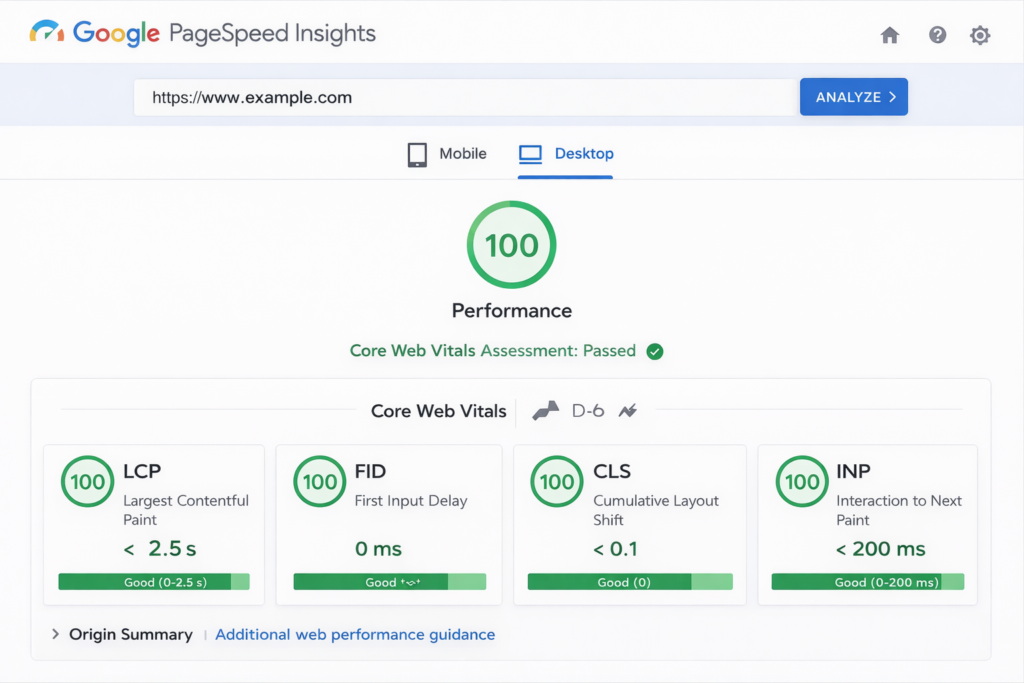
Largest Contentful Paint (LCP): Less than 2.5 seconds
Interaction to Next Paint (INP): Less than 200 milliseconds (FID was replaced by this in 2024).
CLS (Cumulative Layout Shift): Less than 0.1
Support for performance optimization in WordPress is provided by:
Server-Level Optimization:
PHP 8.1+ implementation for 20-30% performance improvements
Object caching (Redis, Memcached) for database query reduction
OPcache configuration for faster PHP execution
GZIP compression for reduced transfer sizes
Database Management:
Weekly database optimization removing overhead from deleted data
Transient cleanup (expired temporary data cluttering your database)
Post revision limiting (WordPress stores unlimited revisions by default)
Post meta cleanup removing orphaned metadata
Auto-draft deletion
Spam comment purging
Front-End Optimization:
Image compression and modern format conversion (WebP, AVIF)
Lazy loading implementation for images and videos
CSS and JavaScript minification
Critical CSS generation for above-the-fold content
Render-blocking resource elimination
Font optimization and subsetting
Browser caching configuration
CDN Integration:
Modern CDN setup (Cloudflare, BunnyCDN, StackPath)
DDoS protection capabilities
Edge caching for global performance
Image optimization at the CDN level
Systematic Update Management and WordPress Security Updates
Updates involve more than staying up-to-date: they also need to ensure that you work within your whole WordPress setup and do not break things. The good professional WordPress site maintenance services will have a staging area where they test before deploying any WordPress security updates or even releases.
The Professional Update Process:
Staging environment testing: Every update gets tested on an exact copy of your live site first
Compatibility verification: Checking theme and plugin compatibility before applying updates
Backup creation: Fresh backup immediately before any major update
Monitored deployment: WordPress security updates applied during low-traffic periods with active monitoring
Functionality testing: Post-update checks ensuring all features work correctly
Rollback preparation: Immediate reversion if any issues arise.
What Gets Updated:
WordPress core (currently 6.7, with future releases continuing this trajectory)
All plugins with WordPress security updates prioritized
Theme frameworks and child themes
PHP version upgrades coordinated with hosting provider
SSL certificates before expiration
Security definitions for malware scanners
Now that WordPress has auto-updating for minor releases and plugins, you may need to be a bit more diligent. Auto-updating everything can make your website break. Hire a WordPress professional to maintain and update your blog setup, select auto-updates for security releases, and test major upgrades manually.
Advanced WordPress Maintenance Components
Uptime Monitoring and Rapid Response
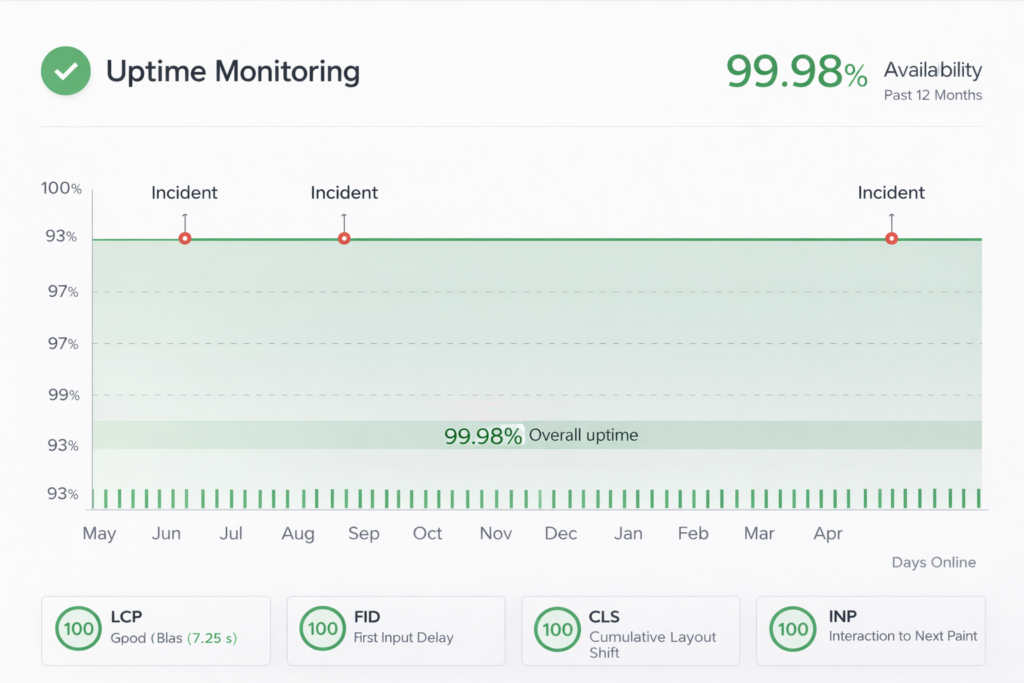
Your site should be open all day, every day. Downtime is a minute-by-minute expense that can degrade credibility. Professional WordPress support services monitor your site every 1-5 minutes from various global places with tools like UptimeRobot, Pingdom, or Site24x7.
What Monitoring Catches:
Server downtime or crashes
DNS failures
SSL certificate expiration
Database connection errors
PHP fatal errors
Resource exhaustion (memory limits, CPU spikes)
DDoS attacks in progress
Unexpected redirects or defacements
If anything goes wrong, you get notified immediately via SMS or email or Slack, and your WordPress support guys jump on it asap. But most problems get taken care of before you ever know they existed. SLAs usually enforce responses to high-priority issues within 15-60 minutes.
Plugin and Theme Ecosystem Management
It’s about quality, not quantity, when using plugins. I’ve spent time scrutinizing 40+ plugin sites that are faster than 10, as the code quality was better. Here’s what you get with the Professional WordPress Maintenance service for managing your plugins:
Strategic Plugin Auditing:
Quarterly reviews identifying redundant or unnecessary plugins
Performance impact analysis (which plugins slow your site most)
Security assessment using WPScan vulnerability database
Abandoned plugin identification (WordPress.org now flags these)
Alternative plugin recommendations for deprecated tools
Code quality evaluation for custom plugins
Common Plugin Issues We Address:
Elementor vulnerabilities (major security issues patched in 2024)
WooCommerce database optimization for large stores
Contact Form 7 spam prevention
Yoast SEO database bloat cleanup
Outdated page builders causing conflicts
Theme Management:
Parent theme updates while preserving child theme customizations
Block theme migration for Classic Theme users
Gutenberg editor compatibility ensuring
Mobile responsiveness testing after updates
WordPress maintenance services address all sorts of plugin conflicts that usually arise after a WordPress security release; this way, even if third-party developers are slower than WP core, there’s no need to worry about a broken website.
Spam and Security Threat Prevention
There’s more at stake than annoyed readers, too: Spam is a security risk and an SEO burden. Services from professional website maintenance companies take multi-layered approaches to spam prevention:
High-quality spam filter: A modern-life tale like CleanTalk or reCAPTCHA v3 can do the job in stealth mode.
Protection specifically for formats: WPForms, Gravity Forms with honeypot and CAPTCHA fields
Comments moderation: Automated spam filtering and moderator review of all spam.
Bot traffic management: Detecting and stopping bot attacks while allowing good bots through.
Prevent fake registration: For membership sites and online stores
Broken Link Checker and SEO Health
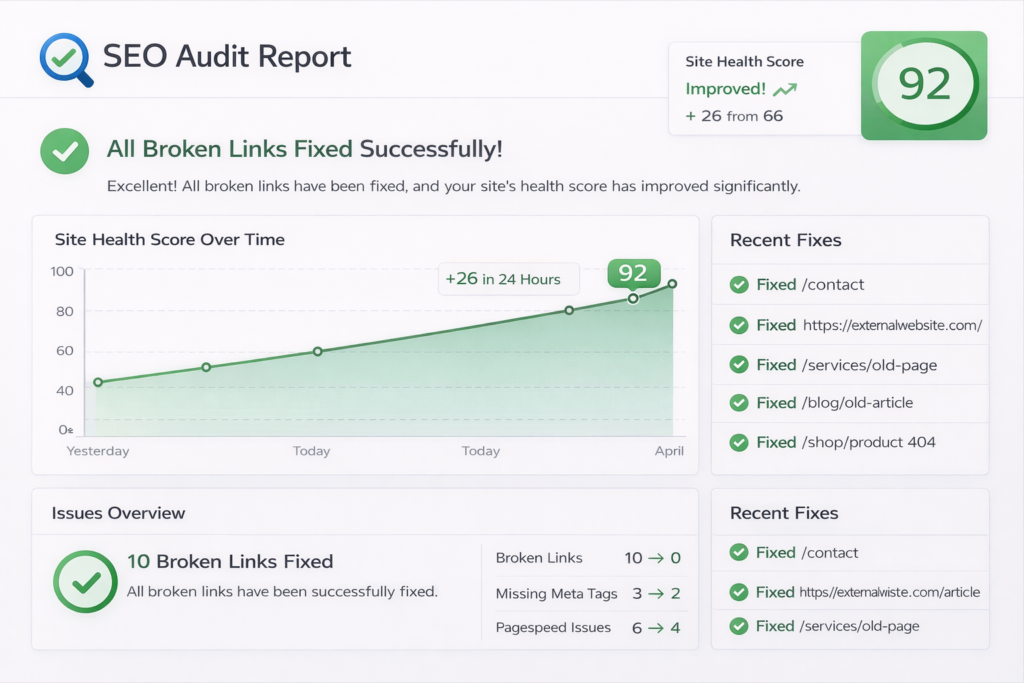
Broken links are a killer for the user experience and SEO. Monthly scans identify and fix:
Internal broken links and deleted links pages
External links to removed resources
Image links for broken media files
404 errors requiring redirects
Redirect chain optimization (A and B → A → C)
Site Health and WordPress Built-In Tools
Site health checks were a great addition to WordPress 5.2 and made even better in versions 6.4-6.7 and 6.8. These are tools used by professional WordPress maintenance services:
Fixing Major Issues: PHP version warning, HTTPS issue, and plugin conflict
Suggestions for improvement: Use the recommendations of WordPress best performance.
Debugging log support: Trace PHP errors and warnings so you can fix things before they break.
REST API health: Making sure all API endpoints are working for Gutenberg and third-party plugins.
Compliance and Accessibility in 2025
Regulatory compliance means constant attention, not once-and-done. A professional web maintenance service provider tends to:
Quarterly accessibility audits using automated tools and manual testing
Alt text verification for all images
Keyboard navigation testing
Screen reader compatibility
Color contrast verification
Accessible form implementations
Caption and transcript requirements for multimedia
Important Note: This is not full compliance, but you would need to visit Legal for that. With WordPress maintenance services, the technical aspects are taken care of, but you need a legal review for total protection.
Real-World WordPress Maintenance Scenarios
So, here are some of such scenarios I have had to deal with as a WordPress developer and why you need good WordPress maintenance service.
Scenario 1: The PHP 8.0 Upgrade Nightmare
A client’s hosting provider updated PHP from 7.4 to 8.0. Their theme and three of their plugins failed immediately, crashing the site. Since we had a staged environment and fully compatible PHP 8.0 testing as well, we resolved the problems by updating plugins and patching code that was incompatible prior to this forced upgrade. The live site was never taken down.
Scenario 2: The Elementor Vulnerability
In March 2024, there was a severe Elementor vulnerability that impacted millions of websites. Because we had already updated all of our maintenance clients’ sites within 4 hours of the WordPress update being launched, all clients were secured from this potential breach. Sites without WordPress support services? Most were hacked before the device owners even knew an update was available.
Scenario 3: WooCommerce Database Corruption
An e-commerce site’s database was corrupted during a server move. Their daily backup plugin wasn’t ACTUALLY making a valid backup for the last three weeks. Luckily, we had off-site incremental backups. We recovered the database from 2 hours ago without losing any transactions.
Scenario 4: Ransomware Attack
A client clicked a link on a phishing email, and attackers got admin access. They inserted backdoors and encrypted site files. Our malware scanner picked it up in 15 minutes. We restored from a clean backup, enabled 2FA, reset all passwords, and performed forensic analysis to mitigate the vulnerability. Total downtime: 43 minutes.
These are the situations playing out in real-time every single day within the world of WordPress. What separates a catastrophe from an inconvenience? Professional WordPress maintenance services.
DIY Maintenance vs. Professional WordPress Maintenance Services: Making the Choice
For any maintenance you feel comfortable doing yourself:
DIY-Friendly Tasks:
Minor content updates
Minor plugin updates (on low-traffic sites)
Image optimization before upload
Simple backup monitoring
When do you want professional WordPress maintenance services?
Operating an e-commerce site (downtime = revenue lost)
Handling sensitive customer data
Managing high-traffic websites
Lacking technical WordPress knowledge
Managing multiple sites
Requiring guaranteed uptime SLAs
Needing security compliance documentation
Operating in regulated industries
The math is simple: Professional WordPress maintenance services cost $79-$499/month depending on site complexity. Compare that to:
Average breach recovery: $38,000
One day of e-commerce downtime: $3,000-$50,000+ (depending on revenue)
Emergency developer rates: $150-$300/hour
Reputation damage: Immeasurable
Maintenance Frequency: What Comprehensive WordPress Support Services Deliver
Understanding the maintenance schedule helps you appreciate the ongoing work that WordPress support services provide:
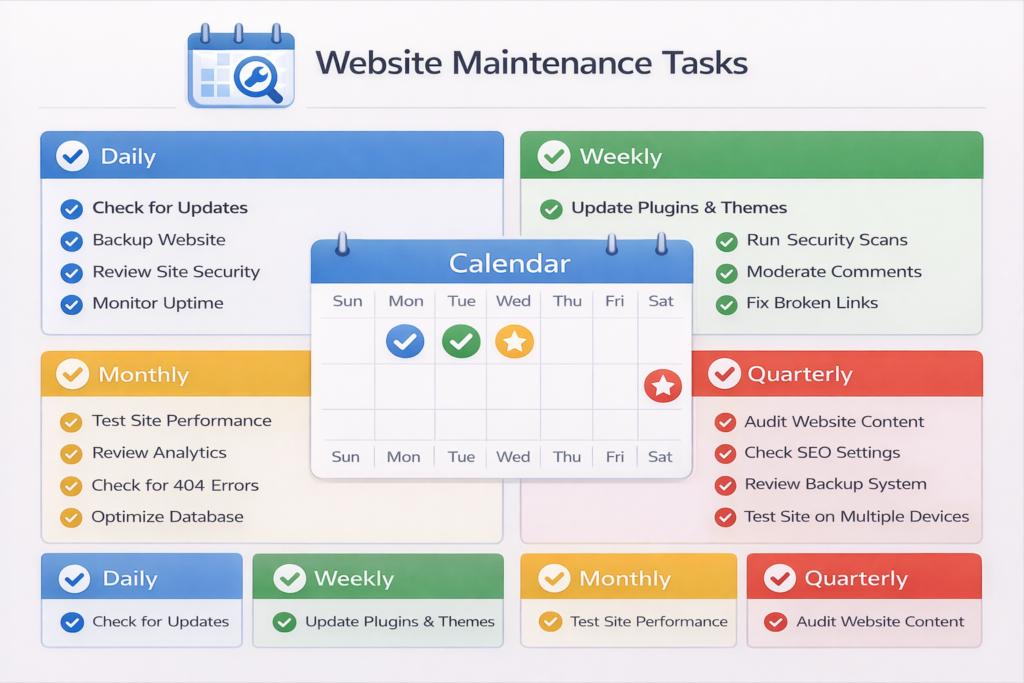
Daily Tasks:
Automated backups (incremental)
Security scans
Uptime monitoring
Spam filtering
Performance monitoring
WordPress security updates monitoring
Weekly Tasks:
Plugin security updates
Database optimization
Broken link checks
Site Health review
Update testing in staging
Monthly Tasks:
Full malware scans
Performance audits
Backup restoration tests
SEO health checks
Analytics review
Full WordPress core updates (after testing)
Quarterly Tasks:
Comprehensive security audits
Plugin ecosystem review
Accessibility testing
Compliance verification
Disaster recovery drills
Annual Tasks:
PHP version upgrades
Major redesign/replatforming consultation
Long-term strategy planning
Red Flags: Your Site Needs Immediate WordPress Maintenance Services
Watch for these warning signs indicating your WordPress site requires urgent attention from a website maintenance company:
WordPress core is out of date (last updated on: 6+ months).
Plugins that have “abandoned” badges in your admin area
Below PHP version 8.0 (in Site Health, like I posted in my reply)
No backup or backups over 30 days old.
3 plus seconds of second page load times
Google Search Console reporting security alerts
Mysterious dips in traffic or rankings
404 errors appearing in analytics
Contact forms not delivering messages
Spam comments are overwhelming moderation.
SSL certificate expiration warnings
Database errors in debug logs
Admin login sluggishness
Unexpected redirects or pop-ups
Not adding all of your files to the installation
If you’re experiencing multiple red flags, contact a website maintenance company immediately. Your site is already compromised or at severe risk.
Choosing the Right Website Maintenance Company
No more reactive fires: Problems are stopped before they can affect your site.
Clear reporting: Monthly executive summary report of all work performed, problems found, and enhancements added
WordPress expertise: Not IT support generalists but teams of WordPress specialists
Staging Environment Benchmark: All changes should be tested before deployment to production.
24/7 emergency assistance: not monitoring, but real human help available for bad things happening
Version control integration: Git (all changes are saved for easy rollback)
Tailored service plans: Designed to your site type and traffic levels, as well as business requirements
Evidence of effect: Case studies, client references, and demonstrable performance.
Questions to Ask Potential WordPress Support Services Providers:
What’s your emergency response time? SLA?
How fast do you implement WordPress security updates once they hit the ground running?
How do you test changes without breaking my live website?
What are you utilizing for backup, and how often have you done a test restore?
Do you provide staging environments?
What security things do you use as part of your processes?
What do you do when your plugin is incompatible with another one?
What does the performance optimization involve?
Do you offer white-label reporting for agencies?
What if an update causes my site to stop working?
Can you give me any examples of sites you’re currently managing?
WordPress Maintenance Services Pricing Tiers:
Knowing the average cost will give you an idea of what to expect when you are looking for a website maintenance company:
Basic Maintenance ($79-$149/month):
Core and plugin updates
Daily backups
Basic security scanning
Uptime monitoring
Standard Maintenance ($149-$299/month):
Everything in Basic
Performance optimization
Monthly security audits
Malware removal
Priority support
Staging environment
Premium Maintenance ($299-$499/month):
Everything in Standard
Real-time backups
Advanced WAF protection
24/7 emergency support
Monthly performance reports
SEO monitoring
Accessibility audits
White-label reporting
Enterprise Maintenance ($500+/month):
Everything in Premium
Dedicated account manager
Custom SLAs
Multi-site management
Development hours included
Compliance documentation
Most website maintenance company providers offer customized packages based on your specific needs, traffic volume, and business requirements.
The Business ROI of WordPress Maintenance Services
Now let’s see the real financial cost with some numbers and real calculations of why WordPress Fmaintenance is an investment, not an expense:
E-commerce Site Example:
Monthly revenue: $50,000
Downtime of site following breach: 48 hours
Lost revenue: $3,200
Recovery cost: $8,500
Reputation damage/customer loss: $15,000
Total cost: $26,700
Investment in premium WordPress maintenance services: $299 per month = $3,588 per year
Maintenance saves 7x your annual investment even if it only prevents one serious incident.
Preventing one day of downtime pays for three years of professional WordPress support services.
In addition to keeping site crises at bay, WordPress maintenance services substantiate performance enhancements.
42% faster loading pages on average = higher conversion rates
A security incident decreased by 60% = reputation is protected.
A 23% increase in search ranking means more organic traffic (you’re more visible on Google and other search engines!).
99.9% uptime is equal to a consistent customer experience.
WordPress Maintenance Checklist
Here’s a practical checklist you can use to evaluate your current WordPress maintenance status:
Security:
WordPress core latest version (6.8 of January, 2026)
Every plugin we have updated in the last 30 days
No abandoned or deprecated plugins installed!
Two-factor authentication activated for admin users
Web Application Firewall (WAF) configured
Malware scanning performed monthly
Login attempts are limited and monitored.
SSL certificate is valid and auto-renewing.
File permissions properly configured
Database credentials secured
Backups:
Daily automated backups running
Off-site backup storage configured
Tested backup in the last 90 days
A 30+ day retention policy implemented
Database and files independently backed up
Performance:
LCP under 2.5 seconds
INP under 200ms
CLS under 0.1
PHP 8.0 or higher running
The database was optimized within the past month.
Image optimization implemented
Caching configured and working
CDN active and functioning
Monitoring:
Uptime monitoring active
Performance monitoring configured
Security scanning automated
Check broken backlinks monthly using Broken Link Checker or Screaming Frog.
Site Health: No critical issues, Shahanyh.
Error logs reviewed regularly
Compliance:
Privacy policy update for the current year
Cookie consent is functional.
GDPR/CCPA requirements met
Accessibility audit conducted not more than 12 months ago
If you did not have at least 75% of these boxes checked, then your site is in need of some professional WordPress care services.
Take Control of Your WordPress Security Today
Your WordPress site is an investment in the digital future of your business. Well, the investment you have made has value, and not having professional WordPress maintenance service means every day that investment is at risk.
The sites that are successful in 2026 aren’t necessarily the fanciest or most expensive—they’re powered by routine WordPress maintenance, working under the hood to prevent issues before they happen, keep performance and user experience maximized, and adapt to an evolving web world.
Don’t wait for a security breach, performance crisis, or catastrophic failure to take maintenance seriously.
Ready to Protect Your WordPress Investment?
Get in touch with our WordPress maintenance service specialists now for a 100% free site health check-up. We’ll do a 47-point review ensuring safety from security vulnerabilities, performance issues, backup integrity and failures, plugin health, and lapses with compliance.
You will receive a detailed report that includes:
Immediate WordPress security update for a serious security vulnerability
Performance optimization opportunities
Backup and recovery readiness assessment
Plugin and theme compatibility analysis
Specific recommendations prioritized by impact
No obligation. No sales pressure. Just some honest, expert review from a company that has maintained websites for over 8+ years, helping folks just like you keep their sites safe and secure.
Get your free WordPress site health check. →
Your website is too precious to be left unprotected. Team up with WordPress support professionals that value your site as a biz-critical asset. Let’s keep it secure, fast, and running for your business 24/7/365.
FAQs
Professional WordPress maintenance services perform daily backups and security scans, weekly plugin updates and database optimization, monthly performance audits, and quarterly comprehensive reviews. Critical WordPress security updates are applied within hours of release to protect your site from emerging threats.
WordPress maintenance services include daily automated backups, WordPress security updates for core/plugins/themes, malware scanning, uptime monitoring, performance optimization, database cleanup, broken link fixes, spam protection, SSL management, and emergency support. Premium packages add 24/7 monitoring and compliance audits.
WordPress maintenance services range from $79-$149/month (basic) to $299-$499/month (premium) depending on complexity. While this seems expensive, professional website maintenance company services prevent security breaches averaging $38,000 in recovery costs and costly downtime exceeding thousands daily.
DIY maintenance works for low-traffic personal blogs with technical knowledge. Hire professional WordPress support services when running e-commerce sites, handling customer data, requiring guaranteed uptime, lacking technical expertise, or managing business-critical websites where downtime costs thousands per hour.
Without WordPress maintenance, you risk security breaches from missed WordPress security updates, performance issues hurting Google rankings, plugin conflicts causing crashes, data loss from broken backups, legal liability from compromised customer data, and reputation damage costing $38,000+ in recovery.