Running a news site on WordPress is easy to start and hard to scale. You publish all day. Traffic spikes at odd hours. One slow page can lose a reader for good.
The right plugins fix most of that. This guide covers the best WordPress plugins for news sites. We group them by job: SEO, editing, speed, ads, email, and security. You’ll also see what to install first, what to skip, and how to plan your costs.
Every pick works for a small online magazine or a busy newsroom. Choose what fits your size today. Add more as you grow.
What Plugins Do News Websites Need on WordPress?
News websites need plugins for six jobs. These are SEO and news sitemaps, author tools, speed and caching, ads or paywalls, email and push alerts, and security with backups. Start with one plugin per job. Add more only when you find a real gap.
Here’s the short version before we go deeper.
| Job |
Plugin to check first |
Pricing model |
|
SEO and news sitemap
|
Rank Math or Yoast SEO |
Free + paid plans |
|
Authors and bylines
|
PublishPress Authors |
Free + paid plans
|
| Editorial calendar |
PublishPress Planner |
Free + paid plans
|
|
Caching
|
WP Rocket or LiteSpeed Cache |
Paid / Free |
| Image compression |
ShortPixel or Imagify |
Free tier + paid plans
|
|
Ads
|
Advanced Ads |
Free + paid plans |
| Paywall and memberships |
MemberPress or Paid Memberships Pro |
Paid / Free + paid plans
|
|
Newsletters
|
MailPoet |
Free tier + paid plans |
| Push alerts |
OneSignal |
Free tier + paid plans
|
|
Security
|
Wordfence |
Free + paid plans |
| Backups |
UpdraftPlus |
Free + paid plans
|
Plans change often. Check each vendor’s pricing page before you buy.
How to Choose the Best WordPress Plugins for News Sites
A bad plugin can hurt a news site as fast as a good one can help it. Run these checks before you install anything:
- Updates. Look at the last update date. Skip any plugin that hasn’t had one in a year.
- Speed. Every plugin adds some load. Test each one on a staging copy first.
- Support. Pick tools with an active support forum or a paid help desk.
- Fit. Choose tools built for high post volume, not just a small blog.
- Cost. Add up the yearly license price, not just the first month.
Start with free versions. Upgrade only when you hit a real limit, like a missing feature or a usage cap.
Need a free starting point? See our list of free WordPress plugins for 2026. Most of the free tiers below also appear there.

WordPress News Website Plugins for SEO and Google News
Search sends readers to your site every day. So fix SEO first.
Rank Math
Rank Math handles titles, meta tags, schema, and sitemaps in one plugin. It also includes a news sitemap option that lists your newest stories for Google News. Check which plan holds the features you need before you commit.
Yoast SEO and Yoast News SEO
Yoast SEO is the other big name. Its News SEO add-on is a paid extra. It adds a news sitemap and Google News settings on top of the main plugin. You buy it separately, so add that cost to your budget.
Pick one, not both
Run one SEO plugin only. Two of them will fight over your meta tags and confuse search engines.
Both tools can output the NewsArticle schema. Turn it on for every post type you use for stories. This markup tells search engines that a page is a news story, with a headline, a date, and an author. Add a clear publish date and an updated date to each post, too. Readers and Google both look for them.
Redirection
News sites fix typos in slugs and move old stories all the time. The free Redirection plugin sets up 301 redirects and logs 404 errors. You’ll catch broken links before readers do.
Site Kit by Google
Site Kit puts Search Console, Analytics, and AdSense numbers inside your WordPress dashboard. It’s free. You can check your top stories without leaving your admin screen.
WordPress Magazine Plugins for Editors and Authors
A news site is a team sport. These tools keep writers, editors, and guest contributors in sync.
PublishPress Authors or Co-Authors Plus
Stories often have more than one writer. PublishPress Authors lets you add several authors to one post and show clean author boxes. Co-Authors Plus does the same job and comes from Automattic. Pick one and stick with it.
Good bylines also help readers trust you. Add a short bio and a photo for every reporter.
PublishPress Planner
Planner gives your team an editorial calendar and custom post statuses. You can set stages like Pitch, Assigned, In Edit, and Ready. Everyone sees what’s due today.
PublishPress Revisions
Sometimes you need to fix a live story without showing half-done edits. PublishPress Revisions lets an editor review changes before they go public. Your readers never see the draft.
User Role Editor
Not every contributor needs full access. User Role Editor lets you set exactly what each role can do. Give every writer a personal login. Shared logins make it hard to trace a change.
Speed Plugins That Protect Your Core Web Vitals
News pages carry heavy ads, big images and embeds. That’s why speed plugins matter so much. A slow site loses readers and rankings.
Google tracks three Core Web Vitals: loading speed (LCP), response to taps and clicks (INP) and layout shift (CLS). For a deeper look at each one, read our WordPress Core Web Vitals guide.
Caching: WP Rocket or LiteSpeed Cache
WP Rocket is a paid plugin. It’s easy to set up. It caches pages, delays JavaScript, and lazy loads images with a few clicks.
LiteSpeed Cache is free. It works best when your host runs a LiteSpeed server. If you’re not sure, ask your host before you pick it.
Use one caching plugin only. Two will clash.
Image compression: ShortPixel or Imagify
Newsrooms upload a lot of photos. Both plugins shrink image files and can serve modern formats like WebP. Each has a free tier with a monthly limit, then paid plans. Pick one based on your monthly upload volume.
CDN: Cloudflare
A CDN serves your pages from a server near each reader. Cloudflare offers a free plan, and it has a WordPress plugin. It also helps absorb traffic spikes when a story takes off.
Fix the layout shift from ads.
Ads are the top cause of layout shift on news sites. Reserve space for every ad slot. The page won’t jump when the ad loads.
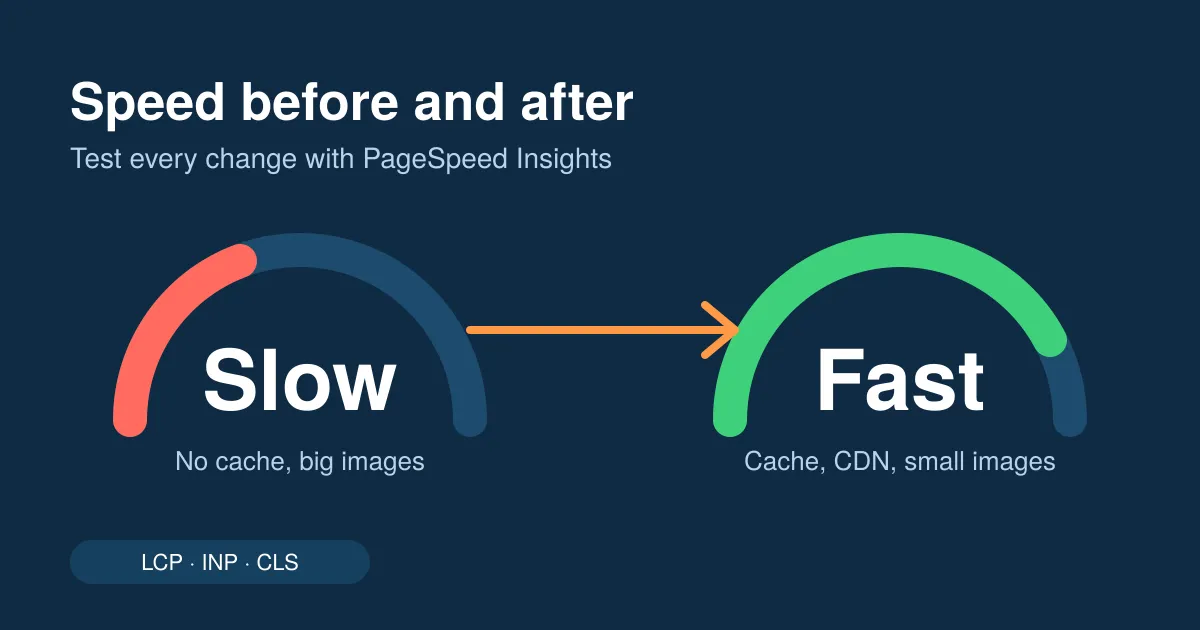
Test before and after each change with PageSpeed Insights. Keep what helps. Remove what doesn’t.
One more tip. Check your speed on a phone, not just a desktop. Most readers open news on mobile, and mobile scores are usually lower. If a plugin only helps your desktop score, it isn’t doing its job.
WordPress Publisher Plugins for Ads and Paywalls
Most newsrooms make money from ads, memberships, or both. The right WordPress publisher plugins make each option simple to run.
Advanced Ads
Advanced Ads lets you place ads inside posts, after paragraphs, and in sidebars. You can show different ads on mobile and desktop. The free version covers the basics. The paid add-ons add more targeting and tracking.
Ad Inserter
Ad Inserter is a strong alternative. It gives you fine control over where code or ads appear. It suits teams with a developer who likes detail. It has a free version and a paid version.
Choose one ad manager. Don’t stack them. Two plugins can show the same ad twice and slow the page.
Google AdSense through Site Kit
If you use AdSense, Site Kit can connect your account and place the code for you. It’s a quick way to start earning with little setup.
MemberPress or Paid Memberships Pro
Want readers to pay? MemberPress and Paid Memberships Pro both let you lock stories behind a login and take recurring payments. Paid Memberships Pro has a free version. MemberPress is paid. Compare the payment gateways each one supports before you buy.
Think about your reader first. A hard paywall can cut traffic fast. A softer model, like free stories plus a paid premium tier, often fits a new magazine better.
Plugins That Grow Your Audience
Traffic from search is great. Readers who come back are better. These tools bring them back.
Newsletters: MailPoet or Newsletter Glue
MailPoet lets you send emails from inside WordPress. You can send a digest of your latest stories on a schedule. It has a free tier for small lists, then paid plans.
Newsletter Glue connects WordPress to your email service. You write in the normal editor, then send the story as a newsletter. It’s a good fit if you already use another email tool.
Push alerts: OneSignal
Push alerts suit breaking news. OneSignal sends web push notifications to readers who opt in. It has a free tier and paid plans for bigger audiences. Don’t overdo it. Two or three alerts a day is plenty for most sites.
Related posts: YARPP
Yet Another Related Posts Plugin shows related stories at the end of each article. Readers click through to a second story. That boosts page views per visit.
Better search: Relevanssi
The default WordPress search is basic. Relevanssi ranks results by relevance, so readers find old stories fast. Your archive starts to earn its keep.

Security, Backups, and Uptime
A news site that goes down during a big story loses trust fast. Don’t skip this part.
- Wordfence adds a firewall and a malware scanner. The free version covers the basics. Upgrade if you want faster rule updates.
- UpdraftPlus schedules backups and sends them to cloud storage. Back up at least once a day if you publish daily.
- UptimeRobot is an outside service that pings your site and alerts you when it’s down.
Never use “nulled” or pirated copies of paid plugins. They often hide malware. Buy a real license instead. It costs less than a cleanup.
Should You Use Newspack Instead?
Newspack is a publishing platform from Automattic, built on WordPress for news organizations. It bundles tools for ads, newsletters, and reader revenue. You get a set of features that work together, so you add fewer separate plugins.
It won’t suit every team. You give up some freedom to pick each tool yourself. Check the Newspack site for current terms and eligibility before you decide.
What to Install First: A 7-Day Setup Plan
Don’t install everything at once. You won’t know which plugin caused a problem. Work in this order instead:
- Day 1: Backups. Set up UpdraftPlus and run a test restore.
- Day 2: Security. Install Wordfence and turn on two-factor login for every editor.
- Day 3: SEO. Add Rank Math or Yoast SEO. Turn on NewsArticle schema and your news sitemap.
- Day 4: Speed. Install one caching plugin and one image compressor. Run PageSpeed Insights and write down your scores.
- Day 5: Team tools. Add PublishPress Authors and Planner. Give each writer a login.
- Day 6: Money. Set up your ad manager or your membership plugin. Check that ads don’t shift the page.
- Day 7: Audience. Connect your newsletter and push alerts. Send a test to yourself.
Run each step on a staging site first. Then push the change live. If your site slows down, you’ll know which step caused it.
Sample Plugin Stacks by Site Size
Use this table as a starting point. Adjust it to your needs.
| Site size |
Suggested stack |
| Small magazine (1 to 5 writers) |
Rank Math, LiteSpeed Cache or WP Rocket, ShortPixel, Site Kit, MailPoet, Wordfence, UpdraftPlus |
| Growing newsroom (5 to 20 writers) |
Everything above, plus PublishPress Authors, Planner, Advanced Ads, OneSignal, Redirection |
| Large publisher |
Everything above, plus a membership plugin, Relevanssi, a CDN, managed hosting and custom development |
Traffic growth brings new problems. Hosting, database load and caching rules all start to matter. Our guide on how to scale WordPress for publishers walks through each stage.
How Much Do News Site Plugins Cost?
You can launch with free plugins. Many of them have paid plans that add support, more features or higher limits. A few tools, like WP Rocket and MemberPress, have no free version.
Here’s a simple way to plan your budget:
- Month one: Use free tiers. Learn what your site truly needs.
- Month three: Upgrade the one plugin that saves your team the most time.
- Month six: Compare yearly license prices. Many vendors charge per site, so count your sites first.
Keep a simple sheet that lists each plugin, its price and its renewal date. Renewals surprise a lot of teams. Cancel any license you don’t use.
Plugin Mistakes News Sites Make
Avoid these common errors:
- Running two plugins that do the same job. Two SEO or two caching plugins cause conflicts.
- Skipping staging. Test every update on a copy first.
- Ignoring update notices. Old plugins are a top way hackers get in.
- Buying every pro license on day one. Start free. Pay when you need the feature.
- Never removing plugins. Delete any plugin you don’t use. Don’t just turn it off.
Get Help Building Your News Site Stack
The best WordPress plugins for news sites only work when you set them up well. A wrong setting can slow your pages or hide your stories from search.
If you’d rather hand it off, our team builds fast, stable WordPress sites for publishers. We can plan your stack, set it up and test it for speed.
Get Media Publishing WordPress Solutions
FAQs
Start with Rank Math for SEO, one caching plugin and one image compressor. Add MailPoet for email, Wordfence for security, and UpdraftPlus for backups. That stack covers search, speed, audience, and safety. Add ads and memberships once your traffic grows.
Your theme controls the look. Plugins control the features. Keep features like SEO, ads, and newsletters in plugins. Then you can change your theme later without losing them.
There's no fixed number. Judge each plugin by what it costs in speed and upkeep. Test your load time after every install. Remove any plugin that doesn't earn its place.
They help with the technical side, like clean markup, sitemaps, and fast pages. But Google decides on inclusion using its own content policies. Original reporting and clear bylines still matter most. Read Google's publisher guidelines for the full rules.
Advanced Ads and Ad Inserter handle ads. MemberPress and Paid Memberships Pro handle paid memberships. MailPoet and OneSignal bring readers back, which helps both models. Pick one tool per job.



 WooCommerce Solutions
 Solutions for WordPress