Your legal team has one question before they approve a new site: is it safe? If the site runs on WordPress, the honest answer is yes, when you build it the right way. Enterprise WordPress security comes from the setup around the software, not from the software alone.
This guide shows what that setup looks like. You will see which rules apply to US businesses, how to handle privacy and accessibility laws, and what proof your buyers will ask for.
Can WordPress Meet Enterprise Security and Compliance Requirements?
Yes. WordPress can meet enterprise security and compliance requirements when you pair it with secure hosting, strict access control, vetted plugins, constant monitoring, and clear legal workflows. The core software is not the risk. Weak setups are. A hardened build can support GDPR, CCPA, ADA, WCAG, and SOC 2 reviews.
Let’s break that down.
WordPress is open source. Anyone can read the code, and that helps. Thousands of developers test it, and the core team ships security fixes on a steady schedule.
Where do breaches come from, then? Most known WordPress vulnerabilities sit in plugins and themes, not in core. Weak passwords, old software, and loose hosting do the rest.
Here’s the catch. No platform is compliant by itself. Laws care about how you collect data, who can see it, and how you serve every visitor. WordPress gives you room to build the controls you need. You still have to build them.
And WordPress will not hand you a SOC 2 report. No CMS does. You earn that through your own processes and your vendors.
What Enterprise WordPress Security Looks Like in Practice
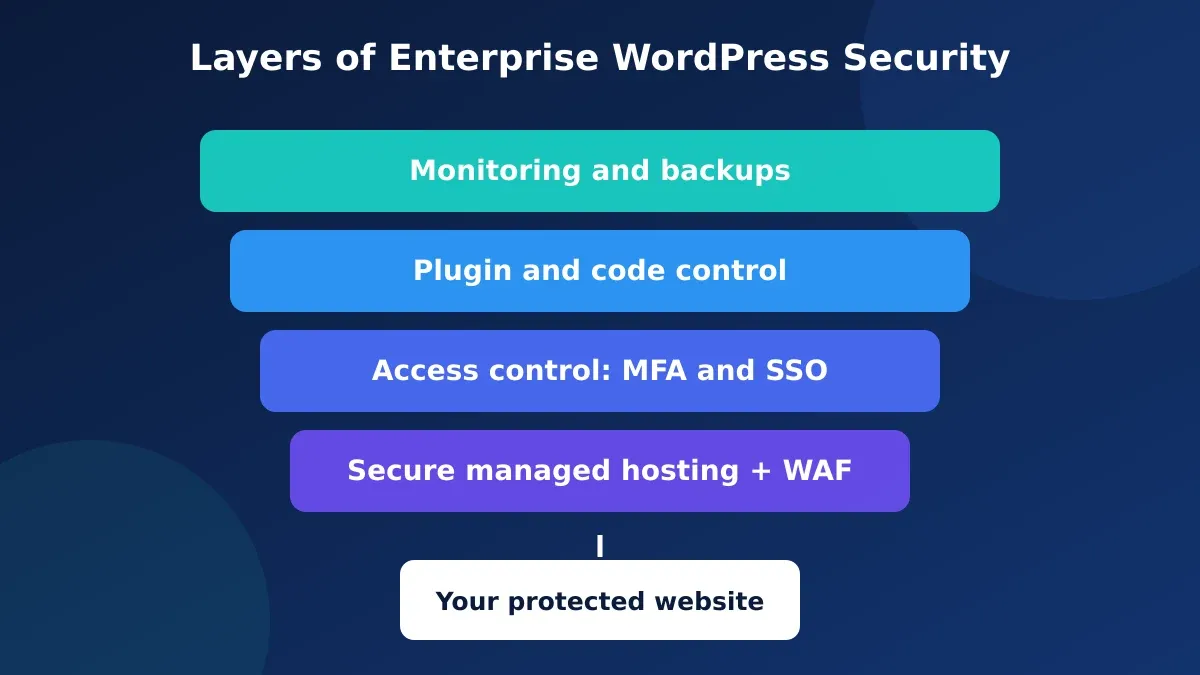
Think in layers. If one layer fails, the next one stops the attack. Four layers matter most.
Secure, managed hosting
Your host sets the floor for everything else. Pick one that isolates each site, patches servers fast, and runs a web application firewall (WAF). Ask for uptime terms in writing.
Look for these basics:
- Server-level firewall and DDoS protection
- Daily backups stored off the server
- Free, auto-renewing SSL with TLS 1.2 or higher
- Staging sites that match production
- A current SOC 2 report from the host
Cheap shared hosting fails this test. One infected neighbor can put your site at risk.
Tight access control
Most breaches start with a stolen login. So lock logins down.
- Turn on multi-factor authentication (MFA) for every admin and editor.
- Use single sign-on (SSO) with your company identity provider.
- Give each person the lowest role that lets them do their job.
- Remove accounts the day someone leaves.
- Limit login attempts and hide the default login URL.
Review user lists every quarter. You will almost always find an old account.
Plugin and code control
Every plugin adds code you did not write. Treat each one like a new vendor.
Before you install a plugin, check when the developer last updated it. Read the support threads. Test it on staging first. If you can do the job with a few lines of custom code, skip the plugin.
Keep your plugin list short. Delete anything you do not use. Inactive plugins still carry risk.
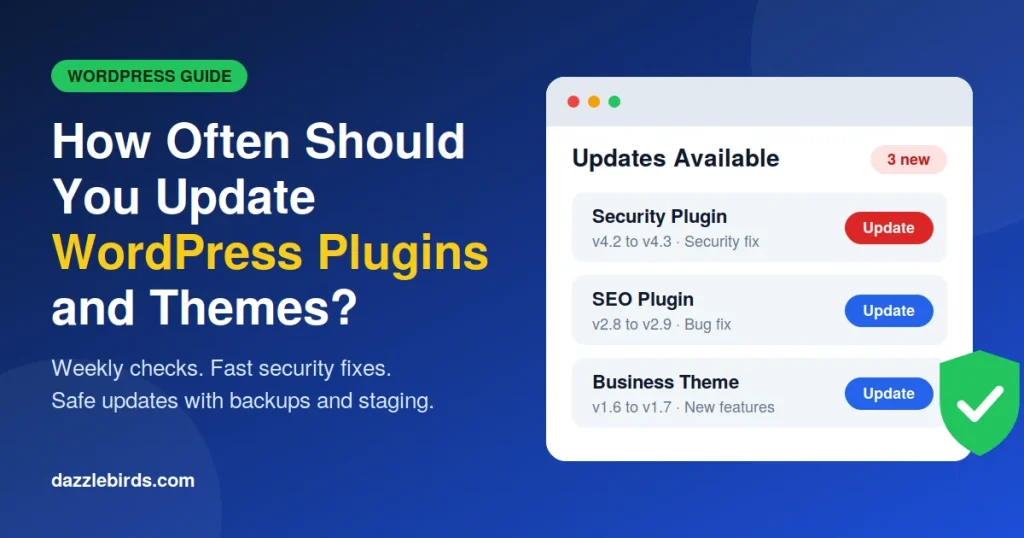
Our guide to WordPress security services and best practices covers updates, firewalls, and backups step by step.
Monitoring, backups, and response
You cannot fix what you cannot see. Set up file change alerts, uptime checks, and an activity log that records every admin action.
Then write an incident plan. Name who calls whom, who talks to customers, and who restores from backup. Test the restore at least twice a year. A backup you never tested is a guess.
WordPress Compliance Requirements US Businesses Must Know
Most US companies face a mix of rules. Which ones apply depends on who your customers are, what data you hold, and what you sell.
| Rule |
Who it covers |
What it asks of your site |
| CCPA / CPRA |
Businesses that serve California residents and meet set size or data limits |
Privacy notice, opt-out links, data access, and delete requests |
| GDPR / UK GDPR |
Anyone who sells to or tracks people in the EU or UK |
Consent, data rights, vendor contracts, breach reporting |
| ADA and WCAG |
US businesses open to the public, online and offline |
An accessible site that follows WCAG 2.1 or 2.2 level AA |
| SOC 2 |
Service providers that handle customer data |
An audit of your security controls |
| PCI DSS |
Anyone who takes card payments |
Safe handling of card data |
Most WordPress compliance requirements fall into three buckets: protect data, respect privacy rights, and serve all users. Security covers the first. Legal workflows cover the second. Design and testing cover the third.
Start with a data map. List every form, plugin, and script that touches personal data. Note where the data goes and who can see it. You cannot protect what you have not mapped.
Growing brands often hit these rules all at once. In our post on enterprise WordPress lessons for growing businesses, we share the mistakes that slow teams down as they scale.
WordPress GDPR and CCPA Compliance
Privacy law is where most WordPress sites slip. The two big names are GDPR and CCPA. They overlap, but they are not the same.
What GDPR asks for
GDPR covers any site that sells to or tracks people in the EU. The UK has its own version with similar rules. If you ship to Europe or run ads there, it applies to you.
Key points:
- You need a lawful reason to collect data.
- You must get consent before you set non-essential cookies.
- People can ask for their data or ask you to delete it.
- You need a data processing agreement with each vendor that touches the data.
- You must report serious breaches fast.
Fines can reach 20 million euros or 4% of global yearly revenue, whichever is higher. That gets a board’s attention.
What CCPA and CPRA ask for
California’s law gives residents four rights. They can ask what you collect, delete it, correct it, and opt out of the sale or sharing of their data. Your site must show a clear privacy notice and an opt-out link when the law applies to you. It must also honor opt-out signals from the browser, such as Global Privacy Control.
CCPA is opt-out. GDPR is opt-in. That one difference changes how you build your cookie banner.
How to meet both on WordPress
You do not need a different site for each law. Build one privacy system and set it by region.
- Add a consent tool. Pick a consent management platform that blocks scripts until a visitor says yes and that handles regional rules.
- Scan your cookies. Run a scan each quarter. New plugins add new trackers.
- Use the built-in tools. WordPress core has Export Personal Data and Erase Personal Data tools under the Tools menu. They give your team a head start on data requests.
- Check your forms. Store only the fields you need. Set a rule to delete old entries.
- Sign vendor contracts. Get a data processing agreement from your host, email tool, and analytics provider.
- Write a plain privacy policy. Say what you collect, why, and how long you keep it.
Many plugins claim to make you compliant. None can. They give you tools. Your team still owns the policy and the process.

WordPress ADA and WCAG Compliance
The ADA does not list technical rules for websites. So courts and lawyers lean on the Web Content Accessibility Guidelines (WCAG). Level AA is the usual target. WCAG 2.2 is the current version, and many teams still test against 2.1.
For state and local governments, the Department of Justice set WCAG 2.1 AA as the standard in a 2024 rule. Private companies face demand letters and lawsuits too. Claims often name online stores, banks, and service sites.
Good news: WordPress can reach AA. The theme and your content habits decide the result.
Fix the build first.
Start with the theme. A poor theme causes problems on every page.
- Use clean, semantic HTML with proper headings.
- Keep color contrast at 4.5 to 1 or better for body text.
- Make every menu, form, and pop-up work with a keyboard.
- Show a clear focus outline.
- Add a “skip to content” link.
- Label every form field.
Then fix the content.
Your editors can break a good build in minutes. Train them to do four things:
- Write useful alt text for images.
- Use headings in order, from H1 down.
- Write link text that makes sense alone. Skip “click here.”
- Add captions to videos.
Test with tools and people.
Automated tools find only part of the problems. Run them, then test by hand. Tab through key pages with a keyboard. Try a screen reader on checkout and contact forms.
A quick warning on overlay widgets. They add a toolbar to the page, but they do not fix broken code. Do not count on them as your plan.
Accessibility helps your rankings and your sales, too. Read our tips on WCAG compliance and SEO to see how the two connect.
WordPress SOC 2: What It Means for Your Site
SOC 2 is an audit report. An independent CPA firm tests your controls and writes up what it finds. The American Institute of CPAs (AICPA) sets the framework. It covers five areas: security, availability, processing integrity, confidentiality, and privacy.
Here’s what trips people up. SOC 2 applies to a company, not to a piece of software. So a WordPress SOC 2 review looks at how you run your site, not at WordPress code.
There are two report types:
- Type I checks that your controls exist on one day.
- Type II checks that they work over time, often three to twelve months.
Big buyers usually want Type II.
What auditors ask about your WordPress setup
Auditors want proof. Expect questions like these:
- Who can change the live site, and who approves it?
- Do you test changes on staging first?
- Do you log admin actions and keep the logs?
- How fast do you patch known flaws?
- Do you review user access on a schedule?
- Do you test backups and your incident plan?
Keep the evidence as you go. Save tickets, change logs, access reviews, and restore tests. Collecting them in a hurry before the audit is painful.
Pick vendors with their own reports
Your host, CDN, and key plugin vendors sit inside your audit scope. Ask each one for a current SOC 2 report. Read the exceptions section. And check that the report covers the product you use.
Who Owns What: You, Your Host, and Your Agency
Compliance falls apart when no one owns a task. So split the work on paper before launch.
Your host owns the servers, the network, and the base firewall. Your agency owns the build, the updates, and the fixes. You own the content, the privacy policy, and the decisions about data.
Write this down in a simple chart. Add a name and a backup name to each row. Then check it again whenever your team or vendors change.
Ask your agency three direct questions. How fast do you patch a serious flaw? Who can push code to the live site? What do you do when something breaks at night? Clear answers tell you a lot. Vague answers tell you more.
Your Enterprise WordPress Security Checklist
Use this list in your next planning meeting.
- Host on managed, isolated infrastructure with a WAF.
- Enforce MFA and SSO for all users.
- Cut every user down to the lowest role they need.
- Update core, plugins, and themes on a set schedule.
- Remove plugins you do not use.
- Run staging and approval steps for every change.
- Log admin actions and alert on odd activity.
- Back up daily and test restores twice a year.
- Install a consent tool and map your personal data.
- Test accessibility by hand every release.
- Collect SOC 2 evidence all year.
- Review the whole list every quarter.
Five Mistakes That Fail Audits
The same gaps show up again and again. Watch for these:
- Shared admin logins. You cannot prove who did what.
- No staging site. Untested changes go live and break things.
- Plugin sprawl. Forty plugins mean forty doors.
- Cookie banners that do nothing. Trackers fire before consent.
- Accessibility as a one-time project. New pages break old fixes.

Build Enterprise WordPress Security Into Your Next Site
You do not need to guess where your site stands. A clear audit shows your gaps and the order to fix them.
At Dazzlebirds, we plan, build, and secure WordPress sites for larger teams. We work with your legal, IT, and marketing staff. Together we map the rules that apply to you and build the controls into the site.
Ready for a site your legal team can sign off on? Book a call, get your audit, and get a fix plan you can start this month.
Get Your Enterprise WordPress Audit
Final Word
Enterprise WordPress security is a habit, not a plugin. Build the layers, map your data, test for accessibility, and keep your proof ready. Do that, and WordPress will meet the bar your buyers set.
Want help? Talk to our enterprise team and start with an audit.
FAQs
Yes, when you set it up with care. Use managed hosting, MFA, a firewall, vetted plugins, and regular updates. The core software gets frequent security fixes. Most problems come from old plugins and weak logins, so strong habits matter more than the platform name.
It depends on your customers and data. Most US firms look at CCPA for California residents, ADA and WCAG for accessibility, and PCI DSS for card payments. If you reach EU or UK visitors, GDPR applies too. Big buyers may also ask for SOC 2 proof.
You need a consent tool, and a plugin or service can supply one. But a plugin cannot make you compliant on its own. You also need a privacy policy, vendor contracts, a data request process, and a team that follows them.
Pick an accessible theme, fix color contrast, make every feature work by keyboard, and label all forms. Then train editors on alt text and headings. Test with automated tools and by hand each time you release changes. Aim for WCAG 2.1 or 2.2 level AA.
A company earns SOC 2, not a platform. But a WordPress site can sit well inside a SOC 2 audit. You need change approvals, access reviews, logs, backups, and vendor reports. Keep the evidence all year, and ask your host for its own SOC 2 report.



 WooCommerce Solutions
 Solutions for WordPress