Introduction
Just think, one day you wake up, take a cup of coffee, and casually check your website—it is 100% down. Or worse, hacked. Your contact forms aren’t responding, your pages are crawling to load, and customers are hitting the back button before they even get around to reading a single word of content.
Here’s a hard truth nobody tells you when you start building your first WordPress site — launching it is just step one. The real work starts after. WordPress is a great tool, but like all tools of power, it requires care, tuning, and monitoring to work at its best! Slowly over time, even the most well-designed sites can be neglected.
That’s precisely why WordPress maintenance services have been invented. They are not a luxury of large corporations. They are essential for any business serious about its online presence. This blog will break down everything WordPress maintenance services involve, why each piece matters, and how the right WordPress maintenance company can shelter you from downtime, data loss, and lost revenue.

Why WordPress Maintenance Is Not Optional Anymore
Over 43% of all the websites on the internet are being powered by WordPress. That popularity cuts both ways. That means there’s a huge developer community and resources — but it also makes WordPress sites a major target for hackers and cyber criminals.
Security aside, WordPress keeps changing. Core updates are released regularly. Plugin developers push new versions. Themes get patched. PHP versions change. If you’re not upgrading, you might as well be driving a car that never gets an oil change. It may work fine for the time being, but sooner or later something will break — and it always does at the absolute worst moment.
And this is precisely where managed WordPress support services come into play. Instead of waiting until something goes wrong, a dedicated maintenance plan ensures your site is healthy, secure, and optimized at all times.
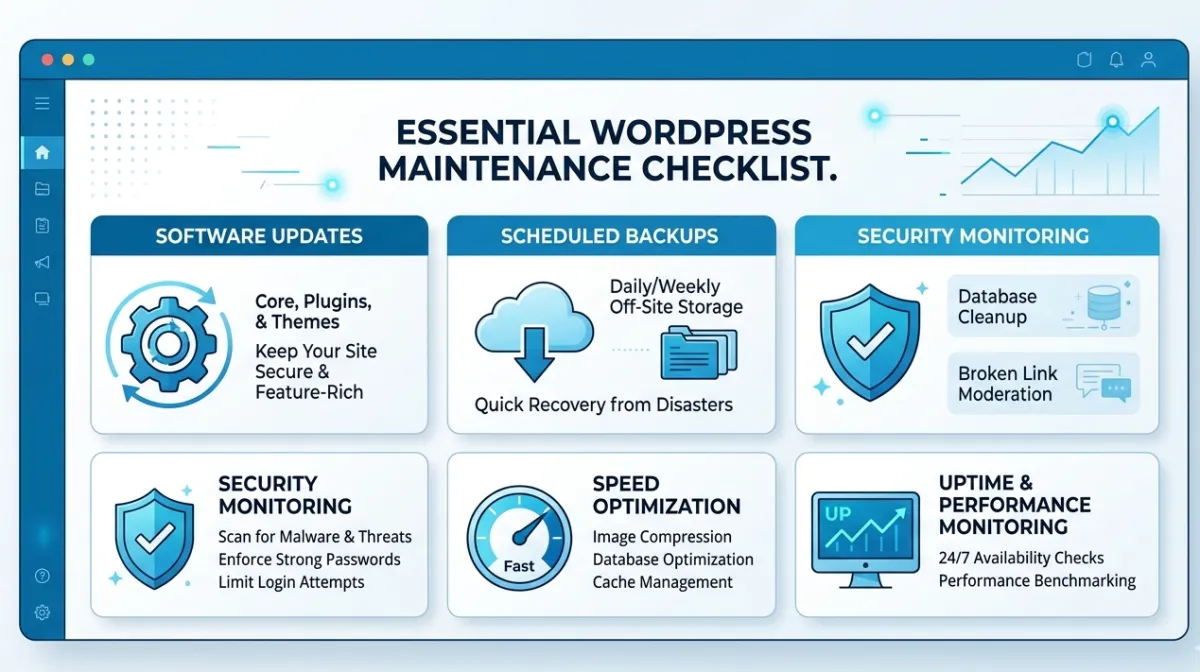
1. WordPress Core, Theme, and Plugin Updates
The most basic element of any WordPress maintenance services plan is keeping your core software, themes, and plugins up-to-date. WordPress automatically releases security, bug fixes, and performance improvement updates. The same goes for plugin and theme developers who, likewise, do all they can to maintain compatibility with newer versions of WordPress.
The problem? Most website owners do nothing about those updates or apply them without testing — and both have the same dire consequence. An untested update can wipe out your entire site. A missed update provides an opening for hackers.
A good WordPress maintenance company treats updates with caution. They apply updates in a staging environment first, verify if there are compatibility issues, and once everything checks out, they push the changes to your live site. You keep up to date with no chance of downtime outage.
2. Regular Website Backups
Ask any developer what is the most important thing you can do for your website is—they will almost always say the same: back it up. Regularly. And put those backups in a safe place.
Backups are your safety net. If something goes wrong—whether it’s a failed update, cyberattack, or accidental deletion of content—a recent backup means your site can be restored quickly without losing everything.
Quality WordPress maintenance services should offer automated, scheduled backups that are securely stored off-site. When this happens, you’ll have a clean slate to go back to no matter what. Not glamorous but very much needed.
3. Security Monitoring and Malware Removal
Security is the most crucial part of WordPress maintenance services. Every day, thousands of WordPress websites are hacked, the majority using bots to crawl for vulnerable sites.
A good maintenance plan consists of constant security monitoring—regularly scanning your website for malware, suspicious code, and unauthorized logins. It also addresses something suspicious before it turns into a crisis.
In addition to monitoring, WordPress support services also include proactive security hardening: firewalls, blocklisting of malicious IPs, two-factor authentication, and login attempt limits. These multiple layers of protection make it much more difficult for attackers to enter.
For a deeper look at what a comprehensive plan covers, check out this detailed guide: WordPress Maintenance Services — Everything You Need to Know
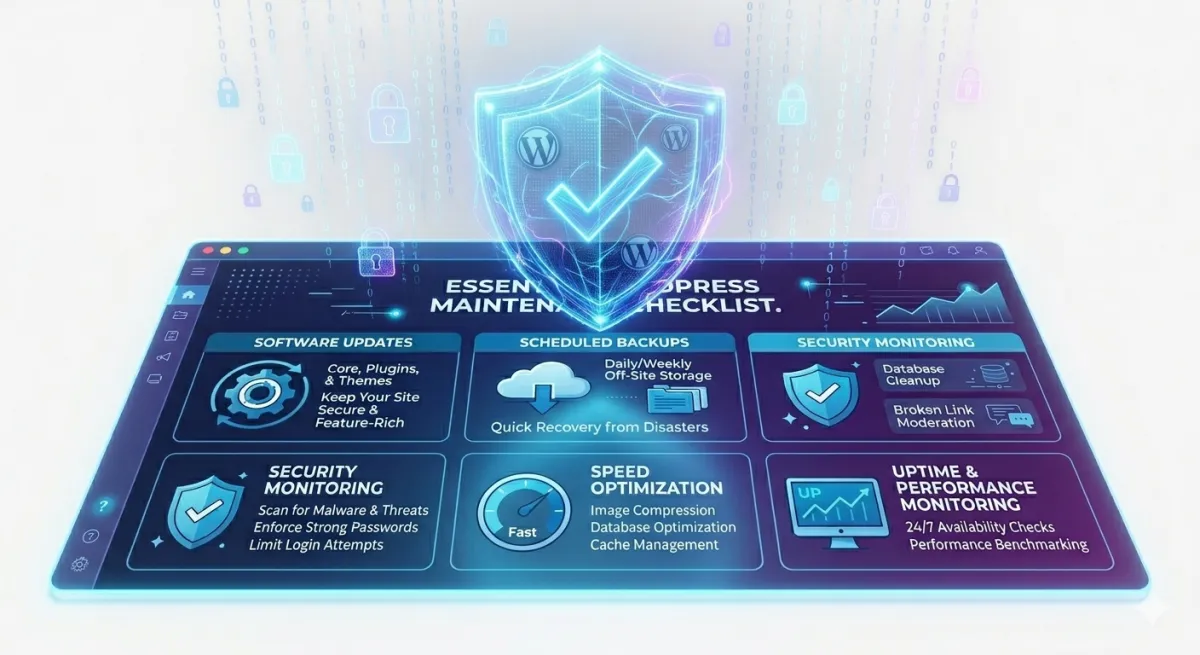
4. Performance Optimization and Speed Improvements
Speed is more important than most people think. Visitors tend to leave sites that require more than a few moments to load. Page speed is another ranking factor that carries a lot of weight in Google’s algorithm. A slow website doesn’t only annoy visitors — it hurts your SEO and your sales.
This includes continuous performance optimization of your website so that it loads as quickly as possible. This may include database optimization, image compression, caching configuration, code minification, and CDN setup.
As time passes, a lot of junk data piles up in WordPress databases—post revisions, spam comments and transient options that slow everything down. There should be a rotation of these optimizations and not just set-and-forget. They will track performance on an ongoing basis and tweak it as your content grows.
5. Uptime Monitoring and Broken Link Fixes
What’s the point of having a website if it isn’t online? Downtime directly translates to real money lost for businesses — in the form of lost sales, lost leads, and poor credibility. Checking on uptime is one of the main elements to providing WordPress support services. Automated tools verify that your website is accessible all day, every day, and if your site crashes, you receive an instant notification so it can be repaired rapidly.
Uptime aside, broken links are a silent killer of user experience and SEO. A visitor clicks a link and boom, hits a 404 error—that .png is brutal for trust. A good WordPress maintenance company scans regularly for broken links, missing images, and errors—and fixes those promptly to keep your experience clean and your search rankings strong.
6. SEO Health Checks and Database Optimization
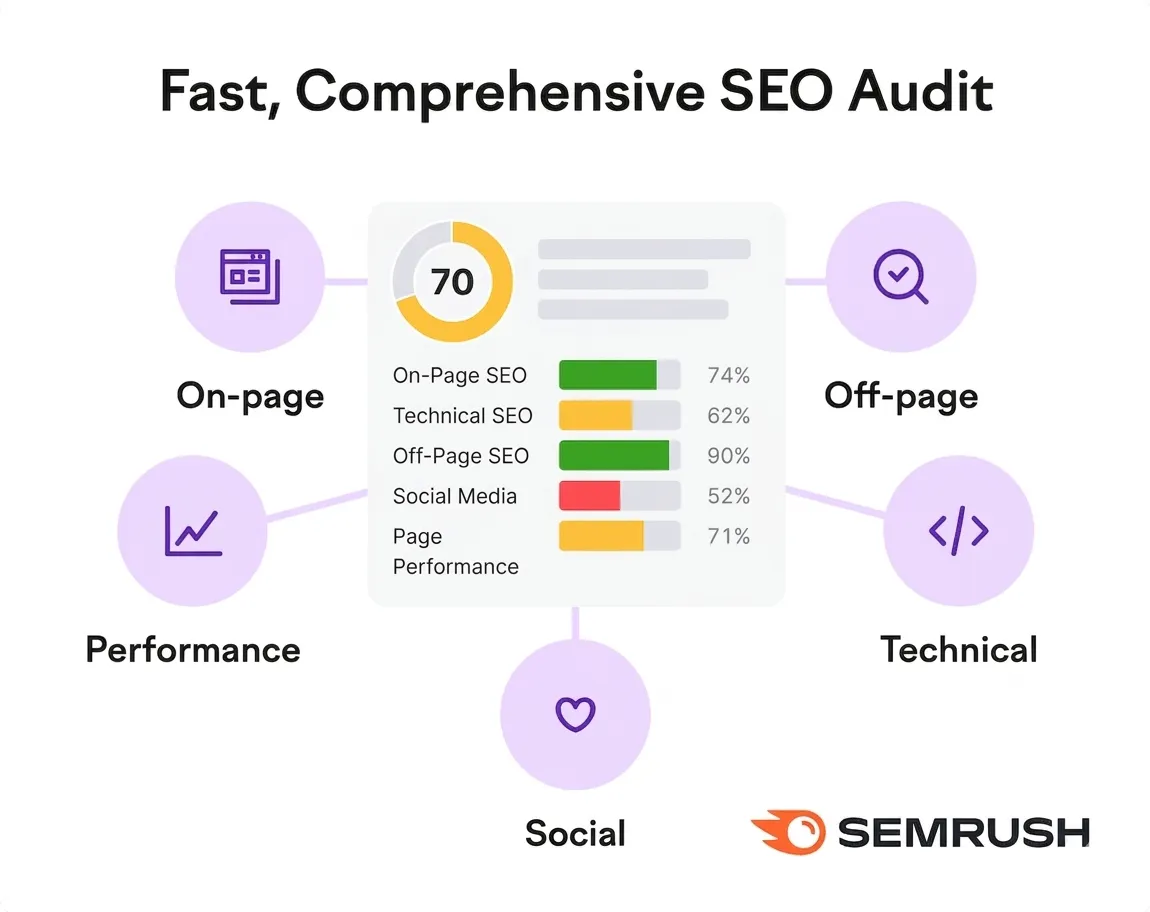
Technical SEO is not a one-time setup but rather an ongoing process. SEO health checks are a part of WordPress maintenance services—checking your XML sitemap, looking at the robots.txt setup, ensuring pages in a website index correctly, and correcting crawl errors or manual penalties in Google Search Console.
Your site’s database is basically the engine room of your WordPress. It saves all posts, settings, user data, and plugin information. It builds up pointless data that cause the speed of performance to slow down over time. Part of the WordPress support services includes optimizing the database by removing orphaned data, cleaning up revisions, deleting spam, and optimizing at a table level for efficiency.
And these two services together create the technical foundation to get all your content and marketing efforts to work.
7. SSL Certificate Management and Hosting Support
SSL certificates are what provides the padlock icon in your browser and allows data to be encrypted between a site and its visitors. They’re also a ranking signal for Google and an established trust factor. A “Not Secure” status next to a site in the browser bar will cause visitors to leave quickly.
SSL stands for Secure Socket Layer, a security protocol meant to secure traffic, and while SSL certificates must be renewed periodically, one expired certificate will show security warnings on your site to every single visitor—killing your traffic in hours. Professional WordPress maintenance services provide monitoring of SSL certificates and make sure they are renewed much before expiry.
In terms of hosting, WordPress support services also cover monitoring the server environment — PHP settings, server resources, and caching at the level of hosting. As your site grows, that maintenance team can recommend a hosting plan upgrade well before performance declines.
8. Emergency Support and Reporting
Things can go wrong outside of scheduled maintenance windows. A plugin update breaks something. A form stops working. The site goes dark due to a hosting problem. These moments can be stress-inducing—especially if you’re not a developer.
Emergency support is a part of quality WordPress support services — quick, responsive help whenever something urgent occurs. Instead of diagnosing the problem and possibly having to wait days on a freelancer, you already have a professional team that can jump in right away. If nothing else, this peace of mind is one of the most underrated benefits of paying for professional WordPress maintenance services.
Equally important is transparency. A reputable WordPress maintenance service supplies detailed monthly updates that go over what was updated, backed up, scanned for security issues; reports and metrics on uptime, performance statistics, and resolved issues—so you always know where your website sits.
To explore what a fully managed plan looks like in practice, read this comprehensive resource: What’s Included in Professional WordPress Maintenance Services
The Real Cost of Skipping WordPress Maintenance
There are several website owners that consider the price of WordPress maintenance services and they also choose to ignore it to save money. That is nearly always a false economy.
Consider what it really costs when something goes wrong. Emergency developer fees for a compromised site can range from hundreds to thousands of dollars. Lost sales during downtime of any sort can add up to big numbers quickly. The time you put into troubleshooting is time lost from running your business. And there’s very real, hard to recover from reputation damage when a website is slow, compromised or broken.
That’s just a small price to pay — professional WordPress maintenance services cost a fraction of what you’d face after a major cleanup. It’s not a cost — it’s protection on one of your business’ greatest assets.

How to Choose the Right WordPress Maintenance Company
Not all maintenance service providers are the same. When searching for a WordPress maintenance company, make sure to find a team that provides extensive services as opposed to only simple updates. Inquire about emergency response times, their process for dealing with security incidents, and their auditing practices.
Seek out a genuine WordPress company — not just a generic hosting company selling maintenance as an upsell. When things go wrong, experience counts. Fees should be clear, and the range of services delineated. A good maintenance partner does not take a cookie-cutter approach to website support.
Conclusion
However, your WordPress website is never really “done.” It is a living digital asset that needs regular care, attention and expertise to operate optimally. WordPress maintenance services include everything from security monitoring, performance optimization updates to backups and emergency support.
If you just started with your site or have been running it for years but without maintenance—this is the moment to team up with a professional WordPress maintenance company to handle all of these aspects, leaving you entirely free.
Every single day, your website is hustling for your business. Ensure you are returning the favor.
Ready to protect your website? Explore our WordPress Maintenance Services and get started today.
FAQs
WordPress maintenance services include core updates, plugin updates, security monitoring, regular backups, performance optimization, uptime monitoring, broken link fixes, and database cleaning to keep your site running smoothly.
WordPress maintenance should be performed weekly for updates and security scans, daily for backups, and monthly for full performance audits to ensure your website stays secure and fast.
A professional WordPress maintenance company handles technical tasks like security, updates, and backups expertly—saving you time, preventing costly downtime, and keeping your website protected around the clock.
WordPress maintenance services typically range from $50 to $300 per month depending on your website size, complexity, and the level of support included in your chosen maintenance plan.
Skipping WordPress maintenance exposes your site to hacking, data loss, slow performance, and unexpected downtime — costing far more in emergency fixes than investing in regular professional WordPress support services.


 WooCommerce Solutions
 Solutions for WordPress