That Feeling When Something Just Seems Off
You are familiar with that feeling. When you go to your own website, something seems a little off. It might have loaded a bit more slowly than normal. Maybe you don’t remember how a button looks. Perhaps a customer complained that they were unable to submit a contact form, and you dismissed it as a one-time error.
The shocking truth is that websites don’t break overnight. They slowly and silently deteriorate in ways that are simple to ignore one at a time but catastrophic when they accumulate. Most business owners discover a major issue with their website after it has been negatively impacting their leads, traffic, and reputation for weeks or months.
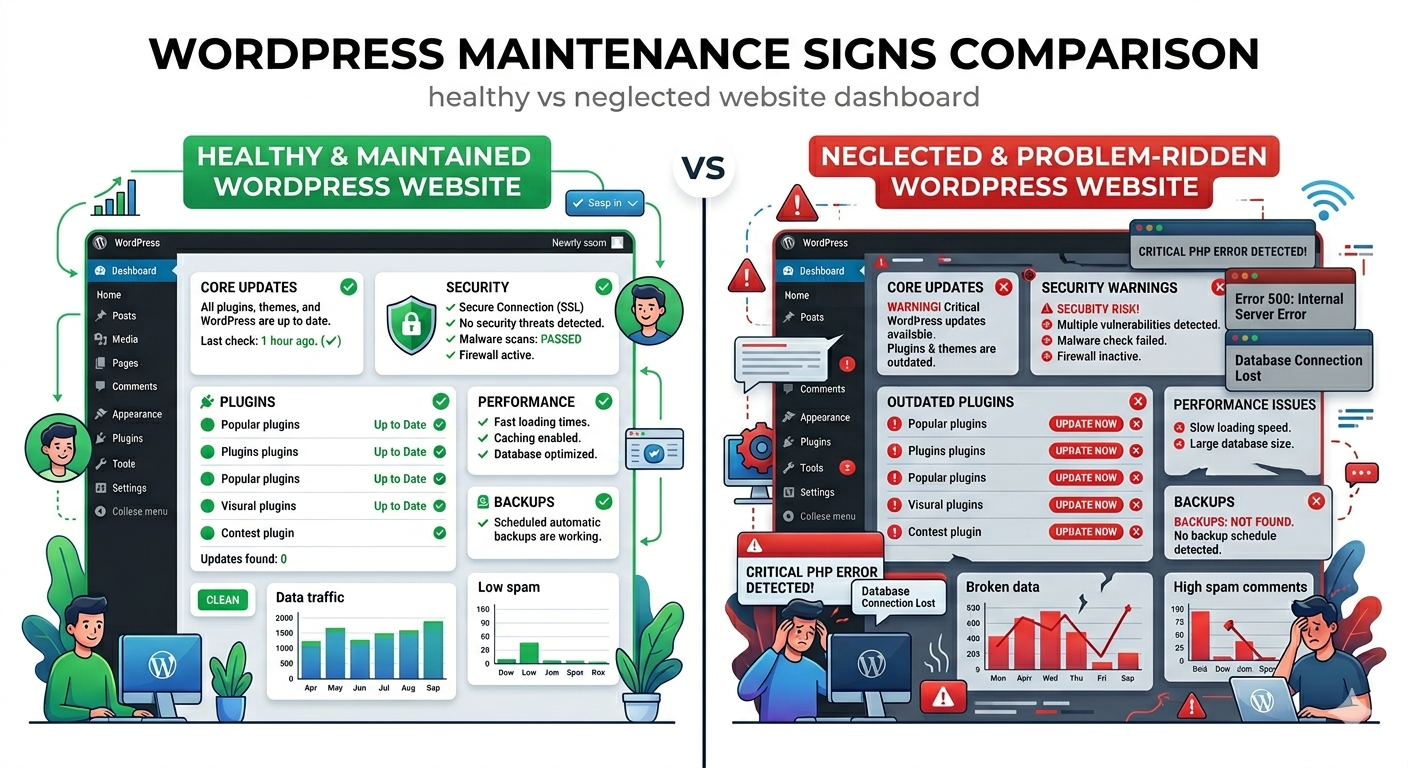
Even though WordPress is a fantastic platform, it is not self-sufficient. It requires constant care, monitoring, updates, and attention. Without it, the warning signs begin to show, but most people either fail to notice them or persuade themselves that they are not that serious.
The goal of this blog is to change that. We’ll go over each major indication that your website needs expert help, explain what’s really going on behind the scenes when each symptom manifests, and demonstrate why taking immediate action on these WordPress maintenance indicators can save you a great deal of time, money, and stress in the future.
Why Most Business Owners Miss the Warning Signs
The other tricky thing about website deterioration is that it tends to happen slowly. A page that previously took three seconds to load is now taking three and a half. A plugin that functioned flawlessly six months ago now finds itself in a subtle conflict with another plugin updated last month. An old theme (that was a security issue) silently gets exploited, but nothing appears to get compromised.
None of these things are loudly declarative. They creep in. And since most business owners are too busy working in their business rather than monitoring their website, these signs of WordPress maintenance are often missed until they turn into costly issues.
Exactly why professional WordPress maintenance services exist—to ensure not only repair but also catching things well before they rise into problems in the first place. The best maintenance isn’t reactive. It’s proactive. But if you want to be proactive, you have to first know what you’re looking for.
Sign 1 — Your Website Is Loading Painfully Slowly
One of the most apparent and, in some cases, impactful WordPress maintenance signs is page speed. If your website is loading in over three seconds, you are literally losing visitors. Research consistently demonstrates that a large portion of users leave behind a page that failed to load within three seconds—and the abandonment rate rises sharply with each additional second in delay.
But slow loading is not just a user experience issue. Page speed is literally a ranking factor recognized by Google itself. A sluggish site isn’t just annoying visitors—it drags down your search ranking, decreases your organic traffic, and, ultimately, hurts your bottom line.
What causes this? In the course of time, a lot of unnecessary data accumulates in WordPress databases—post revisions, spam comments, orphaned metadata, and transient options that were never removed. Non-compressed uploaded images add megabytes to each page load. Deactivated plugins that were never deleted still lump weight onto your site. Caching settings established a long time ago and forgotten are no longer relevant.
All of these are areas that good WordPress maintenance services will proactively tackle through performance audits, database cleanups, image optimisation, and caching reviews. If your site is feeling sluggish, that isn’t just annoying — it’s a sign loud and clear: maintenance is in order.
Sign 2 — You’re Seeing Plugin or Theme Conflicts
Have you ever updated a plugin and all of a sudden you have something broken on your site? A menu disappearing. A page layout falling apart. A functionality that was working yesterday is giving a new error today. It’s a plugin or theme conflict—and it’s one of the most common signs that regular professional oversight is lacking in WordPress maintenance.
WordPress sites operate on a layering of software. Problems occur when one element is rotated without verifying its interactions with the rest. This is not a rare edge-case scenario; it happens consistently, and unless you have the methodology to test for this, it is happening directly on your live site. One that real visitors are looking at.
A professional WordPress maintenance company applies updates in a staging environment—a private copy of your site—where individual updates get tested before moving them to the public version. This one practice does more to prevent update-related issues than anything else combined. If you dread updating because of all the breakage that happens, if your software suffers regular breakages post-update (especially a minor one to some library)—these are symptoms that there is a bare minimum maintenance gap; this must not only be closed but also automated.
For a full breakdown of what a proper update process involves, this guide on what WordPress maintenance services include is worth reading before your next update cycle.
Sign 3 — Your Website Has Been Hacked or Shows Suspicious Behaviour
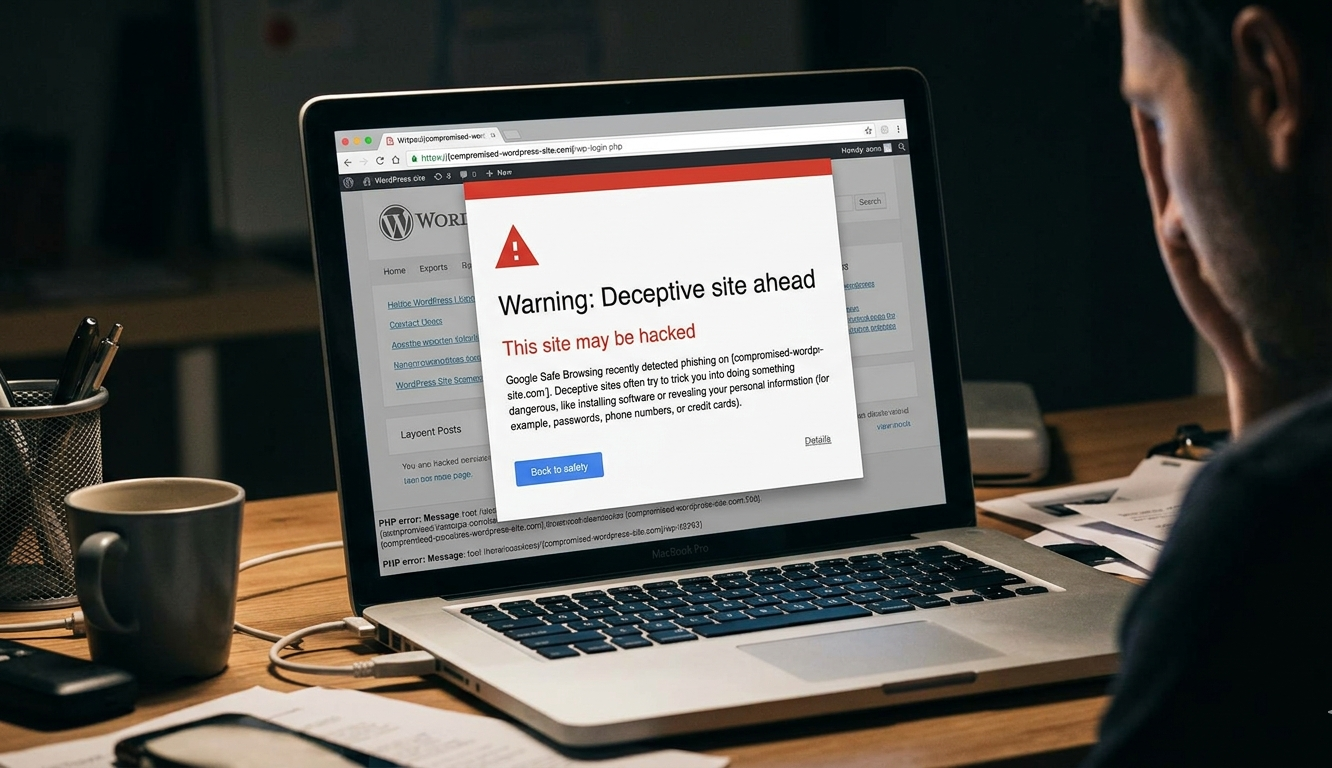
This one is serious. If you see those on your website—content that you haven’t written; redirects roaming off to other websites; Google throwing a “This site may be hacked” warning; and your hosting provider having flagged suspicious activity—then these are extreme WordPress maintenance signs that cannot wait more than a day.
Hacked WordPress sites sometimes don’t look any different at all. Often, the damage done is invisible to the site owner while highly visible to search engines and visitors. Hackers plant code to redirect mobile traffic, adding spam links into the content of your site or using your server to send out phishing e-mails—all without any obvious front-end alert.
The reasons are almost always the same—outdated plugins and themes containing known vulnerabilities, weak login credentials, a lack of a firewall, and no malware scanning. These are all things that professional WordPress support services prevent by way of constant monitoring, security hardening, and routine scanning.
Professional cleaning and restoration are the top priorities if your website has been compromised. Understanding how the breach occurred and permanently closing that gap to prevent it from happening again are equally important. Both are handled by a trustworthy WordPress maintenance company.
Sign 4 — Your SSL Certificate Has Expired
You may have seen it before on someone else’s website—a browser warning that says “Your connection is not private” or “Not Secure” prominently displayed even before the page loads. It’s that warning, triggered when an SSL certificate expires or is misconfigured—one of the most damaging things your business website can do to you.
As soon as that warning hits, most visitors bail. And who can blame them? Most people don’t push through a security warning prior to loading a page. The damage to trust is immediate and acute.
SSL certificates need to be renewed at regular intervals. On busy sites with lots of moving pieces, though, this may fall through the cracks—particularly where there’s no professional oversight in place. And good WordPress support services will monitor SSL certificates and renew them long before expiration to ensure that this never happens.
If your site is displaying a security warning or you’re unsure when the last renewal of your SSL occurred, then that’s a maintenance gap that needs to be addressed promptly.
Sign 5 — You Haven’t Updated WordPress, Plugins, or Themes in Months
At this point, go to your WordPress dashboard. Go to the Updates section. How many updates are waiting? If the number is higher than a handful—or you really can’t remember when updates last happened—that’s one of the clearest WooCommerce maintenance signs around.
The number ONE cause of WordPress security breaches is outdated software. If a vulnerability is found in a plugin or theme, the developer issues a patch. The very instant that patch becomes public knowledge, so does the vulnerability it addresses—and attackers begin scanning for unpatched sites within seconds.
An out-of-date backlog isn’t only a security problem. Outdated plugins and themes can lead to compatibility problems with new versions of WordPress, performance issues, and functionality errors that impact the user experience.
If updates are being made straight to a live site with no testing, it is very understandable that many site owners run away from updating because the fear of breaking something is there. This is precisely the reason why people providing professional WordPress maintenance services use staging environments. Updates are tested, conflicts get identified, and changes are only deployed once they have been validated to work as intended.
For an honest look at what professional maintenance costs and what you get for it, this guide on WordPress maintenance services cost 2026 breaks it all down clearly.
Sign 6 — Your Website Is Experiencing Frequent Downtime
Downtime is expensive. When your website is down for a minute, you lose visitors, leads, and sales — each second. However, in addition to the immediate cost, recurrent downtime tends to indicate deeper concerns—server resource issues, plugin conflicts, database errors, or hosting environment bugs that won’t fix themselves.
The majority of website owners have no idea their site is down until a customer informs them. By then, the site might have been down for hours. If you don’t have uptime monitoring set up, you’ll simply be in the dark when it comes to how often your site goes down, how long those outages last, and what’s causing them.
Professional WordPress support services offer uptime monitoring, which monitors your site 24/7 and alerts you the minute your site goes down. That means response times are in minutes, not hours, and patterns of downtime can be analyzed and addressed before they become chronic.
If you’ve gotten messages from customers that they can’t access your site or you’ve noticed it down yourself—that’s a maintenance sign, and it needs immediate attention.
Sign 7 — Your Forms, Buttons, or Features Have Stopped Working
A contact form that gives no feedback. A booking button that makes no sound. An error in the middle of a checkout process. These types of functional failures are among the more expensive WordPress maintenance issues, since they directly block conversions—and often go undetected for weeks.
Whereas if a site were completely down, broken features would fail to set off obvious alarms. Your site looks normal. It loads fine. But somewhere along the user journey, something broke—and the people it impacts most are those that were primed to contact you, schedule with you, or purchase from you.
These problems are usually due to plugin conflicts, failed updates, or JavaScript errors introduced with a recent change. Testing all main features is a form of functional testing you’ll do on an ongoing basis as part of a proper WordPress maintenance services plan.
If you can’t remember the last time someone tested your contact form, or your booking system, or your checkout process end-to-end, that test is overdue.

Sign 8 — Your Bounce Rate Has Increased Significantly
Analytics don’t lie. If you have watched your bounce rate creep up, if more visitors leave your site without taking action (no opt-ins, no purchases, etc.), visit fewer pages, and spend less time on each visit—oh dear, something has changed. And most often it is a commitment of maintenance.
Information on load times, broken pages, lack of responsiveness, security warnings, or degraded user experience due to conflicting plugins can all lead to an increasing bounce rate without warning bells you would notice immediately.
This is one of the slightly more nuanced WordPress maintenance signs, because it takes actually looking at your data—rather than just waiting for something to go catastrophically wrong. You can tell at a glance whether the performance of your site has declined over time by comparing your current bounce rate against it three or six months ago.
A professional WordPress maintenance company includes performance metrics as part of their ongoing service—catching trends before they get serious and figuring out the underlying causes if the metrics start to go in the wrong direction.
Sign 9 — You Have No Backup Strategy in Place
You’re unlikely to see this symptom on your website, but it’s a soft spot in your protection that you just know is there. And, if you’re honest with yourself, many entrepreneurs who are currently reading this do not have a proven, tested backup system that’s reliable and working.
No backup strategy WordPress maintenance is one of the most critical signs—not because it indicates something has already broken, but rather because you have nothing to fall back on when something eventually breaks. And in WordPress, eventually something always goes wrong.
So a hacked website with no clean backup. An update that went wrong with no restore point. A database corruption that you do not have a fresh copy of. This scenario is the difference between a 30-minute recovery and catastrophic data loss. Automated backups, on a daily basis and off-site, are the industry standard, and confirming that restores work is just as crucial.
Backup management is a core part of the professional WordPress support services offering—so you do not have to think about it and always have protection in place when you need it.
To understand the full scope of what a professional plan covers and what it typically costs, this comprehensive resource on WordPress maintenance services is a great starting point.
Sign 10 — Your SEO Rankings Have Dropped Without Explanation
If your organic traffic has fallen—your pages rank lower, and fewer people discover you through Google—and you haven’t done anything to the content on it great, its cause is usually technical. And technical SEO issues are nearly always maintenance issues.
Broken internal links. Missing XML sitemaps. [Large crawl errors flagged in Google Search Console. Accidental noindex pages (it happens) Core Web Vitals scores are being dragged down by slow page speeds. These are all technical problems that occur over time on websites not kept up—and all of them have an immediate effect on the way Google indexes your content.
A WP maintenance service regularly performs technical SEO health audits as a part of their services—tackling problems before they become full-blown ranking plummets. If this is your case and you’ve seen your traffic drop and aren’t sure about the reason, a full technical audit will be the first step to knowing why that’s happening.

What To Do When You Recognise These Signs
It’s uncomfortable to read through this list and find myself nodding along at so many of these points, but it’s also actually useful. Spotting these signals early gives you time to act before the damage escalates. Here’s what to do next.
Begin with a clear-eyed assessment of where you stand. When were updates last applied? Do you have backups? Is your security monitoring active? Do all of your important features function appropriately? This doesn’t need to be exhaustive — even a cursory review will identify the most pressing gaps.
Then ask yourself if you have the time and technical confidence to tackle these things on your own or whether enlisting help from a professional WordPress maintenance services provider is the more practical path forward. The honest answer for most business owners is the latter. The time it takes to properly maintain a WordPress site—checking updates, security audits, performance checks, and backups—is non-trivial and scales with virulence if it’s been neglected.
Well, the good news here is that quality WordPress support services are actually more affordable and widely available than many people believe. A good maintenance plan from the right WordPress maintenance company will cost a small fraction of what any single serious incident would set you back to resolve — and it guarantees these warning signs never manifest as serious incidents in the first place.
Conclusion
Your website is one of your business’s most hard-wearing assets. It introduces you to every prospective customer who searches for what you provide, every referral who’s doing research before reaching out, and every current client looking up your details. It deserves consistent, professional attention.
None of the signs this guide addresses—slow performance, update backlogs, broken features, security issues, and losing traffic—are inevitable. They are preventable. And the solution for every single one of them — it’s always going to be the same, consistent WordPress maintenance by professionals that know what they’re doing.
Don’t wait for everything to get dramatic before you act. The early warning signs are already present. The question is whether you are proactive about them today or deal with the ramifications later.
FAQs
The most common WordPress maintenance signs include slow page speed, outdated plugins, broken forms, frequent downtime, security warnings, and unexplained drops in your Google search rankings.
Check your site speed, update history, backup status, and bounce rate. These four areas reveal the most telling WordPress maintenance signs that indicate your site needs immediate professional attention.
Absolutely. Ignoring WordPress maintenance signs like slow speed, broken links, and crawl errors directly impacts your Google rankings—causing organic traffic to drop significantly over time without obvious warning.
You should act on WordPress maintenance signs immediately. Delays allow small problems like outdated plugins or missing backups to escalate into costly security breaches, data loss, or extended website downtime.
Yes. Professional WordPress maintenance services identify and resolve all WordPress maintenance signs—including security vulnerabilities, performance issues, broken features, and outdated software—keeping your website healthy and fully protected always.


 WooCommerce Solutions
 Solutions for WordPress