The Wake-Up Call Most Website Owners Get Too Late
Imagine a scenario that occurs thousands of times each day. A business owner sits at their desk, opens their laptop, and types in the URL for their website—and sees a blank screen. Or a Google warning. Or worse, they discover their homepage has been hijacked with something they never authored.
The sensation of dropping that follows is a feeling no one forgets.
What makes that even harder to swallow is that in many instances, it was entirely preventable. Not because the attack was unsophisticated or uncommon, but because the basic security measures that would have prevented it were just never implemented.
WordPress is the most popular CMS in the world. That’s a huge advantage in terms of community, flexibility, and resources. But at the same time it also means it’s the most targeted platform for hackers, bots, and automated attacks. Over 90,000 WordPress websites are attacked each day. Some are large businesses. Those are many small ones—just the type of sites where managers thought they were too small to be a target.
No one is too small to target. That’s the very mentality attackers prey on.
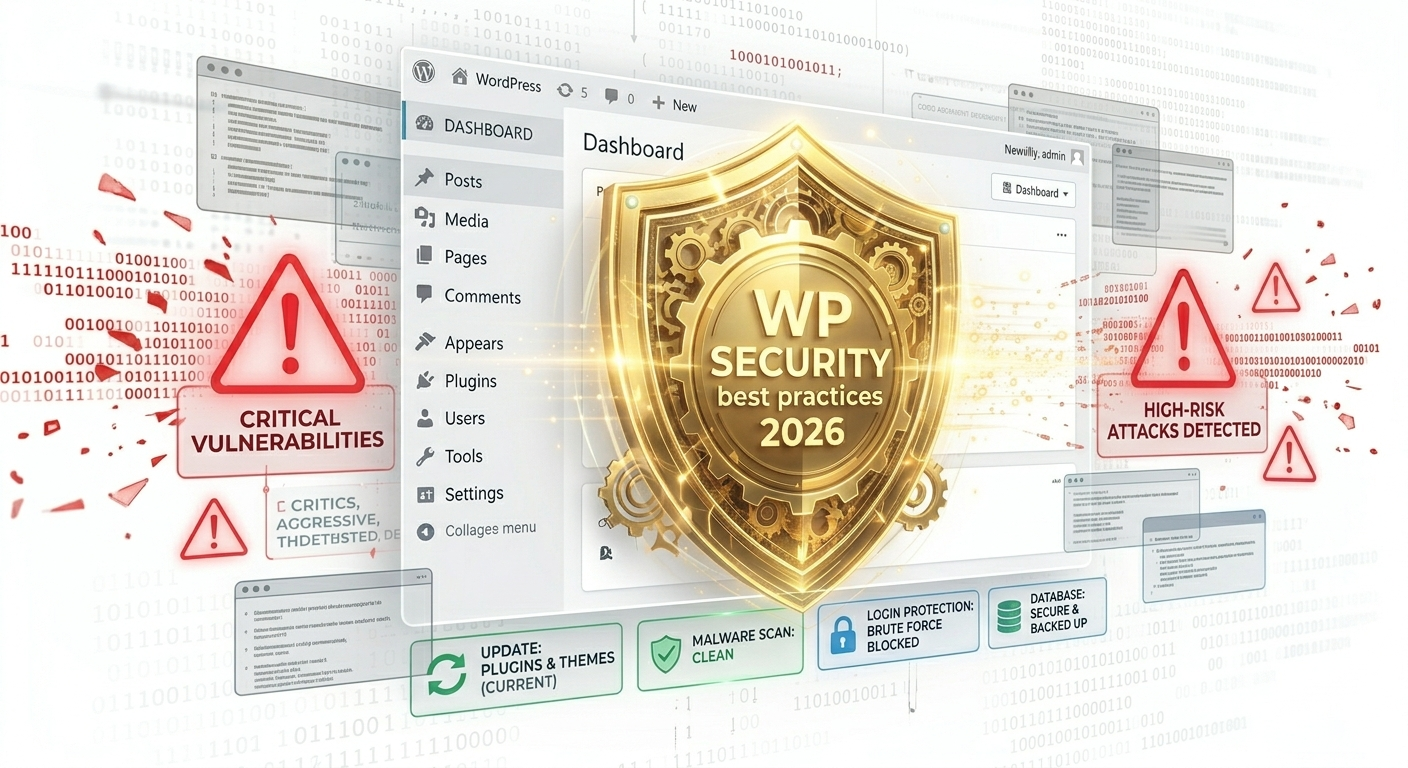
And this guide discusses the WordPress security best practices that matter in 2026 — not a meaningless checklist, but an upfront look at what’s behind safe sites, what most people skip over, and how professional WordPress security services fit into your (and their) approach to keeping your online business secure.
Why WordPress Security Has Become More Complex in 2026
A couple of years ago, basic security hygiene—a solid password and an updated plug-in or two—was sufficient for many small sites. That’s no longer the reality.
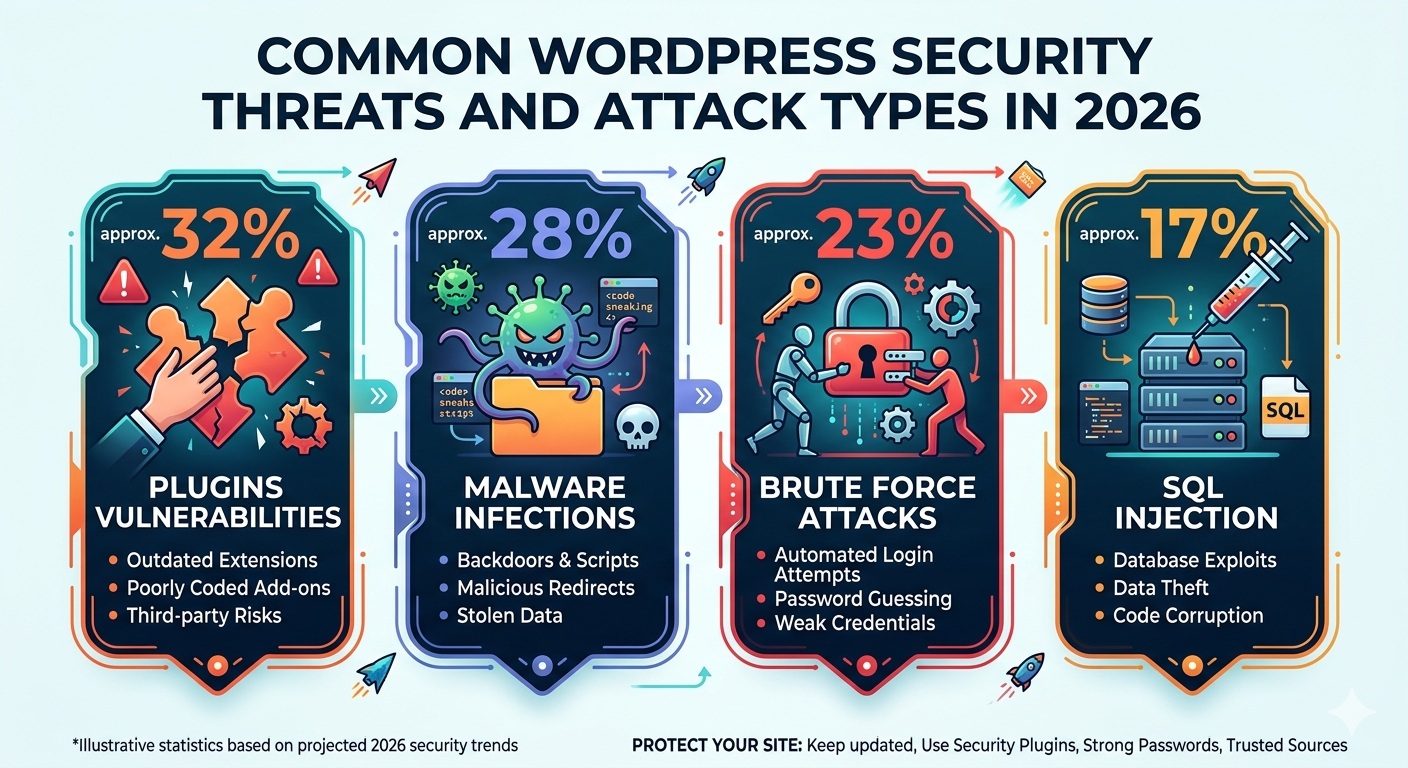
Attack methods have evolved. Bots that work automatically crawl millions of websites at the same time, seeking out known vulnerabilities in outdated plugins, weak login credentials, and misconfigured servers. Brute force attacks have been accelerated and targeted with the help of AI-assisted means. And as an increasing number of businesses rely on their websites to generate revenue, the motivation for attackers has followed suit.
WordPress itself, meanwhile, has gotten more complicated. The average WordPress site uses between 20 and 30 plugins—all maintained by different developers, all potential targets if not patched. Themes, PHP versions, hosting environments — every layer of your website’s stack is an element that requires care.
Then it’s no wonder that professional WordPress security services have gone from a nice-to-have to an absolute business necessity. The complexity of ensuring a site remains secure has far outstripped what most non-technical website owners could realistically handle solo.
1. Keep Everything Updated — Without Exception
If there’s a practice that stops more attacks than any other, this is it. The biggest reason for WordPress website hacks is outdated software. Not weak passwords. Not bad hosting. Old plugins, themes, and core files.
When a plugin or theme has its vulnerability discovered, the developer will release a patch. But there’s an uncomfortable truth—the instant that patch is publicly released, attackers know the specific vulnerability it addresses. Sites that have not yet updated are immediate targets.
Regularly (almost daily) updating WordPress core, all plugins, and all active themes—no negotiation. But updates require precautions to carry out. This is how crashes that occur following updates happen — immediately applying them to a live site without testing. The proper approach—and what quality WordPress security services always do—is to run and test updates in a staging environment first, check for compatibility, and then confidently deploy them to the live site.
And this is exactly why WordPress maintenance services and security go together. Maintenance is not just something to do for security — it’s one of the pillars of security. An improperly maintained site is also an insecure one.
2. Harden Your Login Page
The login page of your WordPress site is like the front door—and it’s also the most common target for a brute force attack. Bots execute thousands of tries per minute on usernames and passwords by hitting this same URL that every WordPress site shares by default.
A number of practices significantly reduce this risk.
Change the default login URL, the standard wp-login. The common XML-RPC.
Enable two-factor authentication. And if an attacker does get a password, 2FA just slams the door in their faces. This is one of the easiest, and best, security improvements you can implement.
Limit login attempts. WordPress allows unlimited login attempts by default. The locking of an account after a few unsuccessful attempts makes brute-forcing practically impossible.
Use strong, unique passwords. This seems obvious, yet weak passwords still rank as one of the top reasons accounts are compromised. A unique, strong password managed in a trusted password manager for every single admin account.
When put together, these measures make your login page far more difficult to break into — and coupled with active monitoring from dedicated WordPress security services, you form a barrier that will prevent most attacks right before they even begin.
3. Install and Configure a Web Application Firewall
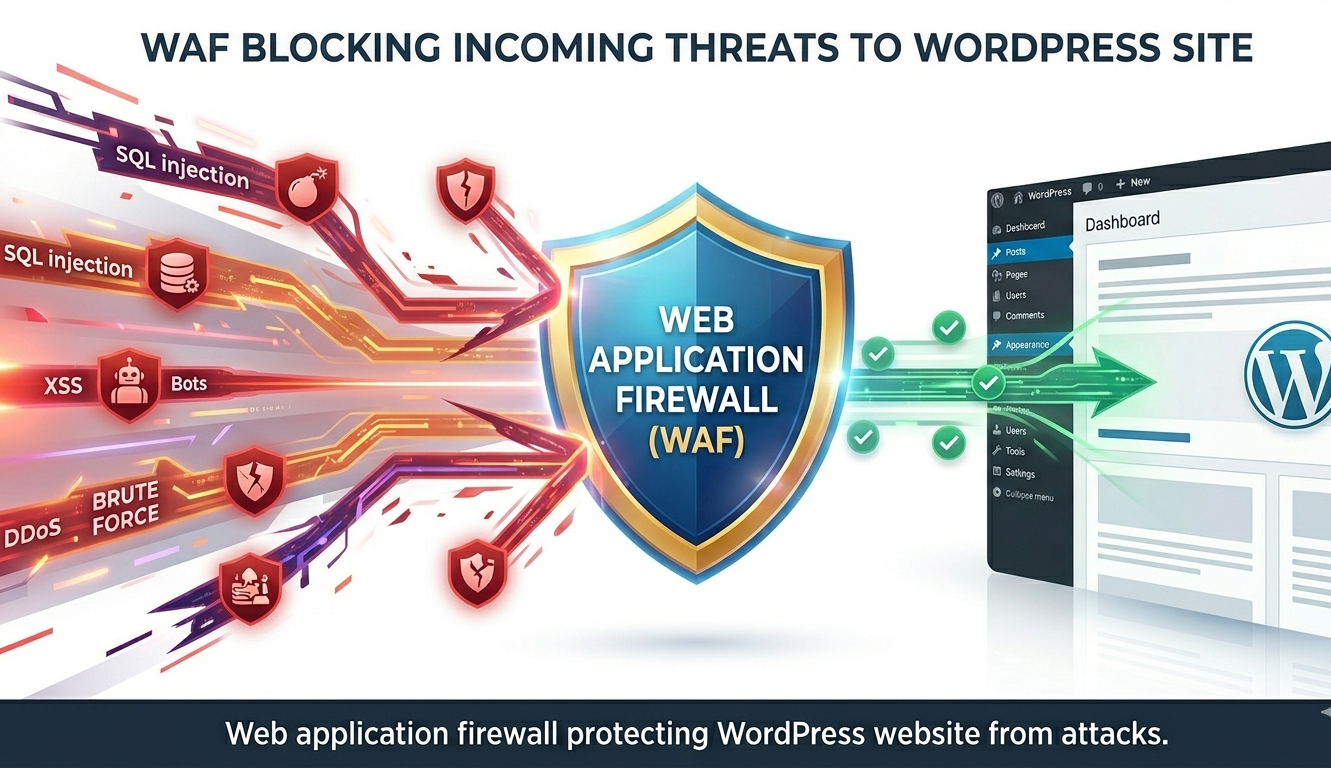
A web application firewall—or WAF—sits between your website and incoming traffic so it can filter out malicious requests before they arrive at your site. It’s like a security checkpoint that scrutinizes every visitor and blocks known bad actors, while flagging suspicious behavior at the moment it happens.
A quality web application firewall blocks SQL injection attempts, cross-site scripting attacks, brute force login attempts, and traffic from known malicious IP addresses. Once set up, it runs perpetually and doesn’t require manual triggering.
There are a few WordPress-specific security plugins with WAF capabilities. Two of the most popular ones are Wordfence and Sucuri. Getting them configured properly is important — a badly configured firewall provides a false sense of security. One area where professional WordPress support services add significant value is ensuring your firewall rules setup is configured correctly and continues to be updated as new threats emerge.
For a complete picture of what ongoing WordPress protection involves, this guide on WordPress maintenance services covers the full scope of what a professional plan should include.
4. Implement SSL and Enforce HTTPS
This means your website visitors will know that their data is secure with an SSL certificate, and it encrypts the connection between your website and them. In practical terms, this means sensitive information—form submissions, login credentials, and payment details—can’t be intercepted while in transit.
In addition to providing technical protection, however, SSL has evolved into a baseline signal of trust. Modern browsers warn visitors with a “Not Secure” message for non-HTTPS sites. That warning alone makes a large number of visitors hit the back button right away — and it alerts Google that your site might not be trustworthy, which affects your search rankings.
SSL certificates are now free, thanks to providers like Let’s Encrypt, and most reputable hosting companies automatically include it as a standard. The main things to remember are getting it installed correctly, redirecting HTTP traffic from your site so that no unencrypted version of your site is reachable, and making sure the certificate is renewed before it expires.
Certificate expiration is an oddly well-known problem. When an SSL certificate fails, every single visitor to your site is presented with a security warning — and traffic drops overnight by enormous amounts. SSL monitoring is part of good WordPress security services and WordPress support services, so expiry is never on your mind.
5. Use Secure, Managed Hosting
Your hosting environment is building upon which everything else rests. However, no security plugins or best practices can replace a poorly secured hosting setup.
This is all particularly true where shared hosting environments exist, with hundreds of websites sharing the same server resources. If any other site on the same server gets hacked, it can lead to cross-contamination. An excellent managed WordPress hosting provider must have account isolation, server-level security configurations, and threat monitoring at the infrastructure level.
In the case of hosting a WordPress site, look for providers that include a server-level firewall, auto malware scanning, an isolated hosting environment, DDoS protection, and regular server-side backup. For what it offers, the price difference between cheap shared hosting and decent managed hosting is usually minimal.
A good WordPress maintenance company will also advise you of the suitability of your current hosting environment for your site requirements and security needs—and assist in migration if it is not.
6. Regular Malware Scanning and Security Audits
Prevention is the target, but detection also counts. Even fortified sites sometimes fall prey to a zero-day exploit, a compromised third-party vendor, or social engineering. The difference between a close call and a disaster often hinges on how soon the compromise is discovered.
A regular malware scan looks through the files and database of your site and checks for unusual code, unauthorized changes, and known signatures. Automated scans should take place regularly — daily is best — with alerts sent any time something unusual is found.
Security audits go deeper. An elaborate audit examines your overall security configuration—file permissions, user accounts, database protection, plugin and theme integrity, and server settings—and reports vulnerabilities before they can be exploited. A WordPress security services provider will perform such audits regularly and offer actionable advice based on the audit results.
That kind of proactive attention is something good WordPress maintenance services include as part of their recurring plans rather than a one-off activity.
7. Manage User Roles and Permissions Carefully
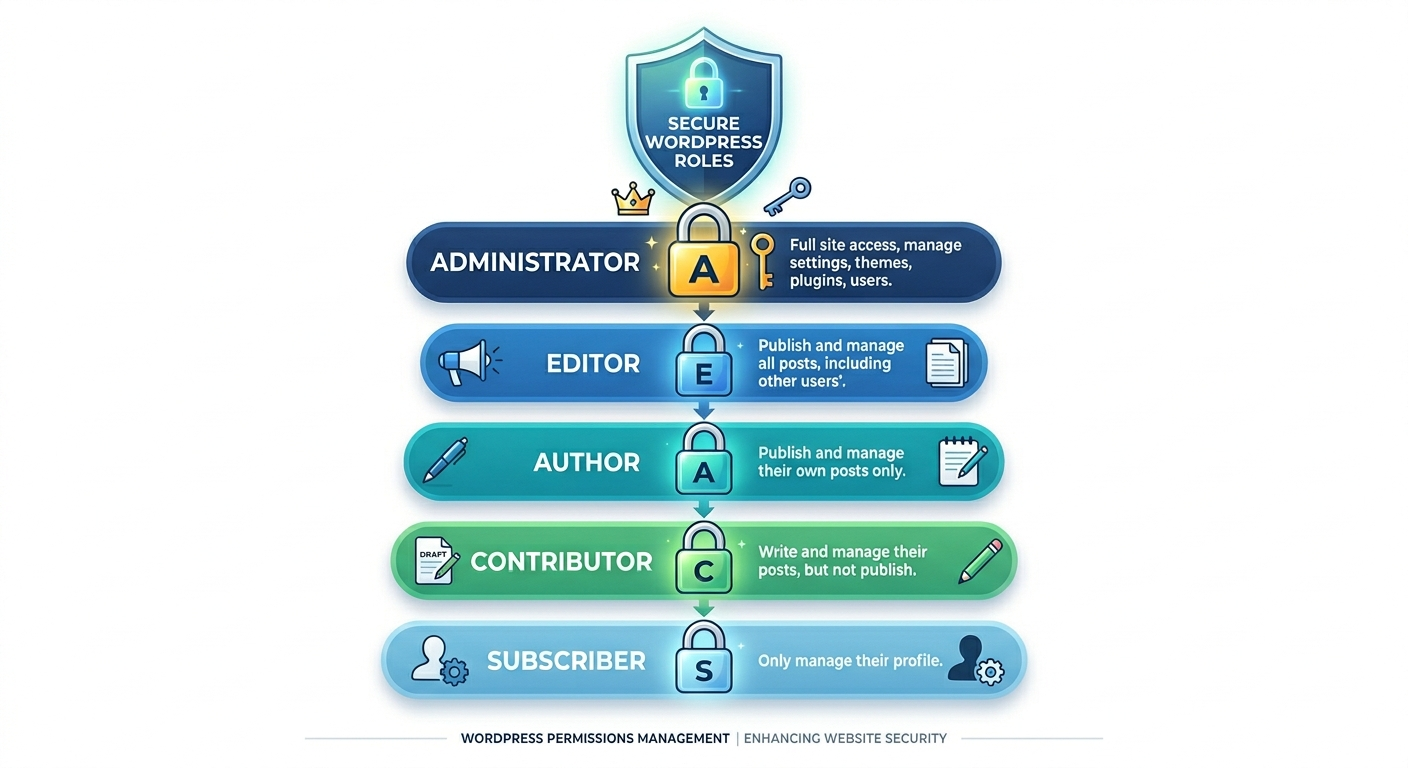
Each user account on your WordPress site is a security risk. For websites with multiple contributors, editors, or administrators, this is especially important. Poor user management is a surprisingly common security hole.
This follows the principle of least privilege — every user should have only the level of access they require to perform their work and nothing more. You do not need administrator access for an editor. A freelance writer doesn’t have to set up plugins. Keeping roles appropriately scoped restricts the damage that can be done if any one account has been compromised.
Regularly audit your user list. Dispose of unneeded accounts. Look for any accounts you don’t recognize—unauthorized admin accounts are a common indicator of a previous compromise that was never fully cleaned up.
Strong password policies should be applied to all accounts, not only administrator accounts. And two-factor authentication should not be optional for anyone with edit access to your site.
This is one part of what the best WordPress maintenance company provides in a continual, ongoing maintenance engagement.
For more on what a complete managed care plan covers, this resource on what WordPress maintenance services include breaks it down clearly.
8. Secure Your wp-config.php and Restrict File Access
The wp-config. The PHP file is among the most critical files for any WordPress setup. It holds your database credentials, security keys, and core configuration settings. If an attacker gains access to this file, they have all the information needed to fully compromise your site.
Moving wp-config.php and placing it one directory above the WordPress root, you can’t access it via the web. By setting rigid file permissions, it cannot be read by unauthorized consumer processes. As well as taking the write permissions off the wp-config.serverSettings.php file your site will be edited with.
Likewise, preventing exposure to other delicate areas—the wp-admin directory, the xmlrpc.php file, and directory browsing—seals off entry points that are often probed by automated attacks.
Another reason to invest in professional WordPress security services is that these server-level configurations need the technical know-how to implement correctly. Get these settings wrong, and they can break functionality. They’re additional protection when done correctly, and most sites just don’t have it.
9. Set Up Reliable Backups as Your Last Line of Defence
Even the most security-savvy website can end up in a place where only your backup will do. A catastrophic hack, a server failure, a botched update—sometimes even the best-laid plans go awry. It is in those moments that backups are what stands between you and a fresh start.
Backups must be automated, regular, and in a store that has nothing to do with your live site. For sites in production, backups will typically be daily. For simpler sites that do not change frequently, a weekly cadence may be enough.
The backup itself is just one half of the equation. The other half is knowing that restoration really works when you need it. Backups need to be tested from time to time by doing a test restore in a staging environment—finding out that you are missing backups or they are corrupted while in the middle of a crisis is a nightmare no one should have.
This is a central aspect of what good WordPress support services do for you — keeping a fresh, confirmed recent copy of your site on hand no matter what happens.
For an honest breakdown of maintenance costs including security coverage, this guide on WordPress maintenance services cost 2026 gives you a clear picture of what to budget.
10. Monitor Activity Logs and Set Up Alerts
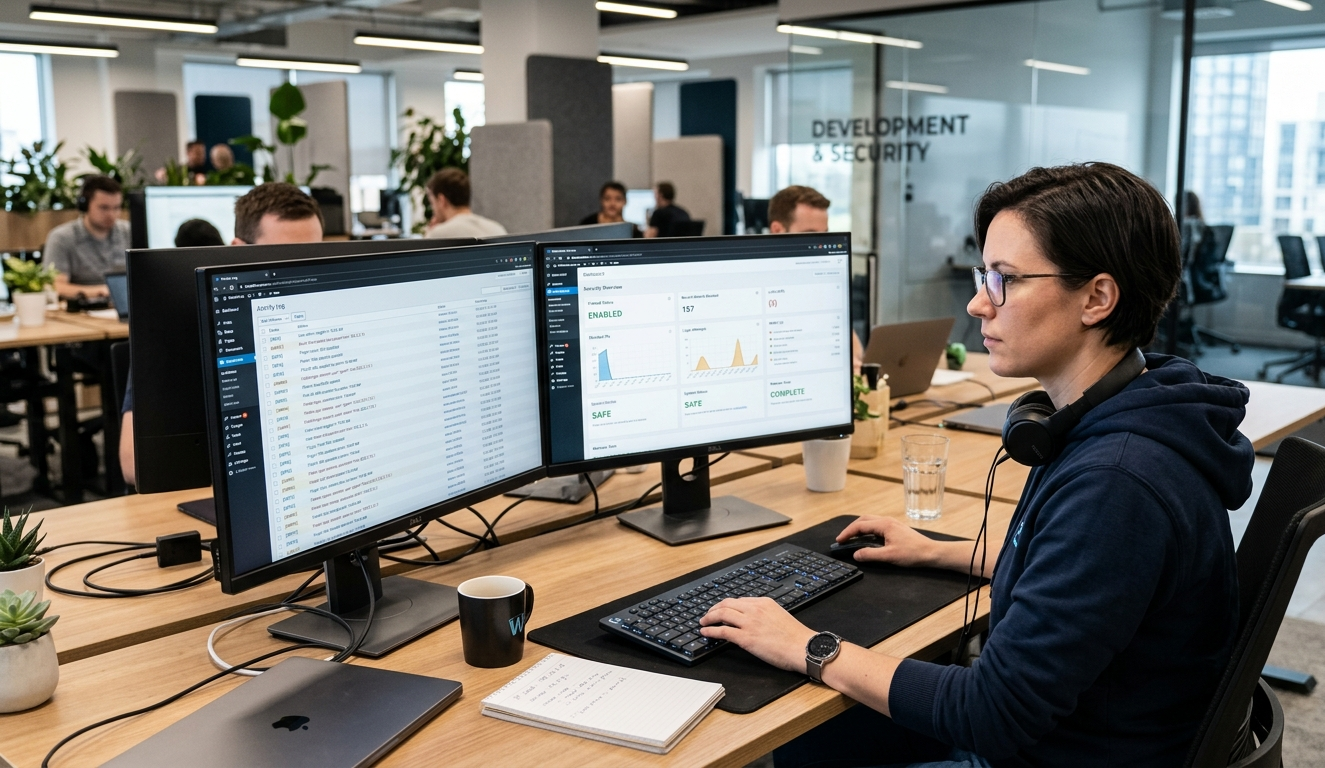
In WordPress security, visibility is underrated. Being aware of what’s going on on your site at all times—who logged in and what was changed when files were modified—allows you to detect unusual activity before it gets out of hand.
Activity log plugins keep a detailed record of everything that happens on your site. Login attempts, plugin installations, content changes, settings modifications — all with timestamps and user account attribution. If something questionable occurs, you have an easy-to-follow record to reference.
By pairing your activity logs with a real-time alert system, you’re immediately notified of specific events—when a new admin account is created, when files are modified, or if multiple failed logins are detected. Quickly getting to the root of it all means quickly being able to respond, and quick response is usually what separates minor incidents from serious breaches.
Professional WordPress security services will build on this automation by bringing human eyes to the mix, allowing automatic alerts to be acted upon swiftly and patterns in your activity logs reviewed regularly for any items of interest.
The Connection Between Security and Maintenance
If there’s one thing this guide makes clear — if nothing else — it’s that WordPress security isn’t a product you purchase once. It’s a practice. A perpetual commitment to regular updates, hardening, monitoring, and backups of your site—not just once in a while.
Which explains why the division between security and maintenance is so hazy. They’re not separate disciplines. They’re two sides of the same obligation.” An unmaintained site is an unsecure site. And a security plan that relies on anything less than regular maintenance will always have holes.
The businesses that realize this—that realize their website is a living asset in constant need of professionalism, care—are the ones whose sites stay up, stay fast, and stay out of trouble. The ones who do not end up doing so are the ones at 2am calling an automatic dev, wondering how the fuck this came to them.
Professional WordPress security services combined with an all-inclusive WordPress upkeep solution from a credentialed WordPress maintenance provider isn’t simply an overhead expenditure. It’s the soundest business practice you’ll ever make for an asset that communicates your company to the world, daily.
Conclusion
Securing your WordPress blog in 2026 takes more than a plugin and a strong password. It involves a layered, proactive approach—correctly handled updates, hardened login pages, configured firewalls, carefully managed users, checked backups, and monitored activity.
None of these things are out of reach for any site’s owner. But doing it right requires time, technical expertise, and ongoing oversight. The most sensible means for much of the business owner population to achieve real security is through a professional team that does it as part of a coordinated, ongoing plan.
Your website is one of the most essential tools for your business. There’s nothing optional here when it comes to protecting it—it’s essential.
FAQs
WordPress security services protect your website from hackers, malware, and data breaches, providing continuous monitoring, firewall protection, and regular security audits to keep your business website safe.
Professional WordPress security services use firewalls, login protection, malware scanning, and real-time monitoring to detect and block threats before attackers can access or damage your website.
Quality WordPress security services should scan your website daily for malware, suspicious files, and unauthorized changes, with instant alerts triggered whenever anything unusual or dangerous is detected.
Yes. Professional WordPress security services include malware removal, file restoration, and full cleanup after a hack, getting your website back online quickly while preventing future attacks from recurring.
Absolutely. WordPress security services work best alongside professional WordPress maintenance services; together they cover updates, backups, monitoring, and protection, giving your website complete round-the-clock professional care.


 WooCommerce Solutions
 Solutions for WordPress