Most B2B companies do not have a demand problem. They have products buyers want, established relationships, and a market that is actively moving budget online. Yet many still watch online revenue plateau while phone and email orders quietly carry the business.
The reason is rarely the product. It is almost always the e-commerce experience sitting between the buyer and the order.
Small operational gaps, a pricing rule that does not scale, a catalog that was never built for search, and an order process that still runs through spreadsheets compound over time. Each one on its own looks minor. Together, they slow down sales, frustrate procurement teams, and quietly push buyers toward competitors with a smoother checkout.
This guide walks through the five most common B2B e-commerce mistakes we see across manufacturers, wholesalers, and distributors; why each one hurts revenue; and what a practical fix actually looks like at an enterprise level.

Why B2B Ecommerce Is More Complex Than B2C
A B2C store has to sell one thing well: a product, at one price, to one type of shopper. B2B e-commerce has to manage all of that plus a layer of business logic that most off-the-shelf platforms were never designed for.
A single B2B storefront typically needs to handle:
- Complex, tiered, and customer-specific pricing negotiated outside the website
- Custom catalogs that restrict or reorder what each account can see
- Bulk ordering by quantity, case pack, or pallet, not single units
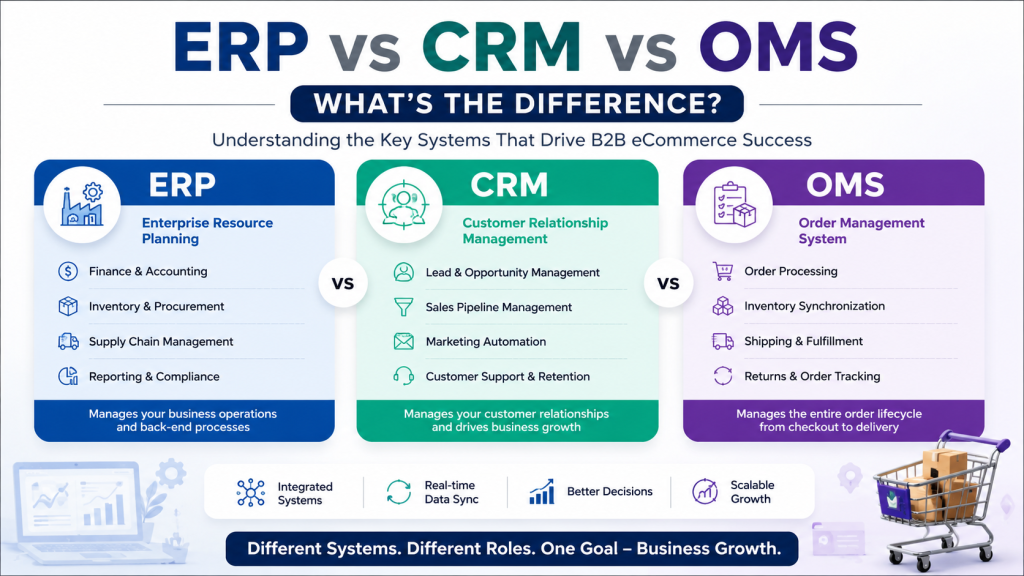
- ERP integration for inventory, pricing, and order status
- Procurement workflows, including purchase orders and multi-step approvals
- Real-time inventory synchronization across warehouses and channels
- Multi-user company accounts with different permission levels
- Net payment terms instead of card-only checkout
- Internal approval workflows before an order is confirmed
Key takeaway: B2B e-commerce is not “B2C with bigger orders.” It is a different discipline that requires the store to reflect how procurement actually works inside your customers’ businesses.
Mistake 1: Treating B2B Buyers Like B2C Customers
This is the most common and the most expensive mistake we see.
Many B2B stores are built on a standard e-commerce template: one price list, a generic checkout, and no account context. That works for a consumer browsing on a Saturday. It does not work for a purchasing manager who already has a negotiated contract price and a company card that requires a purchase order number at checkout.
What this looks like in practice:
- Missing customer-specific pricing, so every account sees the same list price regardless of contract terms
- No negotiated pricing tiers by volume, region, or product line
- No account-based experience, meaning logged-in buyers see the same generic homepage as anonymous visitors
- Purchasing workflows built around a single-item cart instead of repeat, high-volume ordering
- No quick order form for buyers who already know their SKUs and just want to reorder fast
Business impact: When pricing is wrong or buried, procurement teams stop trusting the site and go back to email or phone. That shifts cost onto your sales and customer service teams and slows the sales cycle down.
Warning signs: Rising percentage of orders placed by phone or email despite an active website. Sales reps manually applying discounts after checkout. Customers asking for a “real quote” instead of using the cart.
Recommended solution: Build customer-specific price lists and catalogs tied to account roles, not just a single storefront. Add a quick order form with SKU and CSV upload support for repeat buyers, and give account managers visibility into what pricing each customer sees.
Enterprise best practice: Treat the logged-in experience as a distinct product from the anonymous storefront. Anonymous visitors need marketing and discovery. Logged-in accounts need speed, accuracy, and their own negotiated terms front and center.
Mistake 2: Poor Product Catalog Management
Manufacturers and distributors often manage tens of thousands of SKUs across multiple brands, and the catalog frequently grew organically rather than by design.
Common catalog problems:
- Thousands of SKUs with inconsistent naming conventions
- Duplicate products created by different teams or during migrations
- Poor taxonomy, so products are hard to browse by category or use case
- Missing product attributes like dimensions, materials, or compatibility data
- Slow catalog updates when suppliers change specs or pricing
- Weak on-site search that cannot handle part numbers, synonyms, or misspellings
How this affects the business:
| Area |
Impact of poor catalog management |
| Conversions |
Buyers cannot find the exact SKU they need and abandon the search |
| Internal teams |
Sales and support spend time manually locating products for customers |
| Buyers |
Loss of confidence in the site’s accuracy, especially for technical specs |
| SEO |
Thin, duplicate, or inconsistent product data hurts organic visibility |
A catalog that is hard to search internally is even harder for Google and, increasingly, for AI answer engines to understand and surface correctly.
Recommended solution: Standardize product data structure, attributes, and taxonomy before scaling SKU count. Invest in enterprise search that understands part numbers and industry terminology, not just keyword matching. Clean, structured data also supports better product visibility across search engines and AI-generated answers.
Mistake 3: Manual Order Processing
Even businesses with a modern-looking storefront often fall apart behind the scenes. The order comes in through the website, and then a human has to manually re-enter it into the ERP or export it to a spreadsheet for fulfillment.
Where manual processes typically show up:
- Spreadsheet-based order tracking outside the e-commerce platform
- Manual exports between the store and the warehouse or ERP
- Email-based approval chains for purchase orders
- Delayed fulfillment because orders sit in a queue for manual review
- Higher error rates from re-keying order and shipping data
Why this matters: Every manual touchpoint adds delay and risk. A single re-keying error in quantity or shipping address can cost far more to fix after the fact than it would have cost to automate the step in the first place.
Recommended solution: Automate order flow from checkout through fulfillment using proper WooCommerce ERP integration, so orders, inventory, and pricing stay synchronized without manual re-entry. Map out the full order lifecycle and identify every point where a human is currently doing what software should be doing, then prioritize automation there first.
Enterprise best practice: Treat order automation as a workflow optimization project, not a one-time integration. As order volume grows, workflows that worked at a smaller scale often need to be re-architected.
Mistake 4: Weak Inventory Visibility
Nothing damages B2B trust faster than confirming an order the business cannot actually fulfill.
Common causes of weak inventory visibility:
- Multiple warehouses tracked in disconnected systems
- Overselling because stock counts are not synchronized in real time
- Stock inaccuracies between the ERP, the website, and the warehouse floor
- Multi-channel inventory sold across marketplaces, wholesale, and direct without a single source of truth
- No real-time synchronization between systems, leading to stale stock data
Impact on the business:
- Customer trust: Buyers who receive a cancellation after confirming an order are unlikely to return, especially in industries where reliability drives loyalty
- Operational efficiency: Warehouse and customer service teams spend hours resolving discrepancies that accurate systems would have prevented
- Revenue impact: Overselling and stockouts directly translate into lost or cancelled orders, and sometimes lost accounts
Recommended solution: Implement real-time WooCommerce inventory management connected across every warehouse and sales channel. Inventory accuracy should be treated as a core operational metric, tracked and reported the same way revenue is.
Mistake 5: Ignoring Website Performance and Scalability
A B2B store that performs well at ten thousand SKUs and modest traffic can slow to a crawl at fifty thousand SKUs and enterprise order volume if the underlying architecture was never built to scale.
Where performance problems typically originate:
- Slow page loads driven by unoptimized product pages and images
- Database growth from years of orders, logs, and product revisions without cleanup
- Plugin conflicts from an accumulation of tools added over time
- Server limitations that were sized for a much smaller catalog or traffic level
- Checkout bottlenecks during high-volume ordering periods
- Poor Core Web Vitals, which affect both user experience and search visibility
Business risks: Slow sites lose buyers before they ever reach checkout, and search engines increasingly factor page experience into ranking. For B2B buyers evaluating multiple suppliers, a slow or unreliable site can be enough reason to move to a competitor.
Enterprise optimization strategies:
- Conduct a full enterprise WooCommerce audit before major growth initiatives, not after problems appear
- Identify and resolve WooCommerce technical debt that accumulates from years of plugin additions and quick fixes
- Plan infrastructure and WooCommerce scalability around projected order volume, not current volume
- Review WooCommerce shipping rules and checkout logic for bottlenecks during peak ordering periods
Key takeaway: Performance is not a one-time optimization project. It is an ongoing operational discipline that needs to scale alongside catalog size, order volume, and integration complexity.
How Successful B2B Businesses Avoid These Mistakes
The businesses that consistently grow online revenue treat e-commerce as core infrastructure, not a side project maintained by whoever has time.
Best practices that separate high-performing B2B stores:
- Account-based pricing and catalogs built into the platform architecture from the start
- A single source of truth for inventory across every channel and warehouse
- Automated order workflows connecting the storefront, ERP, and fulfillment
- Ongoing catalog governance, including regular data audits and cleanup
- A performance budget and monitoring plan tied to Core Web Vitals
- A technology stack chosen for the business’s actual complexity, not the cheapest available option
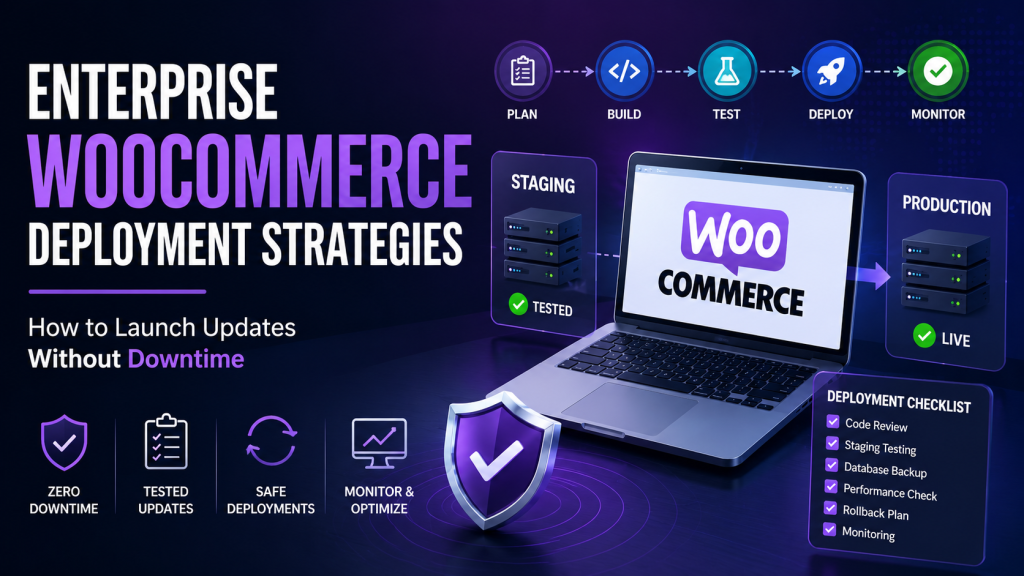
- Clear internal ownership of the e-commerce platform, with defined processes for updates, testing, and WooCommerce deployment strategies
- Regular review of WooCommerce order fulfillment and WooCommerce RMA workflows to catch friction before it affects customer retention
- Monitoring tools such as WooCommerce email logs to confirm order confirmations, shipping updates, and approval notifications are actually reaching customers
Continuous optimization, not a one-time rebuild, is what keeps a B2B store performing as order volume and catalog complexity grow.
B2B Ecommerce Health Checklist
Use this checklist to evaluate where your store currently stands.
Customer Experience
- Logged-in buyers see account-specific pricing and catalogs
- A quick order form exists for repeat, high-volume buyers
- Purchase order and net terms payment options are available at checkout
Catalog Management
- Product data follows a consistent taxonomy and attribute structure
- Search handles SKUs, part numbers, and industry terminology accurately
- Duplicate or outdated products are regularly audited and removed
Inventory Accuracy
- Inventory syncs in real time across all warehouses and channels
- Overselling incidents are tracked and trending downward
- A single source of truth exists for stock levels
Order Automation
- Orders flow automatically from checkout into the ERP
- Manual re-entry and spreadsheet workflows have been eliminated
- Approval workflows are built into the platform, not managed by email
Performance
- Core Web Vitals meet current benchmarks
- The site has been load tested against peak order volume
- A recent technical audit has identified and addressed technical debt
Integrations, Security, and Scalability
- ERP, CRM, and shipping integrations are stable and monitored
- The platform has a documented deployment and testing process
- Infrastructure is sized for projected, not just current, growth
How Dazzlebirds Helps B2B Businesses Solve These Problems
Most of the mistakes covered in this guide are not caused by a lack of effort. They happen because generic e-commerce platforms and templated builds are not designed to handle B2B complexity out of the box.
At Dazzlebirds, we work exclusively with manufacturers, wholesalers, distributors, and enterprise B2B teams on WooCommerce, which means every engagement starts from the same question: how does this business actually sell, and does the platform reflect that?
In practice, that has meant:
- Rebuilding pricing architecture so customer-specific and negotiated pricing works correctly at checkout, not as a manual override after the fact
- Cleaning and restructuring product catalogs with tens of thousands of SKUs so search, taxonomy, and attributes actually support how buyers shop
- Connecting WooCommerce to ERP and warehouse systems so orders, inventory, and fulfillment stay synchronized without manual re-entry
- Running technical audits on underperforming stores to find the specific plugin conflicts, database bloat, or architectural decisions slowing things down
- Planning infrastructure and deployment processes around projected growth, not just current traffic
We are not generalists who happen to install WooCommerce. B2B WooCommerce architecture, at enterprise scale, is the work. If your store is showing any of the warning signs covered in this guide, that is usually a good starting point for a conversation, not a full rebuild.
Conclusion
None of these five mistakes are unusual, and none of them reflect a failure of strategy or product quality. They are operational gaps that accumulate naturally as a B2B business grows faster than its e-commerce platform was originally built to handle.
The businesses that pull ahead are the ones that treat their store as evolving infrastructure. They audit regularly, fix root causes instead of symptoms, and invest in the systems, catalog, inventory, and performance that let sales scale without adding operational strain.
If any part of this checklist points to a gap in your current setup, that is usually the clearest signal of where the next audit should start.
FAQs
The most common B2B e-commerce mistakes are treating buyers like B2C customers, poor product catalog management, manual order processing, weak inventory visibility, and ignoring website performance and scalability. Each of these B2B e-commerce mistakes compounds over time, slowing down sales and increasing operational costs even when product demand is strong.
B2B ecommerce stores lose sales when the buying experience does not match how procurement teams actually purchase, including missing customer-specific pricing, slow catalog search, and manual order approval steps. These operational gaps push buyers back to phone or email ordering, which increases cost and slows the sales cycle.
B2B ecommerce requires customer-specific pricing, bulk ordering, ERP integration, multi-user company accounts, and approval workflows, none of which are core requirements for standard B2C stores. This added complexity is why generic e-commerce templates often fail to support enterprise B2B sales.
The biggest B2B ecommerce mistake to fix first is usually treating all buyers as anonymous consumers instead of building account-based pricing and catalogs. This mistake directly affects checkout accuracy and buyer trust, and fixing it typically produces the fastest measurable improvement in online sales.
A business can identify B2B ecommerce mistakes by running a technical and operational audit covering pricing accuracy, catalog structure, inventory synchronization, order automation, and site performance. The B2B Ecommerce Health Checklist in this guide provides a practical starting point for that evaluation.


 WooCommerce Solutions
 Solutions for WordPress