A B2B buyer submits a 38-line-item order on a Wednesday afternoon—the confirmation email lands in their inbox within seconds. To them, it is done. They forward the confirmation to their procurement team and move on.
By Thursday morning, the business is looking at a problem nobody told the buyer about.
Nine items are in stock and ready to pick. Eleven are waiting on a supplier purchase order that has been delayed. Four are physically in the warehouse but already committed to a distributor under a priority contract. Three need to ship from a second location via freight rather than parcel, which changes the cost and the timeline. Six are sitting in a replenishment queue behind another customer’s backorder. Five are available, but we need a finance decision on partial invoicing before we can move forward.
That buyer thinks checkout was the finish line. The business knows checkout was the starting gun for a much more complicated race.
This is what WooCommerce order fulfillment actually looks like for B2B operations at scale, and most articles about it describe the symptoms while missing what is really happening underneath.
Quick Answer: Why Do B2B WooCommerce Orders Get Stuck After Checkout?
B2B WooCommerce orders get stuck after checkout when a single confirmed order contains items in multiple different fulfillment states at the same time. WooCommerce order fulfillment breaks down not because the order is wrong, but because the items inside it have different availability conditions, shipping requirements, invoicing rules, and warehouse timelines that cannot all be resolved in the same action. The order looks complete on screen. The fulfillment reality is a web of unresolved decisions.
The Checkout Button Does Not Move Inventory
Here is something that trips up a lot of B2B WooCommerce stores: checkout confirms intent, not availability.
When a buyer hits confirm, WooCommerce registers the order. It does not negotiate with your warehouse, interrogate your supplier relationship, check whether that SKU is reserved for someone else, or ask your finance team how they handle split billing on partial deliveries. It records what the buyer wants, and it stops there.
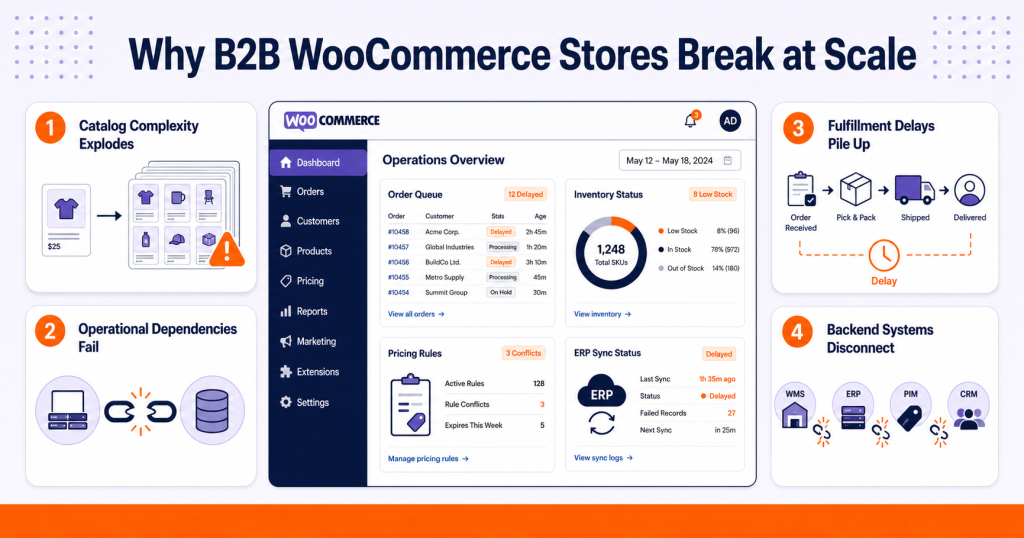
For a business selling ten or twenty products to retail customers, that gap is manageable. For a manufacturer supplying distributors with complex, multi-SKU orders tied to production schedules, procurement cycles, and account-specific allocation rules, that gap is where the entire operation gets tangled.
A 40-line-item B2B order is not one fulfillment event. It is a collection of up to 40 independent inventory decisions, each of which may resolve on a different day, from a different location, under a different shipping method, with different invoicing treatments. WooCommerce holds the order together on screen. The business has to hold it together in reality.
Good WooCommerce order management is the bridge between what the system recorded and what the business can actually deliver.
When 60% of an Order Ships and 40% Stays Behind
Picture a regional hardware distributor who orders 600 units across 22 SKUs. The warehouse can fulfill 370 units from current stock. The remaining 230 are split across three situations: some are on a supplier backorder due in 10 days, some are in stock but earmarked for a national chain under a contract allocation, and some are awaiting a quality release from an incoming goods inspection.
The warehouse ships what it can. The order status in WooCommerce moves to completed because someone updated it after the first dispatch. And now the remaining 230 units exist nowhere that anyone can see.
The buyer emails the account manager six days later asking about the rest of the shipment. The account manager has no visibility because the order is marked complete. The warehouse checks their picks and cannot find an outstanding task. Procurement does not know the order is still open. Finance has already raised a full invoice.
This is not a WooCommerce bug. It is a visibility gap created when the business treats one fulfillment event as the end of a multi-stage commitment.
Proper WooCommerce inventory management at the item level is the only way to keep the remaining 230 units visible and connected to their original order until they physically ship.
The Backordered Quantity Problem Nobody Talks About
Backorders inside B2B orders are not just a delay. They are an open commitment that the business must track, communicate, and honor.
When a product is backordered, the business has made a promise. It accepted the order. It took the buyer’s money or extended credit. The buyer has built their plan around receiving those items. A backorder that gets silently absorbed into a vague processing status is a promise the business is at serious risk of breaking.
What makes this harder is that backordered quantities often have dependencies that change. A supplier pushes a delivery date by four days. An incoming shipment is short by 80 units. A quality check pulls 40 units off the available shelf. Every one of those changes has downstream consequences for the backordered portion of a live customer order, and none of them are automatically visible to the sales team or the buyer.
B2B buyers plan production schedules, resale availability, and their own customer commitments around delivery dates. A distributor who ordered 400 units expecting delivery by the 15th and only received 240 with no update on the remaining 160 is now failing their own customers. The trust damage flows upstream.
Split Shipments Are Not a Shipping Problem
Most conversations about split shipments treat them as a logistics question. What carrier do you use? What are the shipping rules? How do you calculate cost?
Those are real questions, but they sit downstream of the actual problem, which is that split shipments are a visibility and communication problem dressed up as a logistics question.
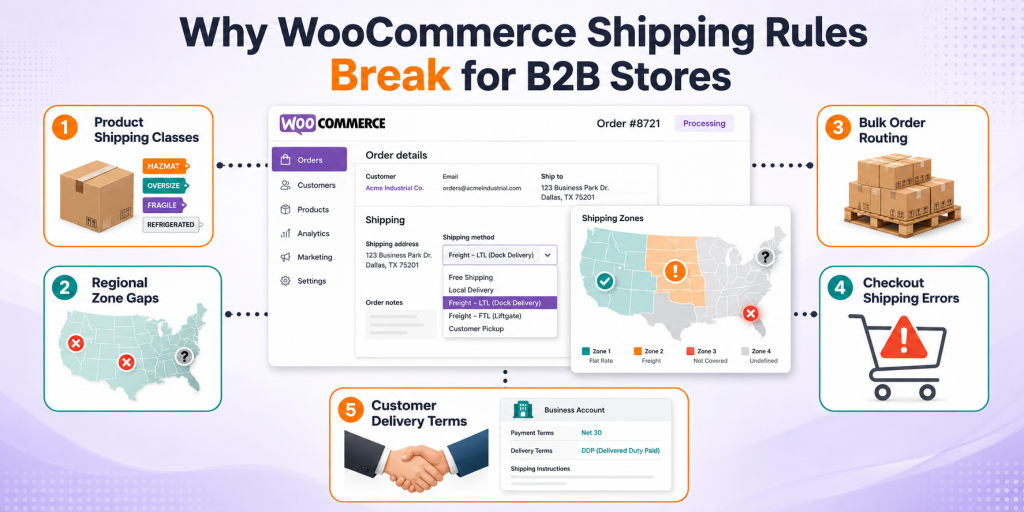
When one B2B order splits into three shipments from two warehouses via two different carrier types, the business has to manage three separate delivery events while making sure the buyer knows the full picture. Each shipment has its own tracking number. Each may arrive on a different date. The total cost may not match what was quoted at checkout because the split changed the carrier mix. A buyer who expected one delivery at their dock on Friday is now receiving a parcel delivery on Thursday, a freight delivery on the following Monday, and a backordered portion with no date confirmed.
Without the right infrastructure, this plays out as three separate conversations, three rounds of customer questions, and at least one complaint that the order is not complete. With the right infrastructure, the buyer sees a live view of their order: what shipped, what tracking number it carries, when each delivery is expected, and what is still pending. The business handles the complexity behind the scenes. The buyer experiences a managed process.
WooCommerce shipping rules designed for split-shipment scenarios prevent cost surprises and ensure the right carrier is matched to each portion of the order automatically.
When a split shipment arrives damaged or needs to be returned, the returns process must trace back to the specific shipment, the specific carrier, and the specific items. That is a level of precision that does not happen by accident. WooCommerce RMA workflows that are built for multi-shipment orders prevent the returns process from becoming its own separate confusion.
The Finance Team Is Getting Contradictory Signals
Finance teams in B2B operations are often the last to know that an order has been partially fulfilled and the first to create a problem when they act on incomplete information.
If finance receives the order confirmation and invoices the full amount before anything ships, the buyer receives an invoice for items they do not yet have. Some buyers will dispute it. Others will simply not pay it, which creates a reconciliation problem that takes weeks to unwind. If finance waits for complete fulfillment to invoice, a cash flow gap opens up, especially on large orders where the first shipment went out ten days ago.
The correct answer depends on the customer agreement. Some contracts specify invoice-on-delivery by line. Some allow invoice-on-shipment. Some require consolidated invoicing with a reconciliation note for outstanding items. Finance cannot apply the right rule if they cannot see which items shipped, which are pending, and what the customer’s specific billing terms require.
A buyer receives 60% of their order in the first dispatch. Finance sees a completed order in WooCommerce. They raise a full invoice. The buyer receives it, cross-references it against their delivery note, finds a 40% discrepancy in quantities, and sends it back. The account manager now has to explain a billing error that was caused entirely by a visibility gap.
Buyers Stop Trusting Businesses That Cannot Answer a Simple Question
“What is happening with the rest of my order?”
That question is the clearest signal that a B2B business has a post-checkout fulfillment visibility problem. It is a question that should never need to be asked, because the buyer should already know the answer.
When that question arrives, the account manager has to become a detective. They check WooCommerce. The order shows processing. They message the warehouse team. The warehouse says the first shipment went out, but there is no clear task for the remaining items. They check with procurement. Procurement says the supplier delivery is expected Thursday but has not arrived yet. They go back to the buyer with a partial answer and a promise to follow up.
Meanwhile, the buyer is losing confidence, not in this order, but in whether they can rely on this supplier for future orders. That is the real cost of missing fulfillment visibility. It does not show up on a single transaction. It shows up in the renewal conversation six months later.
WooCommerce process automation changes this by pushing real fulfillment updates to buyers automatically at each stage, so the buyer knows a shipment has left before they think to ask and knows the estimated date of the remaining items without the account manager having to manually piece it together.
Reserved Stock Is an Invisible Blocker
One of the most frustrating fulfillment scenarios for a B2B buyer is being told their item is on backorder when it is physically sitting in the warehouse.
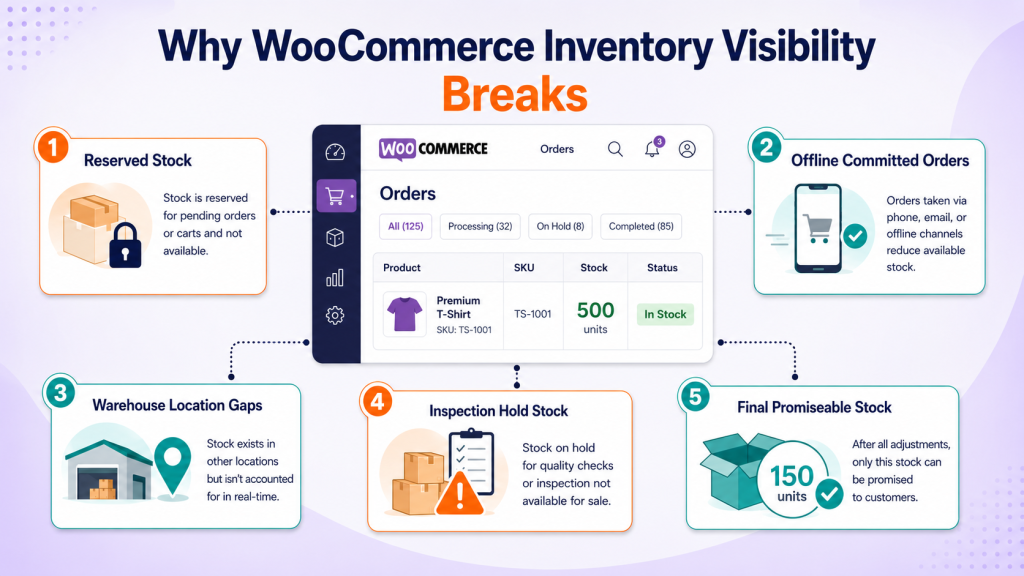
This happens when stock is reserved. A product may have 200 units on the shelf, but 180 of them are committed to a contract customer who ordered under a guaranteed allocation agreement. The remaining 20 are insufficient for the new order. From the warehouse perspective, the product is effectively unavailable. From the buyer’s perspective, if they could see the inventory count, it would look available.
Reserved inventory decisions are business-level commitments, not warehouse accidents. They reflect priority account agreements, distributor contracts, and replenishment program obligations. But when those decisions are not visible within the order fulfillment workflow, the team cannot explain them clearly. The buyer gets a vague answer that sounds like an excuse. Trust erodes.
B2B fulfillment teams that have clear visibility into which inventory is physically available versus commercially available can give buyers an accurate answer quickly. Those that do not will keep having the same painful conversation repeatedly.
Procurement Timelines Are Embedded in Your Fulfillment Timeline
Some pending items in a WooCommerce order are not waiting on the warehouse. They are waiting on a supplier who ships weekly. Or a manufacturing run that closes on Fridays. Or a quality inspection that has a 48-hour turnaround. Or an inter-warehouse transfer that runs on a Tuesday and Thursday schedule.
These are procurement dependencies embedded inside what looks like a fulfillment delay. And they matter enormously for what the business tells the buyer.
A buyer who is told “your remaining items are pending” plans their operations around uncertainty. A buyer who is told “your remaining items are on a supplier purchase order confirmed for delivery to our warehouse on the 19th and will ship to you on the 20th” plans around a specific date. The second conversation takes more internal knowledge to have, but it is the conversation that earns long-term buyer confidence.
When Systems Show Different Answers
Most B2B businesses are running WooCommerce alongside at least one other system. An ERP that handles procurement and financial records. A WMS managing warehouse tasks and pick lists. An inventory platform that tracks stock across locations. An accounting system generating invoices.
When a partial shipment goes out, that event needs to update all of them simultaneously. WooCommerce should show which items are fulfilled. The WMS should clear the completed picks and surface the outstanding ones. The ERP should reflect the open fulfillment commitment. The accounting system should know which line items are eligible for invoicing and which are not.
When those updates happen in sequence instead of simultaneously, or when one system is updated manually while others are not, the business is operating on contradictory information. The warehouse thinks the order is done. Finance thinks it is complete. The sales team has no visibility. The buyer is in the dark.
Enterprise WooCommerce integrations that maintain real-time sync between these systems close the gap and prevent the same order from having four different statuses across four different platforms.
What Buyers See vs What Teams Have to Manage
Buyer Sees
Business Has to Manage
Order confirmed
Multiple items in different availability states
One processing status
Item-level fulfillment across three warehouse conditions
One order number
Separate pick tasks, timelines, and shipping methods
A delivery date from checkout
Different arrival dates per shipment
No proactive update
Account manager manually checking four systems
Full invoice total
The partial invoicing decision still unresolved
The product appears in stock online
Reserved inventory committed to a contract account
One confirmation email
Finance, warehouse, and procurement still misaligned
What Post-Checkout Visibility Actually Needs to Show
The businesses that manage partial B2B fulfillment well share one characteristic: they track fulfillment at the item level, not the order level.
Item-level fulfillment tracking means each line in the order carries its own status. Shipped. Pending. Backordered. Awaiting procurement. Reserved for future release. Each status is visible to the warehouse team who needs to act on it, the sales team who needs to communicate about it, the finance team who needs to invoice against it, and the buyer who needs to plan around it.
Beyond line-level tracking, a well-structured approach includes split shipment visibility with separate tracking per dispatch; procurement dependency dates attached to pending items, customer-specific delivery preferences captured and honored; partial invoicing logic tied to actual shipped quantities rather than order totals, and automatic buyer communication triggered at each fulfillment event rather than relying on a person to send a manual update.
When all of that is working, something shifts. Buyers stop asking for updates because they already have them. Account managers stop acting as fulfillment coordinators and go back to selling. Warehouse teams always know what is outstanding. Finance invoices accurately. And the operations team spends time managing exceptions rather than firefighting the same confusion on every large order.
The Order Was Not the Problem. The Silence After It Was.
B2B buyers are not unreasonable. They understand that large, complex orders take time to fulfill. They accept that some items will be backordered. They can work with split shipments. What they cannot work with is silence.
When a business takes a 40-line-item order and then goes quiet because it can only ship 24 of those lines right now and has no clean way to communicate what is happening with the other 16, the buyer does not conclude that the business is working on it. They conclude that the business has forgotten them.
WooCommerce order fulfillment for B2B is not about shipping speed. It is about fulfillment and honesty. Showing the buyer exactly what shipped, what is pending, what is backordered, what is on its way from procurement, and when they can expect each part of their order is the standard that modern B2B buyers expect from the suppliers they rely on.
When that standard is met, partial orders stop being a source of anxiety and become a normal part of doing business. Buyers plan around confirmed dates. Teams stop chasing each other for status updates. Finance invoices accurately. And the relationship strengthens because the buyer felt looked after even when everything did not ship on day one.
Our Approach to B2B Partial Fulfillment in WooCommerce
Most WooCommerce fulfillment problems are not code problems. They are workflow problems that have been handed to developers without being understood first. This is where most implementations go wrong, and it is the first thing we change.
Understanding How the Business Actually Fulfills Orders
Before anything is built, we map exactly how the business fulfills orders today, because partial fulfillment means something different to a manufacturer than it does to a distributor, and it means something different again to a wholesaler running three warehouses across two countries.
We identify whether orders are fulfilled from a single warehouse or multiple locations, how backorders are currently handled and communicated, whether inventory needs to be reserved at the point an order is placed or only when fulfillment begins, what customers should see and when they should see it when part of their order ships, and whether an ERP, WMS, or third-party inventory platform is in the picture and how tightly it needs to stay in sync with WooCommerce.
This discovery phase is not a formality. It is the difference between a system that reflects how the business works and a system that forces the business to adapt to how WooCommerce works by default.
Order and Fulfillment Gap Analysis
Once the workflow is mapped, we look at what WooCommerce is currently doing with orders, inventory, backorders, shipment tracking, and order statuses, and we identify exactly where the gaps are.
WooCommerce is built around a single order lifecycle with a linear status progression. A B2B order that ships in three stages from two warehouses over fourteen days does not fit that model. The gap between what WooCommerce does natively and what a real B2B fulfillment workflow requires is where confusion, missed items, incorrect invoicing, and customer complaints live. We document that gap in operational terms before we write a single line of code.
Designing the Fulfillment Architecture
This is where the actual solution takes shape. Instead of attaching a plugin and hoping it covers enough edge cases, we design a fulfillment layer that treats each order as a container for multiple independent fulfillment events rather than a single transaction.
That architecture allows multiple shipments to exist under one order, each item in the order to carry its own fulfillment status, backordered quantities to remain visible and connected to their original order until they physically ship, inventory to be allocated and reserved at the item level from the moment the order is confirmed, and separate tracking numbers to be issued and communicated for each individual dispatch.
This is the foundation. Everything built on top of it, customer visibility, warehouse workflows, finance integration, and external system sync, depends on getting this layer right.
Inventory Allocation and Reservation Logic
Inventory is where partial fulfillment gets complicated in ways that are easy to underestimate. Available stock on paper and available stock for a specific order are not always the same number, and the gap between them creates the reserved inventory problem we described earlier in this article.
We define exactly how stock should behave at each stage of the fulfillment lifecycle. How it is reserved when an order is placed. How it is allocated when fulfillment begins. How it is released if a line item is cancelled or substituted. How the system updates after each shipment so subsequent orders are working from accurate availability figures.
Getting this right prevents overselling, prevents the awkward conversation where a buyer is told their item is on backorder while the same item is sitting in the warehouse committed to someone else, and gives the operations team reliable inventory numbers they can actually act on.
Customer Visibility Into Pending and Shipped Items
B2B buyers do not need a consumer-style order tracker with a dot moving across a map. They need accurate operational information. What shipped. What is still pending? What is backordered? When the remaining items are expected to arrive.
We build the customer-facing view around those specific needs. Buyers can see the fulfillment state of each line item in their order, not just a single status label for the whole transaction. They see tracking information for each shipment as it goes out. They see expected dates for pending items where those dates exist. And they receive proactive notifications at each fulfillment stage rather than having to log in to find out whether anything has changed.
This directly reduces inbound support and account manager queries, which are the most obvious operational symptoms of missing fulfillment visibility.
Integration Review Before Development Begins
If the business is running an ERP, WMS, or separate inventory platform alongside WooCommerce, we review the integration requirements before development starts, not halfway through when conflicting data structures become expensive to unpick.
The fulfillment workflow we design needs to push and receive data accurately across every system the business relies on. Order status changes, shipment confirmations, inventory allocation updates, invoice triggers, and customer notifications should all move through a single coherent workflow rather than being manually reconciled across disconnected systems. We map those data flows early so the build reflects the real integration architecture the business is running.
Build and test against real scenarios.
Once the architecture is approved, development follows a sequence designed around the actual complexity the system will face in production. We build the multi-stage fulfillment workflow and custom order status structure, implement item-level shipment handling and tracking, develop the inventory allocation and reservation logic, build the customer-facing fulfillment views, and connect the integration layer to external systems.
Testing is done against real-world fulfillment scenarios, not idealized ones. Partial shipment against a live order. Backordered items that arrive in two separate supplier deliveries. A multi-warehouse order where one location ships by parcel and another ships by freight. An inventory shortage discovered mid-pick that requires the order to split differently than planned. An order that is fulfilled in four stages over three weeks and needs to close cleanly when the final item ships.
If the system cannot handle those scenarios reliably in testing, it will not handle them in production.
What the Business Ends Up With
A fulfillment system where one B2B order can move through multiple stages across multiple shipments, from one or more warehouses, with accurate inventory tracking, clear customer communication, and clean integration with the external platforms the business already uses.
The order lifecycle stops being a single yes or no event and becomes a managed process that the entire business, warehouse, sales, finance, operations, and the buyer can see clearly and act on accurately.
If your WooCommerce store is facing the fulfillment gaps described in this article, this is exactly the kind of problem our WooCommerce development services are built to solve.
FAQs
WooCommerce order fulfillment is the process of picking, packing, and delivering every item in a confirmed B2B order. For businesses managing large multi-line orders, fulfillment involves inventory allocation, warehouse coordination, split shipments, and partial invoicing. Checkout confirms the order. Fulfillment is what actually delivers it.
B2B orders get stuck when items inside one confirmed order have different availability conditions. Some are ready to ship. Others are backordered, reserved, or waiting on procurement. Without item-level tracking, the WooCommerce order fulfillment process stalls because no single team has a clear picture of what still needs to happen.
WooCommerce partial fulfillment happens when a business ships some items from a confirmed order and holds the rest for a later date. The order remains open and active. Remaining items need item-level tracking to stay visible across warehouse, sales, and finance teams until the final delivery completes.
Split shipments create multiple delivery events inside one order. Each shipment carries a separate tracking number, delivery date, and sometimes a separate invoice. Without clear fulfillment visibility across every shipment, buyers receive no unified update, internal teams lose track of outstanding quantities, and returns become difficult to trace accurately
A single order status cannot show which items shipped, which are pending, and which are backordered. Item-level fulfillment tracking gives warehouse teams, sales teams, finance, and buyers a specific view of every line in the order so the right action happens at the right time without anyone chasing updates manually.


 WooCommerce Solutions
 WordPress Solutions