More than 43 percent of all websites on the internet are powered by WordPress, but no one discusses what it really takes to keep one operating efficiently.
A regular schedule of updates, backups, security scans, and performance checks is the foundation of every quick, safe, and effective WordPress website. If you ignore these tasks, you could end up with a hacked website, an incorrect layout, or, in the worst-case scenario, a total crash.
This brings every website owner to the same crossroads:
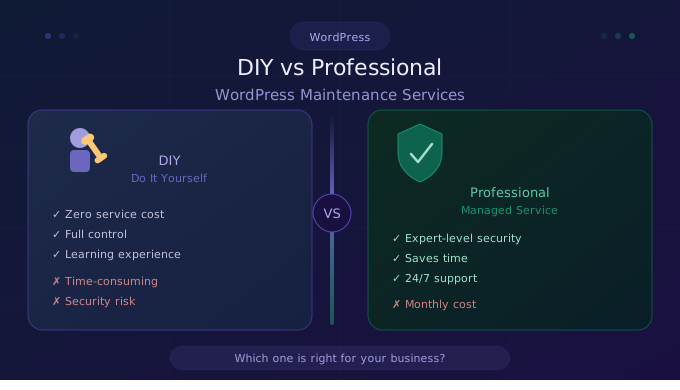
Should you handle DIY vs. professional WordPress maintenance yourself—or hand it off to experts?
There is clear value in both choices. You gain control and save money up front when you manage your own WordPress maintenance services. Employing an expert relieves you of all responsibility. But which course of action is best for your company, your finances, and your objectives?
We honestly examine both sides in this guide, discussing expenses, risks, resources, time, and practical outcomes. You’ll have a very clear response by the end.
Let’s get into it.
What Does WordPress Maintenance Actually Involve?
It’s essential that you understand the entire scope of what appropriate WordPress maintenance entails before comparing your options. Clicking “Update” once a month is just one component of it.
A professionally maintained WordPress site requires the following:
- Core updates—Updating WordPress itself to the latest stable version
- Update themes & plugins—Updating every one of the themes introduced and modules ensures they are current and valid.
- Security scanning—Regularly checking malware, vulnerabilities, and unauthorized access
- Backups — Reliable, Fully Restorable Copies Of Your Whole Site
- Performance tuning—monitoring page load, cleaning databases, and compressing images
- Monitor uptime—Get instant alerts when your site goes down.
- Broken link & error fixing—Fixing 404 errors, broken forms, and format issues
- Managing spam—Cleaning comment spam, blocking abusive form submissions
There is a significant risk if even one of these areas is neglected. Malware can enter a system through a single unpatched plugin. A hack could permanently destroy months’ worth of work if a backup is neglected. Visitors turn off by slow performance before they have a chance to read a word.
Because this list is lengthy, technical, and continuous rather than a one-time task, there are good WordPress support services.
The DIY Approach to WordPress Maintenance
What DIY WordPress Maintenance Looks Like
DIY means you are fully responsible for each and every bit of maintenance on your site. You log in on a regular basis, manually run updates, set up your own backup system, monitor security, and troubleshoot every error that pops up.
This is where many site owners begin — and there are good reasons to approach it this way. It’s easy to access, inexpensive, and fully in your control.
Here’s a polished Markdown table reformatting your provided data on popular tools for DIY WordPress maintenance. I’ve structured it with clear headers, proper alignment, and consistent formatting for readability, while preserving the exact tasks and tools you listed.
Tools Overview
FAQs
DIY maintenance means managing your site yourself using free tools, while professional WordPress maintenance services handle updates, security, backups, and support on your behalf every month.
Professional WordPress maintenance services typically cost between $30 to $300 per month depending on the plan, features included, and the WordPress maintenance company you choose to hire.
DIY WordPress maintenance can be risky for small businesses without technical skills. Missing a security update or backup can lead to hacks, data loss, and costly downtime.
A professional WordPress maintenance company typically includes plugin updates, core updates, malware scanning, offsite backups, uptime monitoring, performance optimization, and priority WordPress support services for emergency fixes.
Switch to professional WordPress support services when your site starts generating revenue, experiences downtime, gets hacked, or when managing it yourself starts consuming valuable business hours monthly.


 WooCommerce Solutions
 Solutions for WordPress