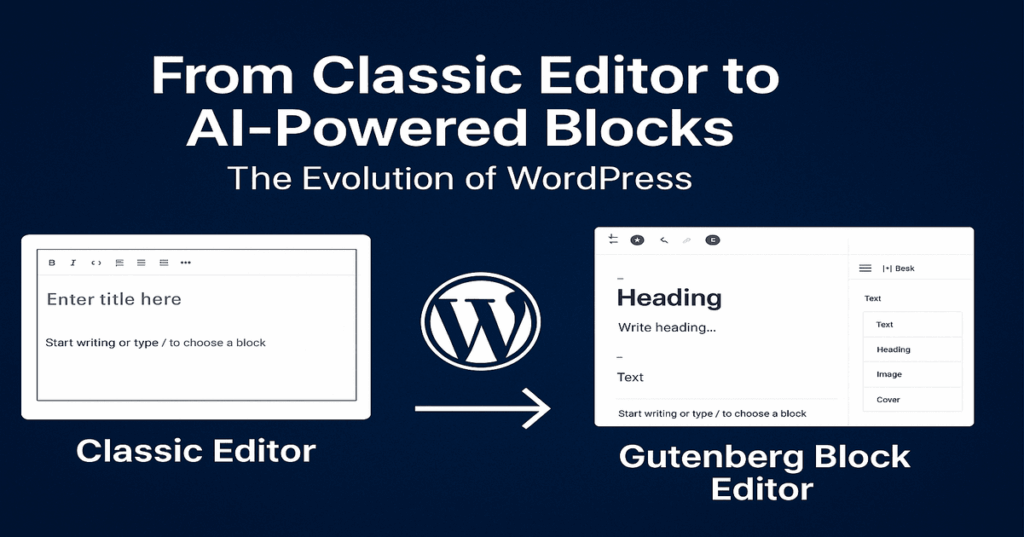
If you’ve ever wondered why certain WordPress websites feel so much more unique than those that use off-the-shelf themes or generic plugins could hope to replicate, the answer is almost always custom plugin development. This WordPress plugin development guide has been created to help you think differently about your website. If you’re a business owner who has a business dependency on WordPress and are investigating how to build a competitive advantage, an agency delivering value to clients with customized tactics, or just a developer/professional who hacks WordPress code and configs, getting up-to-speed on the plugin ecosystem is easily the single most powerful thing you can do in terms of WordPress growth in the long term.
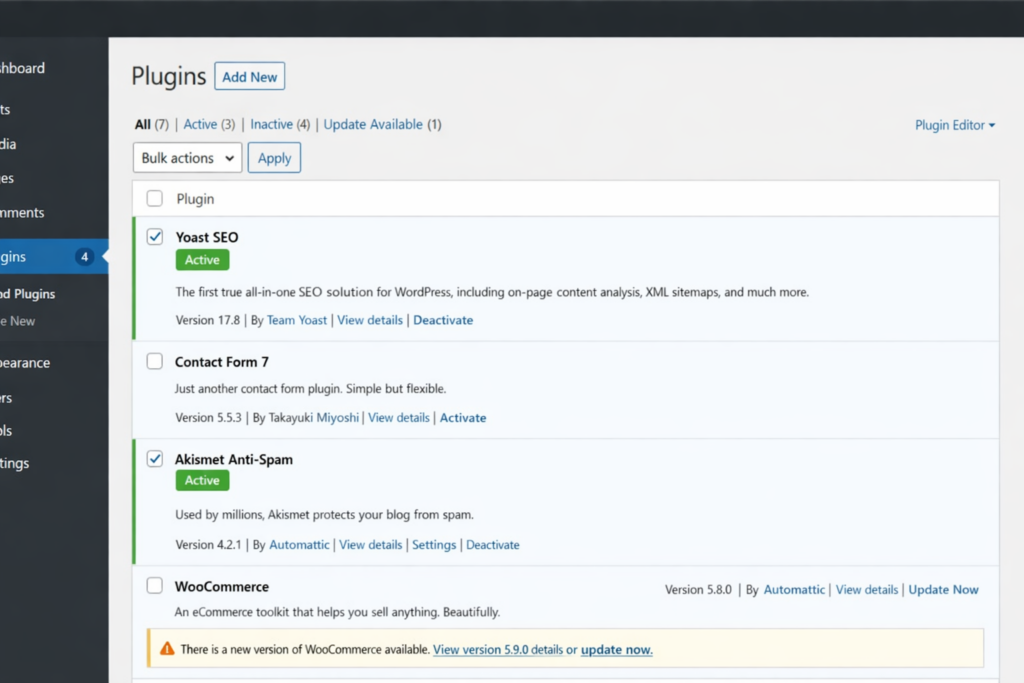
WordPress powers more than 43 percent of all websites that exist on the internet. The platform achieves such widespread usage because its plugin architecture provides users with flexible yet powerful tools to create both personal blogs and worldwide business platforms. The ability to flexibly operate your system becomes beneficial only when you possess knowledge about its operations.
The guide provides complete instructions for all aspects of plugins, which include their commercial importance and their construction process and their use for evaluating plugin quality and their dangerous attributes and the times when professional assistance becomes necessary. The right solution for your needs exists here because you want to achieve complete WordPress customization and lasting growth from your investment.
What Is a WordPress Plugin and Why Does It Matter for Your Business?
You can add a group of functions to a WordPress site without modifying any core installation files. Consider WordPress core to be the operating system of your website and plugins to be the apps you add on top.
This separation exemplifies the genius of WordPress architecture. When WordPress pushes an update, it ensures the safety of your custom functionality, which resides securely within a plugin. No lost code, no broken features, and no midnight emergency developer phone calls.
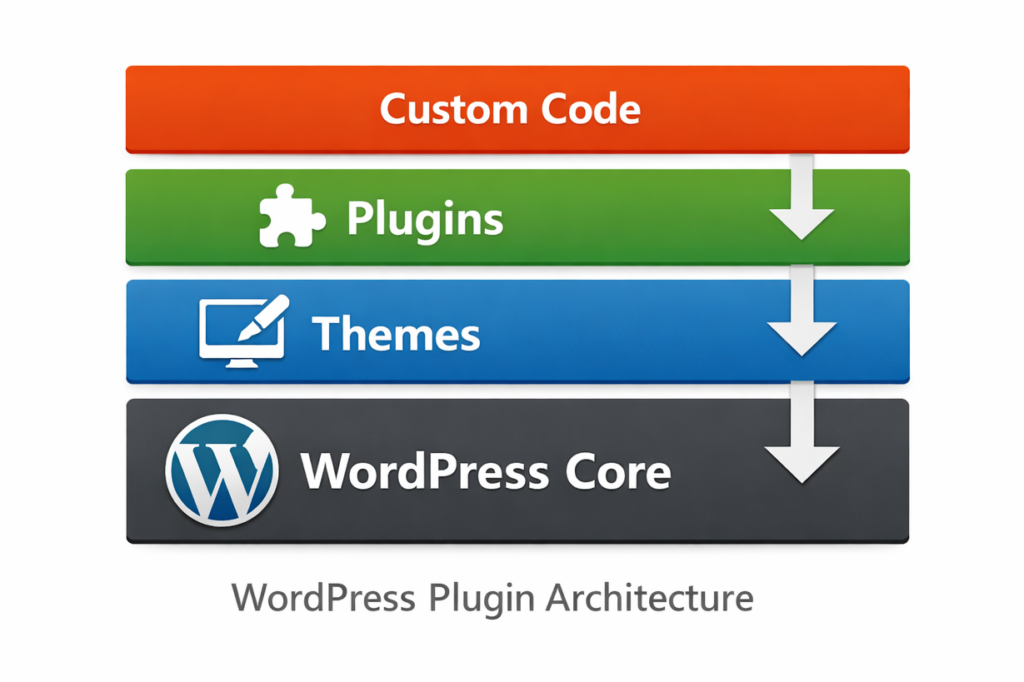
The distinction provides exceptional value for business owners who work with it. The system allows you to go beyond theme restrictions and achieve your desired results instead of settling for inadequate outcomes. You are not required to pay for excessive third-party plugins that deliver one necessary function and twelve unwanted functions. The correct WordPress plugin development method delivers exactly what your business needs without any additional features.
Agencies understand this concept better than anyone else. The WordPress.org directory contains no plugins that can create custom quoting tools, membership portals with special access rights, or product configurators linked to proprietary inventory systems for your client site development. The need for custom WordPress plugin development has become essential for their organization. The organization requires this development work to operate its business.
WordPress Plugin vs Theme: Understanding the Difference
Business owners together with beginner developers face their greatest challenge when they try to decide between using plugins or themes. Understanding the distinction is crucial, as incorrect identification can lead to significant costs in remediating technical debt.
A WordPress theme controls your website’s visual appearance, determining its layout, typography, color scheme, and content presentation. A WordPress plugin controls functionality, which determines all aspects of your website’s operations and its data processing capabilities and user interface elements.
The practical rule is simple: if your site breaks after you remove a feature that does not affect visual elements, then that feature should be implemented through a plugin. Plugins should handle all of these features: contact forms, custom post types, booking systems, payment gateways, membership rules, and custom dashboard widgets, rather than placing them in a theme’s functions.php file.
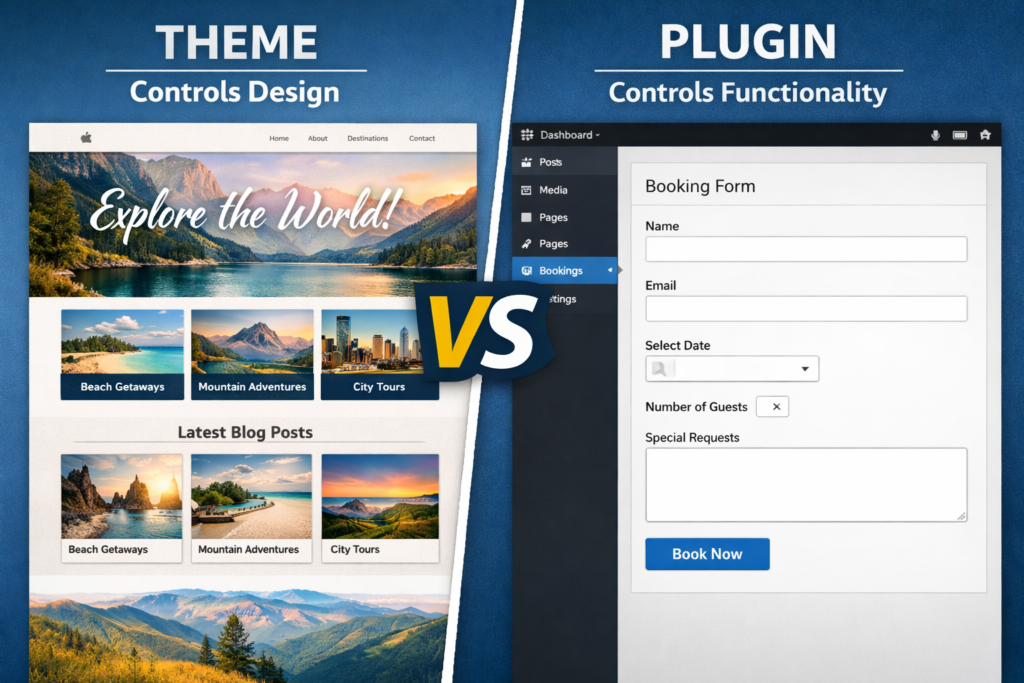
The commercial significance of this situation requires explanation because it needs assessment. The client needs to change their visual design because all clients eventually make design changes, which should require only theme replacement. The design process needs to be completely redone when all of their booking system, lead capture logic, and custom pricing rules are hidden within the theme system. The first part of a WordPress plugin guide needs to show its readers how to maintain system separation throughout the entire document.
The Core Architecture of a WordPress Plugin
Before we actually take a look at what plugins are made up of, one ought to understand the mechanism that makes the entire system work: the hook system and the WordPress Plugin API.
Actions and Filters: The Backbone of Every Plugin
The WordPress hooks are predefined points during the execution of WordPress where your own code can be attached. There are two types:
Actions are used to execute a function at a specific point, such as sending a notification email when you submit a form or registering your custom post type during the initialization of WordPress.
You can intercept and modify data before they are displayed or saved, using filters. For instance, you could utilize a filter to add a custom disclaimer to every post or format price information prior to being displayed on the product page.
The reason that every serious WordPress plugin tutorial will spend a significant amount of time describing hooks is that they are the mechanism by which plugins play nicely with WordPress core, with themes, and with each other. And they are also the reason that well-built custom plugins remain unbroken even after a WordPress core update.
The practical implication for business owners: when a developer talks about “building to WordPress standards,” this is largely what they mean. A plugin that correctly implements hooks will maintain functionality when WordPress updates to version 6.8.
Building a WordPress Plugin from Scratch: The Core Steps
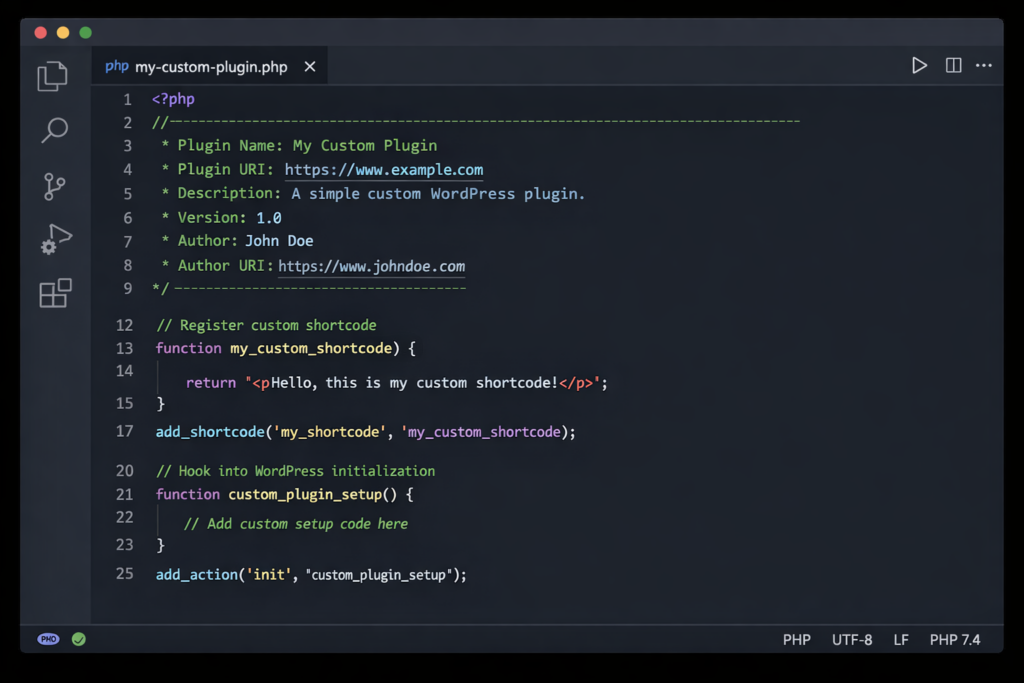
This section is where the WordPress Plugin Development Guide becomes technical material, which requires us to demonstrate how the code functions in real-world applications. The section describes all technical aspects of WordPress plugin development.
Step 1 — Set Up a Local Development Environment
The process of creating professional plugins begins with an initial development phase that occurs outside of internet access. The Local by Flywheel and XAMPP tools enable users to create a full WordPress environment on their personal computers, which allows them to develop and test their work while keeping their active online website secure. The project requires this rule to be followed by all participants who intend to develop a WordPress plugin from scratch.
Step 2 — Create the Plugin Folder and Main File
Inside WordPress’s wp-content/plugins/ directory, create a folder named after your plugin (e.g., dazzlebirds-custom-enquiry). You should create a PHP file inside that folder, which needs to have the same name as your plugin. The file starts with a plugin header that contains a comment block that provides WordPress with everything required to register and display the plugin.
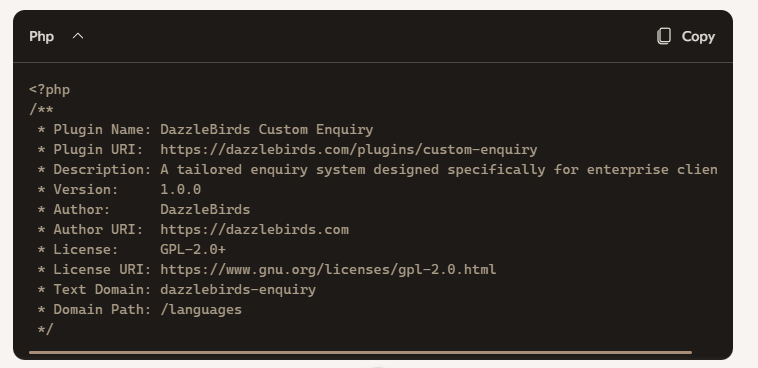
Without this header, WordPress will not recognize the file as a plugin at all.
Step 3 — Use Hooks to Add Your Functionality
You attach your custom functions to WordPress through add_action() and add_filter() after the plugin file has been created. The following example shows how to register a custom post type for a client service portfolio:

The main part of the WordPress plugin tutorial process requires developers to select the correct hook, and they need to write an appropriate function that they will link together through proper integration.
Step 4 — Organise for Scalability
A production-ready plugin needs multiple PHP files for its implementation except when it meets the requirements of a basic single-file operation. The recommended structure separates concerns into subfolders:

The most essential element of a good WordPress plugin guide needs to demonstrate this specific structure. The structure defines which plugins a developer can handle and which plugins will create maintenance problems when the developer is not available.
Step 5 — Security: The Part Most Tutorials Skip
The custom WordPress plugin development without security practices results in an incomplete product that becomes a security threat. The system requires all user input to undergo sanitization before processing and output escaping before presentation. The system requires database queries to implement prepared statement methods, which WordPress provides. The system requires admin actions to use nonces, which function as one-time security tokens for protection.
Business owners need to examine this aspect because it serves as the main factor in their evaluation of WordPress customization services. Security protocols that the developer follows should be explained by the developer according to your request. The ability to identify input sanitization, output escaping, nonce verification, and capability checks should not be considered automatic knowledge because it serves as a security warning.
Step 6 — Test, Debug, and Deploy
All testing procedures occur on a staging environment, which exists before any code deployment to the live site. The WordPress plugin from scratch process reaches completion after developers test their plugin against the active WordPress version, the client’s existing theme, and all installed plugins. The performance analysis tool Query Monitor enables users to detect performance issues and conflicts between different system functions.
The production deployment process requires either basic file transfer through SFTP or direct implementation through a deployment system that uses version control.
When to Build Custom vs When to Buy
An entire guide to crafting plugins for WordPress caters to this situation alongside established norms: when is it advisable to make things bespoke, and when is it fine to rely on what is already available? It became contentious.
Use an existing plugin when:
- The functionality is generic (contact forms, basic SEO, caching, galleries)
- A reputable, actively maintained plugin already does exactly what you need
- The business risk of a bespoke solution outweighs the benefit
Invest in custom WordPress plugin development when:
- The required functionality is unique to your business process
- Existing plugins require so many workarounds that you are fighting the tool daily
- You need deep integration with your own systems, APIs, or databases
- Long-term maintenance and ownership of the code matters to you
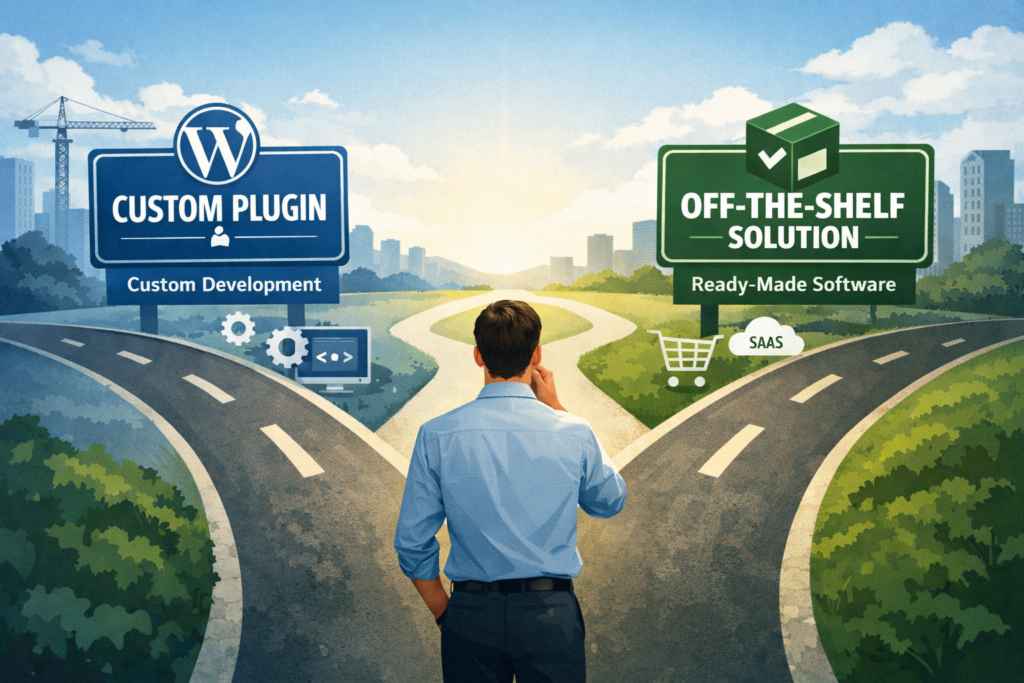
For agencies especially, the calculus is clear. The creation of a customized plugin that solves specific business needs for a client creates a unique competitive advantage because no other business can achieve the same result through the installation of a common free plugin. The need for continuous custom code maintenance and system updates creates a foundation for building ongoing retainer relationships with customers.
The Business Case for Professional WordPress Customization Services
The WordPress Plugin Development Guide has established its core message through its content because it intends to show business owners and agencies that they should not attempt to develop complex custom plugins. The learning curve requires actual effort because people need to spend time learning new information while organizations need to invest time and resources to gain heightened security protection.
Business owners and agencies must learn enough about the process to ask correct questions and establish proper expectations and identify suitable partners for evaluation.
The existence of professional WordPress customization services proves that they exist for this particular need. When you work with a team that specializes in custom WordPress development, you are not just buying code. You are buying:
Scope certainty — a professional team knows exactly what the plugin will be capable of before writing its first line, limiting expensive scope creep.
Security by default — seasoned WordPress developers adopt security practices that are not an afterthought.
Long-term maintainability — a codebase that follows WordPress standards survives updates and restructures, scales alongside your business, and can be handed over to any competent WordPress developer in the future.
The actual value of WordPress plugin development services emerges through their ability to connect your plugin with third-party APIs and CRMs and payment systems and databases. Generic plugins fail to meet user needs, but custom solutions provide users with return on investment through their unique capabilities.
The question is not whether custom plugin development is expensive. The question requires evaluation of two different costs, which include the expenses of custom plugin development and the expenses that arise from failing to develop custom plugins.
Common WordPress Plugin Development Mistakes That Cost Businesses Money
Any thorough WordPress plugin development guide needs to include failure modes because understanding failure cases proves to be equal in importance to understanding correct procedures.
The practice of integrating functional elements into theme files. This error stands as the most frequent mistake that occurs on client websites. The functions.php file contains hidden features that vanish when the theme undergoes changes. The usage of plugins should become your standard practice.
The code violates WordPress coding standards through its disregard of naming conventions and enqueuing standards and hook priorities, which produces conflicts that require extensive time and effort to identify.
The testing of plugin updates on a live site directly results in data loss and customer attrition for businesses. A staging environment should be used at all times.
The most affordable developer should be selected for your project. Genuinely cheap WordPress plugin development almost always means security shortcuts, no documentation, and code that the next developer refuses to touch. The total cost of ownership for poorly written plugins is almost always higher than the cost of doing it right the first time.
The process of updating the system needs planning. WordPress, PHP, and your server environment all change over time. A plugin that lacks an update strategy will turn into a security risk after 12 to 18 months.
What to Look for in a WordPress Plugin Development Partner
If the above discussion has persuaded you that professional help is the right route, the following is a practical checklist by which to evaluate potential partners:
The organization must demonstrate their security methods through clear explanations that detail their procedures for input sanitization and nonce verification. The organization should establish their staging and testing workflow as a mandatory practice that does not allow for optional implementation. The organization must provide documentation that accompanies the delivered plugin. The team requires experience with the specific type of integration you need, which includes WooCommerce extension REST API connectivity and custom database architecture. The team must present examples of their work in developing custom WordPress plugins that solved actual business needs.
The development partner you select must possess the ability to develop your plugin while also assisting your digital growth strategy through ongoing development work, which will continue until your business needs change.
Final Thoughts: Plugins Are the Growth Engine of WordPress
WordPress achieves its market dominance because of its plugin system, which enables developers to create thousands of extensions. The platform develops into the most flexible content management system because developers from around the world have created more than ten thousand extensions, which extend its original design.
Your business needs to avoid using existing solutions according to the results of this WordPress plugin development guide. The WordPress ecosystem provides all necessary components to build your business needs, which include a booking system that replicates your operational procedures and a product configurator that uses your actual pricing system and a membership portal that perfectly fits your community structure.
The exact match that you seek cannot be found through plugin directory searches. The specific solution requires custom WordPress development, which needs custom development work since you need to learn to create the solution yourself or hire professionals who handle this type of work.
The DazzleBirds team provides the exact services necessary to develop custom plugins that will benefit your company. Professional WordPress plugin development services create a competitive advantage by delivering solutions that match business requirements better than the standard WordPress functions.
FAQs
No. You need a clear understanding of what problem you want to solve and what outcome you expect. A professional development team handles the technical translation from business requirements to working code.
Simple utility plugins can be completed in days. Complex plugins with third-party API integrations, custom admin interfaces, and multi-role user management typically take 4–8 weeks from scoping to deployment.
A well-built plugin will not noticeably affect site speed. Performance problems arise from poorly written code—excessive database queries, unoptimized assets, or scripts loading on every page when they are only needed on one. This is another reason professional WordPress customization services are worth the investment.
Yes, as long as the plugins were built using WordPress hooks and coding standards. Plugins that modify core files directly — a practice no professional developer should follow — will break on update. Properly built plugins are designed to survive and adapt to WordPress core updates.
A theme controls how your site looks. A plugin controls what your site can do. All functional customization — booking systems, custom forms, data processing, integrations — should live in plugins, not themes.


 WooCommerce Solutions
 Solutions for WordPress