How to Integrate External APIs Into WordPress
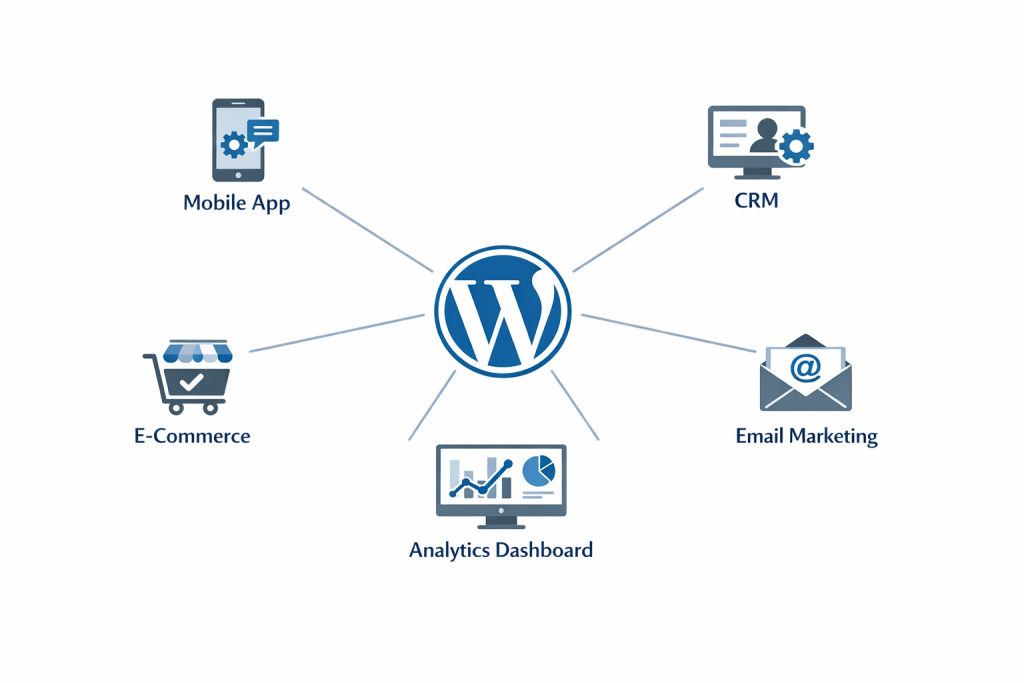
Custom WordPress API integration runs in two directions. So far we have covered serving data from WordPress to external applications. But the REST API ecosystem also covers the reverse: pulling data into WordPress from external platforms.
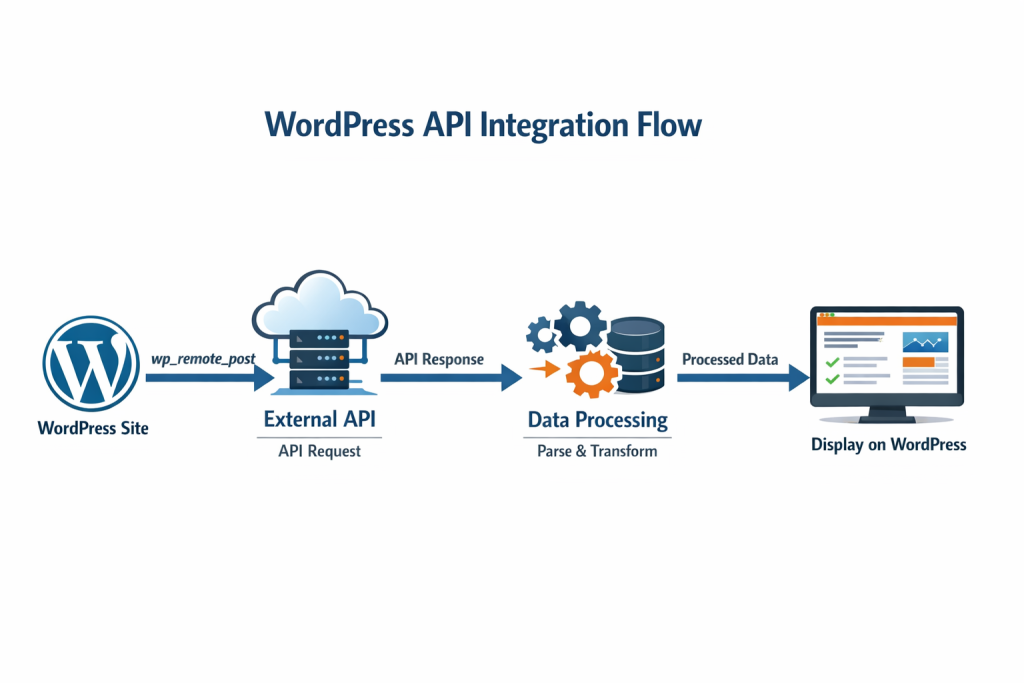
This is where WordPress’s built-in HTTP API becomes essential. WordPress provides a function called wp_remote_get() along with counterparts for POST, PUT, and DELETE requests that handle outbound HTTP requests to any external service.
A practical example: imagine you want to display real-time shipping rates from a carrier’s API on your WooCommerce checkout page. The workflow looks like this:
When a customer reaches checkout, WordPress sends a request to the shipping carrier’s API with the order weight and destination. The carrier API responds with available rates and estimated delivery times. WordPress receives that response, parses it, and displays the options to the customer, all within the checkout flow and completely transparent to the user.
function fetch_shipping_rates($order_details) {
$response = wp_remote_post( ‘https://api.shippingcarrier.com/rates’, array(
‘headers’ => array(
‘Authorization’ => ‘Bearer ‘ . get_option(‘shipping_api_key”),
‘Content-Type’ => ‘application/json’,
),
‘body’ => json_encode( $order_details ),
) );
if (is_wp_error($response)) {
return array();
}
return json_decode(wp_remote_retrieve_body($response), true) );
}
There are some key best practices to highlight. All API keys must always be stored in WP options (using get_option()) or environment variables, and they should never be hardcoded in source files that may end up in version control. API responses from third-party services should use WordPress transients for caching to avoid unnecessary repeat requests and to help adhere to rate limits. Error handling should be added for every external API call so that breakage on the external service can’t stop visitors from using your site.
These low-level details of caching, error handling, and secret credential storage are what distinguish a professional integrated external API WordPress implementation from one that will crack under real-world conditions when traffic increases.
WordPress REST API Security: What You Need to Get Right
Security is the most common area where REST API projects cut corners, and cutting corners here has serious negative consequences. Incorrect configuration of an API can lead to a leak of user data, site data manipulation, or the entry point for automated attacks.
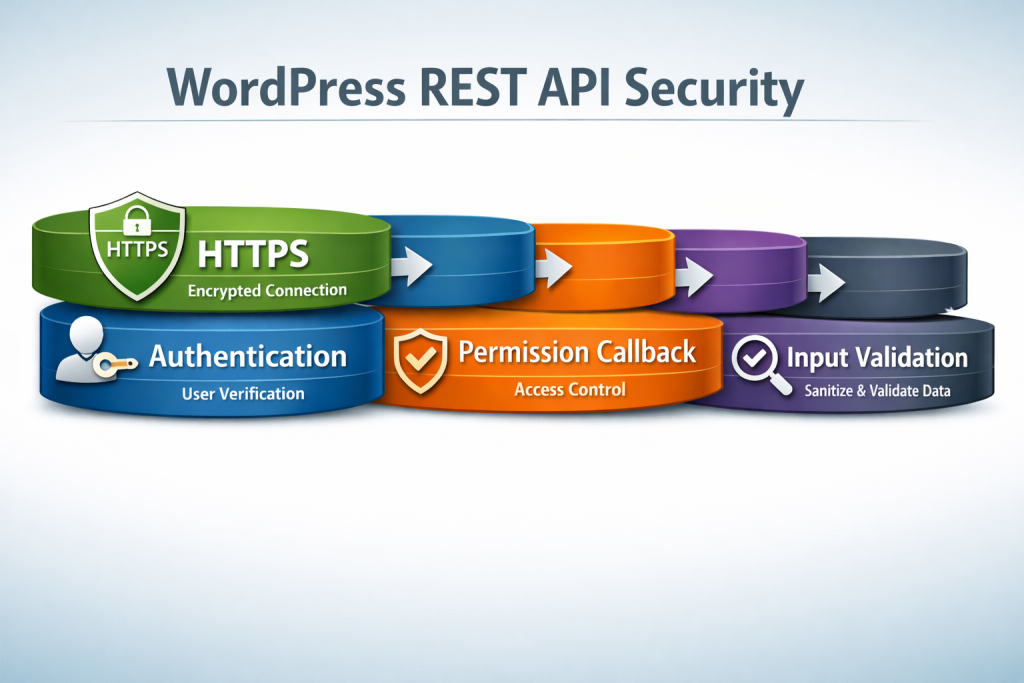
These are the red flags for any production WordPress REST API integration.
Authentication
Endpoints that read sensitive data or allow any kind of write access need to be authenticated. There are multiple methods of consuming these depending on your use case, and WordPress supports them. Application Passwords are the recommended server-to-server integrations since they have been a core WordPress feature since v5.6. JSON Web Tokens, or JWTs, are great in stateless authentication where your application is user-facing, such as a mobile app. For integration with large third-party platforms like Google or Salesforce, it should be chosen which one supports OAuth natively.
Permission Callbacks
For each custom endpoint you register with register_rest_route(), this needs to be defined as a permission_callback. This is a function that WordPress will call to check if the current requester has permission to access this endpoint. It can return true for public data, but for anything that involves user data, private content, or write operations, this callback needs to identify who is performing the request and what they are capable of.
Restricting Unnecessary Endpoints
By default, WordPress exposes a /wp/v2/users endpoint returning username & ID of users who have publicly visible data. Disable or restrict to authenticated requests on most sites, since that is the usual first target for automated login attack tools.
Input Validation
All data arriving via a POST or PUT request should be validated and sanitized before interacting with your database. Response arguments: register_rest_route() args parameter An example given the Args parameter of register_rest_route() lets you specify expected data types, required fields, and validation functions at the route registration level so invalid (bad) data never even reaches your callback function.
HTTPS Everywhere
Each API request includes authentication credentials in its header. And without HTTPS, those credentials are sent in clear text and are subject to interception. Even in 2026, there is no reason that any API communication should occur over a non-encrypted connection.
Another main reason why businesses prefer to hire professionals that offer WordPress customization services for REST API projects rather than doing it here for this DIY task is how to properly handle security.
Choosing the Right Architecture: REST API vs. Traditional WordPress
A REST API integration is not required for every WordPress project. Part of making reasonable tech decisions is knowing when the added complexity is actually worth it.
Many WordPress sites are best served by a traditional setup—theme, plugins, and database living in the same place with pages being rendered server-side. It is easier to build, easier to maintain, and fully capable for content-focused sites that have little to no need for complex integrations.
While connecting WordPress with system integrations, developing a mobile app, building a decoupled frontend for much better performance, or programmatically exposing your WordPress data to partners or clients does call upon the complexity of REST API integration.
It’s not even a black-and-white decision, so to speak. Most production sites operate with a hybrid model where traditional WordPress serves the majority of your pages, and you use REST API endpoints for specific features: dynamic data, integrations, or real-time. This way, you can benefit from the REST API wherever it most makes sense without over-engineering everything.
This is the type of architectural decision-making where an experienced WordPress API development service provider earns its pay, as it guides you into selecting the right tool for the right job that goes beyond simply picking the one that is most technically impressive.
The Direct Impact of REST API on Your SEO Performance
An added advantage of WordPress REST API integration that many a business owner underestimates is its potential impact on search ranking.
If we compare two architectures, with one being REST API-based headless and the other using a WordPress frontend, on their respective frontends, the frontend for a headless should be built only with technology that provides its utmost best in terms of delivery speed. Pages that took three to four seconds to render can now routinely take less than one second. Core Web Vitals directly impact page experience, which Google uses as a ranking factor, and websites that score well outperform their slower competitors in search results over and again.
The key nuance is that a headless WordPress needs proper SEO configuration. Your frontend framework will need to either render pages server-side and fully formed HTML by Google Bot instead of a bunch of blank JavaScript placeholders. In a headless setup, everything from sitemaps to canonical URLs and structured data needs to be carefully controlled.
When these kinds of details are in the right hands (i.e., a team with solid experience in both custom WordPress development and SEO), the result from the performance plus properly structured content can create large jumps in organic rankings as soon as a couple of months post-launch.
How to Evaluate a WordPress API Development Partner
Once you determine that the external team is the right path for your integration project, here is what to look for.
WordPress experience is not worth as much without demonstrated API experience. Request to see long-built REST API integration examples from which their integration will happen, rather than themes or average plugin jobs.
The approach to security should be unearthed without any leading. A great development partner will bring up authentication strategy, permission design, and even input validation in early conversations without being prompted. If security is an afterthought in their process, it will be an afterthought in their code — and they cannot afford to suffer a data breach or hack.
Documentation sends off a professionalism signal. A properly built integration should have clear documentation of every endpoint, the parameters needed, expected responses, and error codes. If you do not have this, your integration basically depends entirely on the person that built it first.
Maintenance planning matters greatly. Inquire how they will manage updates to versioning of APIs from third-party services and what their health check post-launch process is once integrated. WordPress plugin development teams create integrations to evolve, not just be compatible on launch day.
Getting Started: A Practical Path Forward
If this post convinced you that WordPress REST API integration is something worth considering your business, here is where the rubber meets the road.
Start with your one most valuable integration opportunity. Which parts of your team’s manual data movement are taking up the most time? What are your customer pain points created specifically by disconnected systems? Begin there instead of the grandest integration you can imagine, because the clearest ROI opportunity is always the best first step.
Map out the data involved. After all, between which systems should there be what exactly? In what direction? How frequently? There will be more questions to answer, but answering them clearly before any development work you can do is the number one thing you should concentrate on if you want to keep a project in budget and on track.
Assess your team’s capabilities honestly. An easy single-system integration with an external API, which is well documented, should easily be done by a good WordPress developer. Real-time sync requirements, custom authentication flows, and multi-system architecture need specialists to rack their brains with them.
Be long-term from day one. As your business grows, the integration you prepare today will require maintenance and updates as well as extensions. So build it, or have that built with our reality as a backdrop.
Conclusion: WordPress as a Connected Platform
The WordPress REST API is easily one of the most powerful and least widely used capabilities that businesses with a WordPress-powered site have access to in 2026. We take you from a WordPress site to a WordPress platform, which, ultimately, is the technology that connects and enables communication and integration with the entire digital ecosystem your business relies on.
Be it to get away from manual data work, create a much faster website that ranks higher in Google, support a mobile application, or simply try to make your WordPress site and your CRM finally talk together—custom WP API integration is how you achieve it.
The investment in correctly storing the architecture, security, documentation, and maintenance strategy yields not just near-term resource efficiencies but also provides great long-run flexibility and scalability for your digital infrastructure.
The only connected WordPress platforms of today that won’t scramble to catch up tomorrow are the businesses building them.


 WooCommerce Solutions
 Solutions for WordPress