You have built your WooCommerce store. The products have been uploaded. The design appears perfect and looks perfectly fit for the website. You clicked publish and awaited for the outcome.
Nothing happened.
Thousands of eCommerce store owners are currently facing this reality. A well-designed store means nothing if Google can’t find it, and it’s even worse if it finds it and sinks it to page three that never gets scrolled.
WooCommerce does not have an SEO checkbox to tick and forget. It’s an active, ongoing maintenance of making your store discoverable, trustworthy, and attractive in search results. Used with real intent, it is one of your business’s highest-return growth channels.
This guide will walk you through all of them, from the foundational fixes most store owners overlook altogether to the technical aspects and content strategies that really budge rankings. Whether you’re starting from zero or trying to patch up what’s already damaged, there is something you can do right now.
Why WooCommerce SEO Is Important
Did you know? Organic search accounts for 43 percent of all eCommerce traffic, whereas social media only sends a mere 5 percent. And every store owner who is obsessed with Instagram reels and Facebook ads is going after 5 percent of the pie revenue. The stores that are winning on Google—the ones who show up in organic search for free—are quietly siphoning off all other 43 percent, month after month.
Why WooCommerce SEO optimization matters: The intent behind organic, when it comes to traffic, is incomparable. A person who types “buy waterproof hiking boots for men” into Google is not browsing. They are ready to spend. Those searchers are dedicated to finding what they want, and that’s why long-tail keywords convert at 2.5 times higher rates than broad search phrases.
While paid ads drive immediate conversions, SEO fosters something even more valuable: compounding visibility. Google Shopping CPCs increased by 15 percent year over year in 2025, and the cost of paid traffic continues to rise. Meanwhile, a product page that you optimized six months ago still generates traffic at no additional cost.
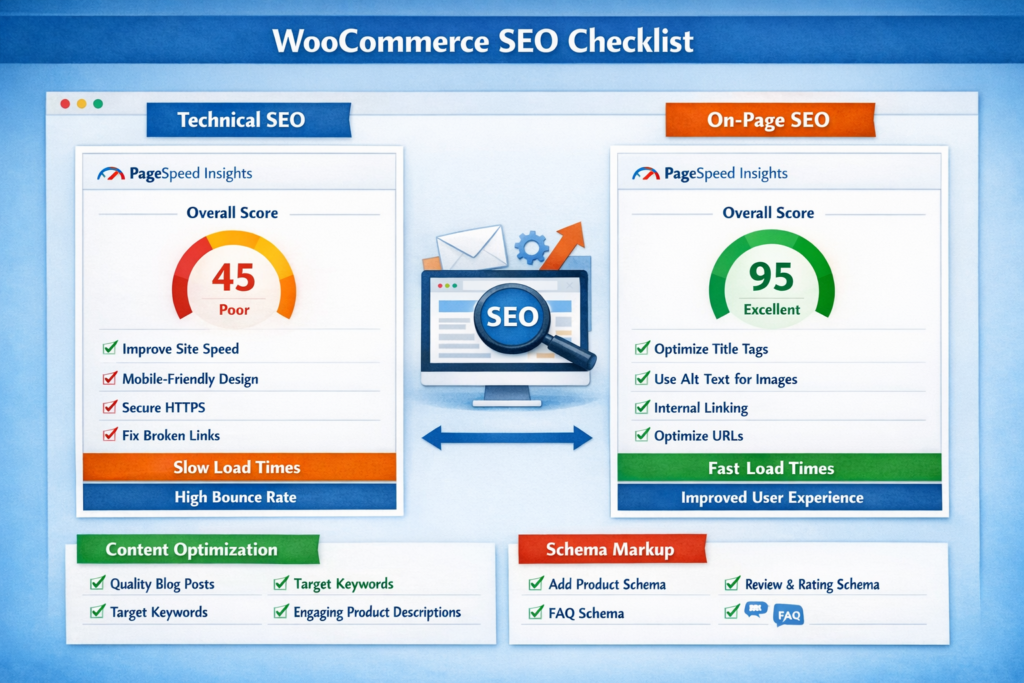
WooCommerce SEO Checklist
Before getting into strategy, put your store through this hands-on WooCommerce SEO optimization checklist. Be honest with yourself on every one of these points. I’ve found most stores blow at least five of these (and each failure is costing you traffic today).
Technical Foundation
- SSL certificate active (HTTPS enabled)
- Site loading under 3 seconds on mobile
- XML sitemap submitted to Google Search Console
- Robots.txt file configured correctly
- No duplicate content issues on product and category pages
- Canonical tags set on paginated and filtered pages
On-Page Essentials
- Unique title tags on every product and category page
- Meta descriptions written to earn clicks, not just include keywords
- One H1 tag per page, used correctly
- All product images have descriptive alt text
- Internal links connecting related products, categories, and blog content
Content and Schema
- Product schema markup enabled and validated
- Breadcrumb schema active across the site
- Blog or buying guide section publishing consistently
- Customer reviews visible and marked up with structured data
You need to perform this checklist review process on a quarterly basis. 53 percent of eCommerce sites still have missing canonical tags, which affect an average of 40 percent of their website pages. These technical issues do not occur frequently but instead act as standard operational faults that become easy to resolve after you identify their presence.
On-Page SEO Best Practices
Optimize Product Titles and Descriptions
Your product title is the most valuable piece of real estate on a product page. It affects what Google ranks you for and what a shopper chooses to click on.
Do not use “Men’s Wallet”; instead, write something like this, “Slim Leather Wallet For Men, RFID Blocking Minimalist Design.” More specific, more searchable, and much more compelling to someone actively weighing options.
The product description is where most WooCommerce stores really fail. Manufacturer copies lead to duplicate content and a low-quality indicator for Google. Create original descriptions that talk about solving what the buyer is trying to solve, cover common objections, and naturally include targeted keywords. By optimizing their meta title and product description, retailers can experience a 32 percent growth in organic sales. That’s a significant revenue shift for a relatively quick fix.
Category Pages Are Where Rankings Are Won
If you are using WooCommerce, chances are you spend a lot of time optimizing your product pages while ignoring their category pages. That is a strategic mistake.
Category pages are ranking for high-volume / transactional head terms like “women’s running shoes” or “natural skincare products.” These pages appeal to shoppers who are in browse-and-compare mode, often right before a purchase.
Insert a relevant and keyword-based paragraph at the top/bottom of every category page. Your sentence should describe the category, what it does for a specific audience, and why someone would want to spend money on your selection. Google requires that content in order to comprehend the page. That is what shoppers need to feel that they are in the right place.
Meta Tags: Written for Clicks
Your meta title and meta description create the first impression of your store, which appears in search results. The elements do not affect search engine rankings, yet they determine which link users will select between your link and the links that are positioned above and below it.
A super-generic line like “Explore our selection of quality items at great prices” is not going to convert anyone. Something like “Free delivery on orders placed over $50. “200-plus handpicked leather wallets that are built for everyday carry” gives an actual reason to click.
The average eCommerce page title is only 39 characters long, in contrast to the best practice of 50 to 60 characters, while the average meta description comes in at 96 characters—short of the standard of between 150 and 160 characters. Most shops are missing out on high click-through rates by not properly completing this space.
Internal Linking: The Most Underused WooCommerce SEO Tip
Internal linking serves as the most effective SEO enhancement for WooCommerce that requires no technical modifications. Your blog post will send link authority to your product page when you connect the two through a relevant link.
Every blog post should include at least two or three internal links to relevant product or category pages. The link should use descriptive anchor text, which should replace “click here” with the phrase “browse our waterproof hiking boots.” The practice of changing linking patterns creates small effects that lead to major SEO improvements after a period of six months.

Technical SEO Optimization
Site Speed Is a Revenue Problem
eCommerce sites that load in one second convert three times better than the slower ones. This is more than an SEO number. It is a revenue statistic.
Mobile accounts for 70 percent of WooCommerce traffic, but mobile conversion rates are 40 to 60 percent lower than desktop due in large part to poor load performance. And speed—that is where you make up that gap.
Start with hosting. The shared absence of infrastructure will eventually stifle your growing WooCommerce store. When considering your hosting, go managed WordPress with providers such as WP Engine, Kinsta, or Cloudways. Then add performance work: make browser caching, compress product images before upload, connect a CDN, and minify CSS and JS files. Many of the above steps do not require coding, and plugins like WP Rocket take care of them automatically.
The average Google Lighthouse performance score across eCommerce sites is 67 out of 100, with 70.5 percent of sites rated “needs improvement.” The top 30 percent of this metric provides a real advantage to businesses, while 90 percent of WooCommerce speed problems can be resolved through methods that do not require platform changes.
Fix URL Structure
WooCommerce creates disorganized website addresses through its standard configuration. You might end up with yourstore.com/?product_cat=shoes&product=red-trainers when it should be yourstore.com/shoes/red-trainers. Go to Settings, then Permalinks in WordPress, and switch to “Post name.” You must include category bases to create proper URL structures. The entire website becomes more accessible to search engines because of this single modification.
Duplicate Content From Filters and Pagination
To create different versions of the same page, WooCommerce uses filters for price range, color, pagination, etc. Without guidance, Google sees scores of identical pages and doesn’t know which one to rank.
Use canonical tags to show Google the official take of every page. While Yoast SEO and Rank Math take care of the basics, if you have faceted navigation on your store, always audit manually. This is not something that should be figured out as you go, as it’s much easier to do anything right the first time than it is to correct these issues after damage has already been done, which is one reason why many brands will opt for a dedicated WooCommerce development service over discovering these types of issues down the line.
Schema Markup: Stand Out in Search Results
Schema markup specifies for Google what your page includes and enables rich results—the visual enhancements that appear in search results show star rating, price, and stock status just below your listing.
On a WooCommerce store, the types of schema that we have found to be most valuable are product schema (with name, price, availability, and review ratings), breadcrumb schema to confirm site structure for search engines, and FAQ markup that can also be applied at category pages or on buying guides. Rich results drive extra clicks even from four and five due to their trustworthiness and specificity before a shopper visits your site.

Content Strategy for WooCommerce Stores
Build a Blog That Earns Traffic and Converts It
Stores that blog regularly get 55% more organic traffic than stores without a blog. The important part is to be blogging with commercial purpose and not because you feel interested in publishing an article. Consider what your buyers look for prior to buying.
A kitchen equipment store could write “The 8 Best Coffee Grinders for Beginners in 2026.” A fitness store could publish “How to Choose the Right Resistance Bands for Your Training Level.” These posts attract buyers during the research phase, and a strategic internal link brings them directly into your product catalog. 61 percent of US online shoppers decide to make a purchase based on a blog recommendation. That reframes blogging entirely. It is not brand awareness content. It is a direct conversion tool.
Long-Tail Keywords Are Where New Stores Win
The implementation of running shoes as a target market for your new WooCommerce store proves to be an unworkable business approach. Your business competes with established retailers who possess extensive domain authority, which they have built over many years.
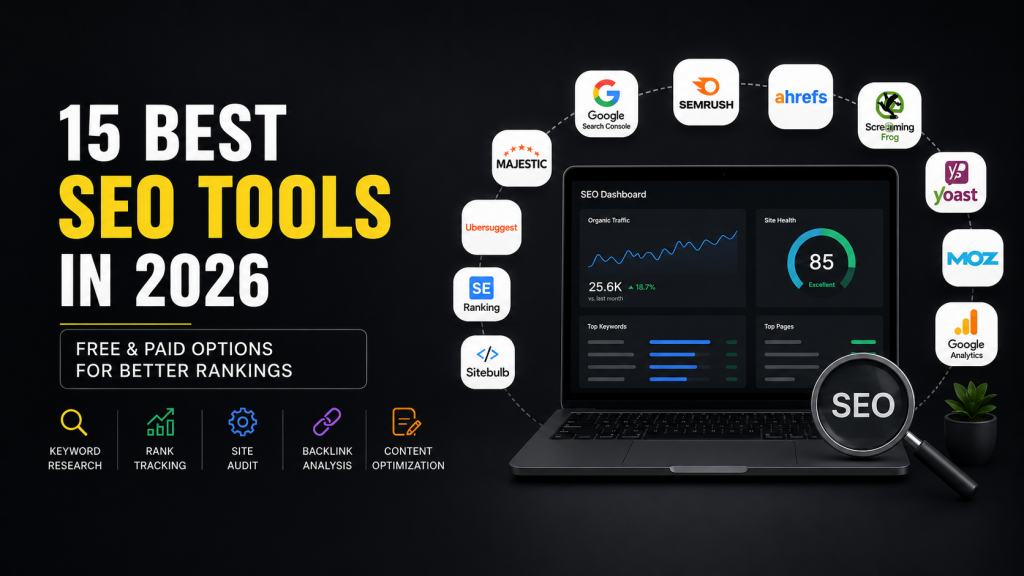
Long-tail keywords account for 65 percent of all search queries, and they convert at more than double the rate of broad terms. Use tools like Ahrefs, SEMrush, or Ubersuggest to identify the specific phrases your customers use. Create your product titles and product descriptions and blog content based on those keywords. Start with a small focus area and increase your reach as your website authority improves.
Customer Reviews Are Free SEO Content
The combination of multiple product reviews creates new content for your webpage, which contains targeted keywords that you need to produce. Customer reviews increase revenue per visitor by 62 percent. The combination of these two elements establishes trust while showing Google that the content has been recently updated. The implementation of automatic email requests for reviews after customers make purchases will enhance your social proof and organic visibility.
Common WooCommerce SEO Mistakes to Avoid
Treating Mobile as Secondary
Mobile devices account for 62.54 percent of global organic search traffic, while Google applies mobile-first indexing to all new websites. Google operates its ranking system based on mobile performance of your store instead of desktop performance. Your WooCommerce store will face active ranking disadvantages when it operates poorly on mobile because this issue affects user experience.
Stuffing Keywords Into Product Pages
The practice of repeating a target keyword twelve times throughout a 200-word product description fails to enhance search engine rankings. The excessive use of keywords creates difficult reading experiences while Google interprets the content as designed for automated systems instead of human users. The primary keyword should appear in the title and early description and throughout the body text at two additional natural points.
Ignoring Image Optimization
The presence of unoptimized images represents a major factor that leads to low Core Web Vitals scores. The implementation of descriptive alt text, “navy blue slim fit linen shirt for men,” not only enhances image search visibility but also shows how relevant the page content is. The process requires two minutes for each product because most stores have not successfully completed the task.
Letting Broken Links Accumulate
E-commerce websites face a broken link problem that affects 62.4 percent of their sites. The URLs of products that become unavailable due to stock shortages or discontinuation enter a 404 error state, which leads to wasted crawl budget and creates difficulties for customers. The company should perform audits every three months while creating 301 redirects to link from outdated product URLs to their most relevant replacement pages.
Flying Blind Without Analytics
The operation of a WooCommerce store requires Google Analytics and Search Console setup because the absence of these tools creates operational challenges that compare to running a store without sales information. The system enables users to monitor organic website traffic on each page while tracking which specific keywords lead to actual purchases as opposed to casual website browsing. The final data point shows immediate improvement opportunities that require only a simple title change to achieve results.

Why Dazzlebirds for WooCommerce SEO?
The process of WooCommerce SEO optimization requires multiple components, which include technical configuration, site architecture, content production, schema implementation, performance tuning, and ongoing monitoring. A gap in any one area limits the effectiveness of everything else.
The WooCommerce development company Dazzlebirds operates as a specialized company that handles this particular situation. The agency functions as a digital agency that provides SEO services among their twenty different offerings. The team works exclusively in this space, across industries ranging from fashion, beauty, and wellness to tools, electronics, and digital products.
Dazzlebirds provides technical expertise through their WooCommerce development services, which include advanced work beyond standard plugin setups. Dazzlebirds develops custom URL architectures that maintain clean scalability online while creating faceted navigation systems that produce no duplicate content. The company has implemented schema markup across thousands of product pages while achieving performance optimization, which improves webpage Core Web Vitals scores. The improvements create a distinction between stores that generate permanent organic revenue growth and stores that remain on page two of search results.
When something isn’t working, the team troubleshoots it at the root level instead of slapping a band aid on it that ends up breaking something else. This understanding is what separates the SEO that lasts for six months from the kind of search optimization that creates true long-term value.
If your store has the products you want but they’re not being seen, that gap can be closed.

Conclusion
The process of WooCommerce SEO optimization remains simple because the basic principles are easy to understand. The process requires fixing existing technical issues, creating content that matches actual customer search behavior, establishing authority through consistent practices, and making all decisions based on data insights.
User engagement with page two results remains extremely low at 0.63 percent. The stores on page one built their way there through systematic, consistent SEO work. The process to achieve that result can be duplicated by others. The guide provides a checklist, which you should use as your starting point. You should begin with technical fixes before proceeding to improve on-page elements and finally create content that will attract visitors and turn them into customers.
Business owners who want to focus on their core operations should hire Dazzlebirds to perform their WooCommerce SEO optimization audit needs. The team will identify exactly where you are losing rankings and revenue and walk you through a clear roadmap to recover and grow from there.
The best time to have started optimizing your store was a year ago. Today stands as the second best time for store optimization.


 WooCommerce Solutions
 Solutions for WordPress