Two ways to connect WooCommerce to an ERP: a direct API link and a middleware layer
Your WooCommerce store takes the order. Your ERP holds the stock, the prices, and the invoices. If the two systems do not talk, someone types the same data twice. That costs time, and it causes mistakes.
You have two main ways to connect them. You can link them directly through their APIs. Or you can add middleware that sits between them. Each one fits a different kind of business.
This guide shows how both work, where each one breaks, and how to pick. You will also get a short plan to follow before you hire a developer or buy a tool. If your current setup already fails under load, read our post on why B2B WooCommerce integrations break at scale too.
What Is the Difference Between API and Middleware Integration for WooCommerce?
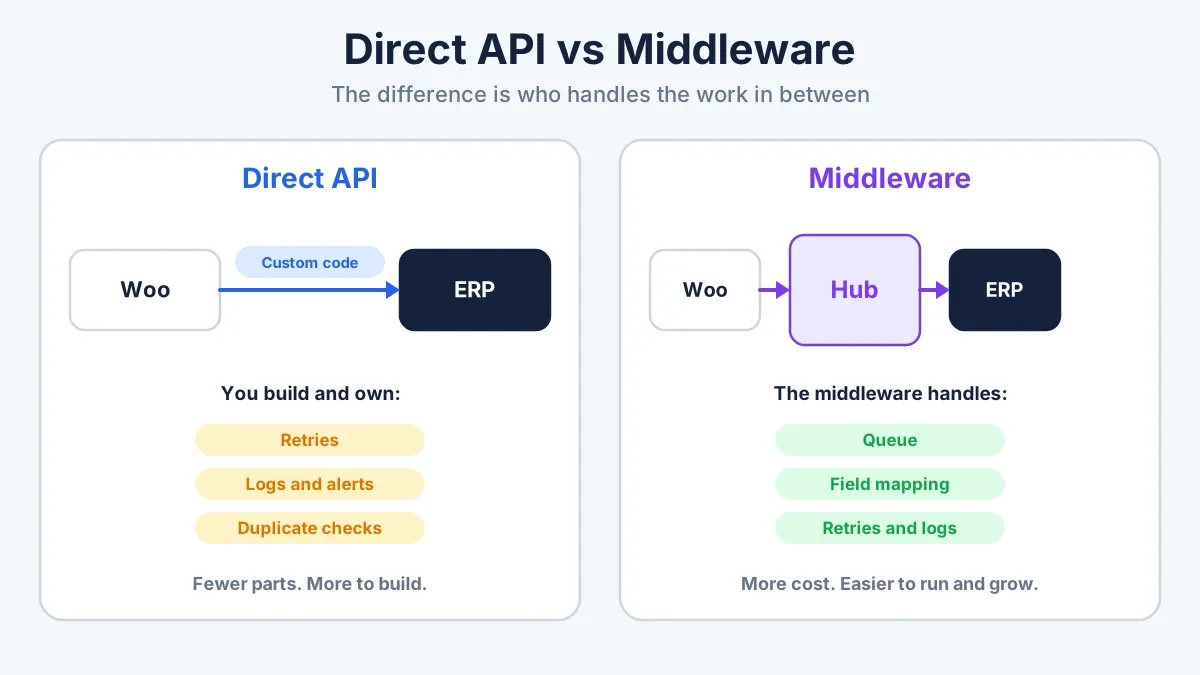
An API integration connects WooCommerce and your ERP directly. Custom code on one side calls the API on the other side. A middleware integration adds a layer between them. The middleware receives data, converts it, queues it, retries failures, and passes it on. A direct link is simpler to start. Middleware is easier to run and grow.
The API vs middleware integration choice comes down to one question. Who does the work between the two systems? With a direct link, your own code does all of it. With middleware, the middleware does most of it.
Neither option wins in every case. A store with one ERP and a few data flows can run well on a direct link. A store with several systems, high order volume, or strict audit needs usually runs better on middleware.
Cost differs too. A direct build costs developer time up front. Middleware adds a license or hosting fee on top of the build. We cover that trade-off below.
WooCommerce ERP Integration Architecture: The Basic Pieces
Every WooCommerce ERP integration architecture has the same three parts.
- The store. WooCommerce holds products, carts, customers, and orders.
- The ERP. It holds stock levels, price lists, accounting, purchasing, and shipping records.
- The connection layer. It moves data between the other two. A direct API link or middleware fills this role.
The two options differ only in this third part. The store and the ERP stay the same.
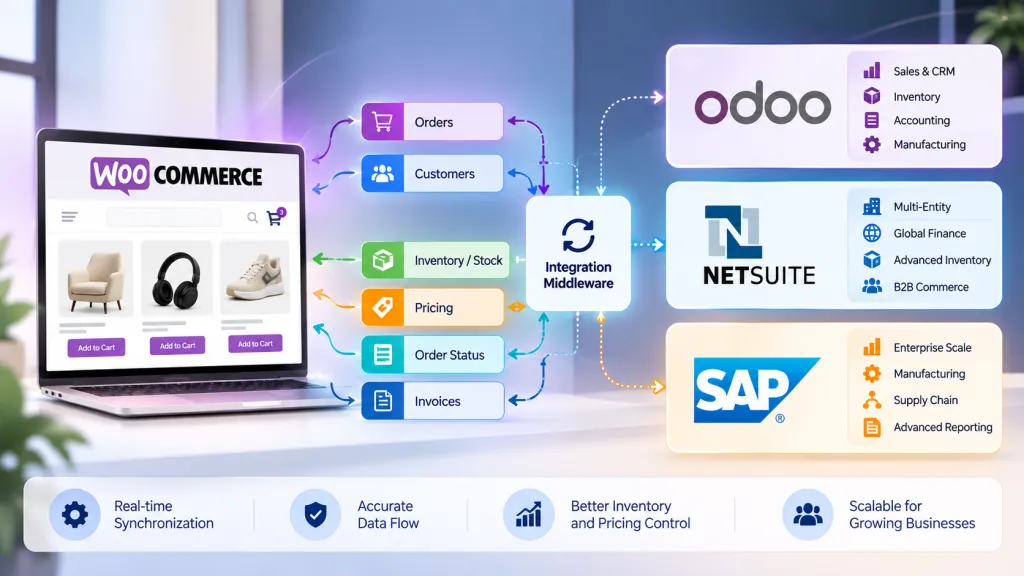
What data moves between the systems?
Some data flows from WooCommerce to the ERP:
- New orders
- Customer accounts
- Payment status
- Refunds and cancellations
Other data flows from the ERP back to WooCommerce:
- Stock levels
- Price lists and customer-specific prices
- Order status
- Shipment tracking
- Invoices
Most of the pain comes from the second group. Stock and prices change all day. If your ERP is the source of truth, WooCommerce has to update fast.
Some data moves when an event happens, such as a new order. Some moves on a timer, such as a nightly price file. Pick the trigger that matches how fast each type of data changes.
Data flowing both ways between a WooCommerce store and an ERP system

How WooCommerce ERP API Integration Works
WooCommerce ships with a REST API and webhooks. Most ERPs have their own API. In a direct integration, your code connects the two.
Here is a typical order flow:
- A customer places an order in WooCommerce.
- WooCommerce fires a webhook.
- Your code checks the data and maps each field to the ERP format.
- The code calls the ERP API and creates a sales order.
- The ERP returns an order ID.
- The code saves that ID on the WooCommerce order.
Stock updates run the other way. Your code reads stock from the ERP, either on a timer or when the ERP sends a signal. Then it updates WooCommerce through the REST API.
Every ERP has its own API style. NetSuite, SAP, and Odoo all work differently. So the code you write fits one ERP, and a switch later means a rewrite.
What you gain with a direct link
- Fewer moving parts. There are two systems and one piece of code.
- No monthly tool fee.
- Full control over every rule.
- A fast build when you only need a few data flows.
What you take on
You write and own everything around the connection. That includes retries, logs, alerts, security, and upgrades. The ERP may also cap how many requests you can send at once. A flash sale can hit that cap in minutes.
For a wider view of planning your APIs, read our enterprise API strategy guide for B2B WooCommerce.
How WooCommerce Middleware Works
Middleware is software that sits between two systems. WooCommerce does not talk to the ERP. Both talk to the middleware. That keeps your store and your ERP apart. A problem in one does not take down the other.
Middleware comes in three common forms:
- Hosted integration platforms. Celigo, Boomi, MuleSoft, and Workato are examples. You pay a subscription and build flows with prebuilt connectors.
- A custom integration service. Developers build a small service with a message queue. You host it and own it.
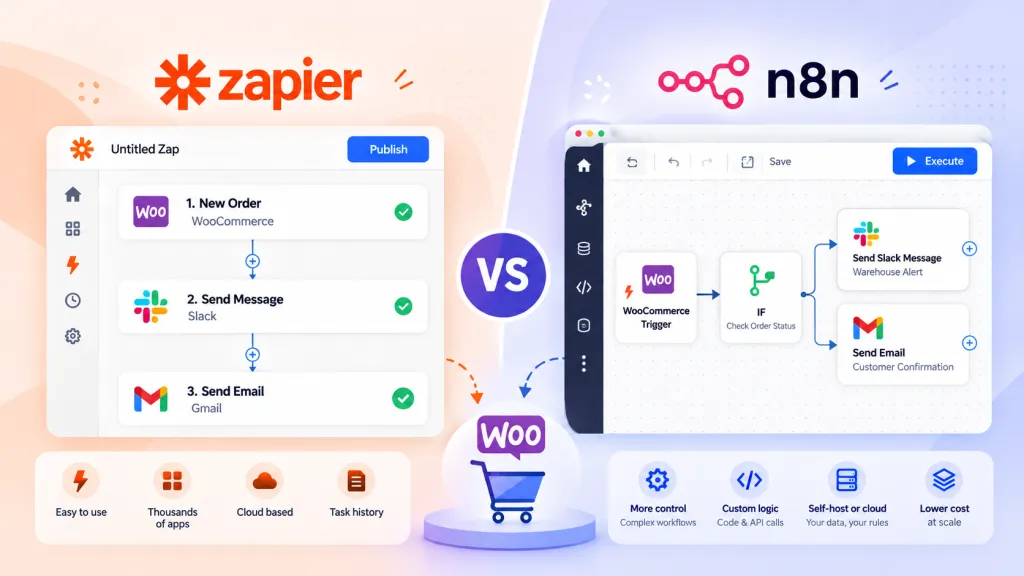
- Automation tools. n8n, Zapier, and Make handle light flows well. They suit small stores with simple rules.
What middleware adds
- A queue. Orders wait in line until the ERP is ready.
- Data conversion. The middleware turns WooCommerce fields into ERP fields and back.
- Retries. A failed call tries again without anyone clicking a button.
- Logs and alerts. You see each message and get a warning when one fails.
- Room to grow. Adding a warehouse system or a shipping tool means adding one more connection.
A typical middleware order flow
- WooCommerce sends the new order to the middleware.
- The middleware puts the order in a queue.
- A flow converts the fields to the ERP format.
- The middleware calls the ERP API.
- If the call fails, the middleware waits and tries again.
- When the call works, the middleware sends the ERP order ID back to WooCommerce.
Compare this with the direct flow above. Steps 2 and 5 mark the difference. The queue and the retry live in the tool, so your team does not write them.
What you give up
Middleware costs money. Hosted tools often bill by volume, so the price rises as your orders grow. It is also one more system to secure and watch. The queue can add a short delay. And a hosted connector may not cover your custom fields, so a developer still has to fill the gaps.
API vs Middleware Integration: Side-by-Side Comparison
Use this table to compare the two options on the points that affect your budget and your daily work.
| Factor |
Direct API |
Middleware |
| Setup time |
Shorter for one or two flows |
Longer at first, faster for each new flow |
| Upfront cost |
Developer time |
Developer time plus tool setup |
| Running cost |
Hosting and upkeep |
Subscription or hosting, plus upkeep |
| Error handling |
You build it |
Often built in |
| Monitoring |
You build it |
Dashboard and alerts, often included |
| Adding a system |
New code for each link |
One new connection |
| Effect of ERP changes |
Can break your code |
Middleware absorbs some changes. |
| Best fit |
One store, one ERP, few flows |
Several systems, high volume, audit needs |
Direct API connection compared with a middleware layer between WooCommerce and an ERP
What Each Approach Costs
Price depends on the work, not the label. These factors move a quote the most:
- Number of data flows. Orders alone cost less than orders, stock, prices, invoices, and returns together.
- Custom fields and pricing rules. Each special rule adds build and test time.
- Your ERP. Some ERPs have simple APIs. Others need more setup and a paid sandbox account.
- The approach. Middleware adds a subscription or hosting fee on top of the build.
- Testing and support. Load tests and a support plan add cost. They also prevent expensive outages.
Ask every vendor for a written quote. It should split the one-time build cost from the monthly cost. Then compare the total for the first year, not only the build price.
What Breaks in Each Approach
Every integration fails sometimes. What matters is how it fails and how fast you notice.
Direct API problems
- Rate limits. A sale sends a burst of orders. The ERP rejects some of them.
- Timeouts. The ERP answers slowly. Without a retry, the order never reaches it.
- Duplicates. A retry runs twice and creates two sales orders. You need a check that stops it, such as saving the ERP order ID on the first success.
- Field changes. An ERP admin adds a required field, and your code starts to fail.
Middleware problems
- Silent backlogs. Orders sit in the queue for hours. Nobody knows unless an alert fires.
- Connector gaps. The prebuilt connector skips a custom field you need.
- Cost creep. Volume grows, and the bill grows with it.
- A second failure point. If the middleware goes down, nothing moves.
Bad field mapping breaks both approaches. A mismatched unit of measure, tax code, or status name will stop an order with either method. Read our guide to ERP data mapping in B2B ecommerce before you write any code.
Get an ERP Integration Quote
How to Choose Your WooCommerce ERP Integration Architecture
Start with six questions:
- How many systems must connect now, and how many next year?
- How many orders do you take on a normal day and on your busiest day?
- How fast must stock and prices update?
- Who will watch the integration after launch?
- Do you need an audit log of every message?
- What are your budget and timeline?
Then use these rules of thumb.
A WooCommerce ERP API integration fits when you run one store and one ERP. You need a few data flows, and a developer stays on call. It also fits when you want to avoid a monthly tool fee.
WooCommerce middleware fits when you connect several systems, such as an ERP, a warehouse tool, and a shipping service. It also fits when order volume spikes or when you need logs and alerts. It helps most when nobody on your team can fix code at midnight.
Here is a quick example. A wholesale store runs one WooCommerce site and one ERP. Orders must reach the ERP, and stock must flow back. A direct link fits well.
Now picture a distributor with three WooCommerce stores, one ERP, a warehouse tool, and a shipping service. Every store sends orders. Every system needs stock. There are many links to build and watch, and middleware fits better.
Some teams mix both. They use a direct link for orders and a scheduled file for price updates. That works when each flow has a clear owner.
Pick a WooCommerce ERP integration architecture you can run with the team you have today. A clever design that nobody can fix costs more than a plain one.
Your ERP also shapes the choice. NetSuite, Odoo, and SAP each offer different API styles and limits. If you have not picked an ERP yet, read Odoo vs NetSuite vs SAP first.
Decision checklist for choosing API or middleware for a WooCommerce ERP integration

A Practical Plan Before You Build
These steps work with both options.
1. List every data flow. Write down orders, stock, prices, customers, invoices, and shipments. Add any flow your team handles by hand today.
2. Name the source of truth. Pick one system that owns each piece of data. If both systems can edit stock, they will fight.
3. Map the fields. Match each WooCommerce field to its ERP field. Check units, tax codes, currencies, and status names.
4. Pick a trigger for each flow. Use an event for orders. Use a timer for data that changes slowly, such as a price list.
5. Choose the approach. Use the six questions above and the table.
6. Build and test in a sandbox. Use an ERP test account and a WooCommerce staging site. Test refunds, cancelled orders, partial shipments, and bad data. Run a load test with a burst of orders.
7. Add monitoring and name an owner. Set alerts for failed messages. Compare the order count in WooCommerce and in the ERP every day. Give one person the job of fixing problems.
When to Bring In a Specialist
A plugin or tool covers many stores. It does not cover every store. If you have custom pricing rules, several warehouses, or an ERP with strict limits, you need a build that fits your setup.
DazzleBirds designs and builds ERP integrations for WooCommerce stores. We map your data and choose between a direct link and middleware. Then we build it and test it in a sandbox before it touches your live store. Ask for a written quote. It should list the scope, the timeline, the testing plan, and the support terms. Compare the one-time build cost with any monthly tool fees before you sign.
You can read more on our WooCommerce ERP integration service page.
Book an ERP Integration Consultation
Next Steps
Start with a list of your data flows and the system that owns each one. That list tells you whether a direct link will hold or whether you need middleware.
If you want a team to plan and build it, get a scoped plan for your stores and your ERP.
FAQs
Yes. WooCommerce has a REST API and webhooks, and most ERPs have an API. A developer can connect them with custom code. Use WooCommerce's own order functions in that code, so it works with High-Performance Order Storage.
It pays off when you connect several systems, handle high order volume, or need logs and alerts. For one store, one ERP, and a few data flows, a direct link often costs less. Compare the build cost and the monthly fees before you decide.
Any ERP with an API can connect to WooCommerce. NetSuite, Odoo, and SAP are common choices. Each one has its own API style, so the build work differs from one to the next.
A small project with one or two data flows can take several weeks. A larger project with many flows, custom fields, and several systems takes longer. Ask for a written timeline after a scoping call.
The price depends on the number of data flows, the ERP, and the approach. Expect developer time, an ERP sandbox, and testing. Middleware adds a subscription or hosting fee. Ask for a written quote that lists each part.
It can. A webhook or an ERP signal can update stock within seconds. A timer-based sync runs on a schedule, such as every ten minutes. Match the speed to how fast your stock sells.
Yes. Keep your field mapping in a written document. The mapping carries over to the new setup, so you only replace the connection layer.



 WooCommerce Solutions
 Solutions for WordPress