If you ever set up a WooCommerce store and thought, “Close but no cigar,” you’re not alone. WooCommerce is a powerful platform by default, but most businesses have requirements that exceed the capabilities of standard plugins and themes. This is precisely where WooCommerce custom development shines!
Yes, whether you run a subscription-based service, like the B2B wholesaling space, or a marketplace with many vendors, custom development is often what tells the difference between stores that convert and stores that infuriate you and your shoppers. In this guide, we’re going to break down everything you need to know—from precisely what WooCommerce custom development truly entails and how to find the right team, all the way through what the real-world process looks like.
What Is WooCommerce Custom Development, and Why Does It Matter?
As WooCommerce is built on the WordPress platform, it gets access to all of WordPress’s vast ecosystem of themes, plugins, and extensions. For many stores, that’s enough. You install a payment gateway here and a shipping plugin there, and you’re good to go.
But here is the problem: plugins are made for everybody, which means they are custom fit for no one. When your business has a particular workflow—for instance, a multi-step checkout process, customer-role-based pricing rules, or a product configurator—off-the-shelf solutions become too much of square pegs in round holes.
WooCommerce custom development: It refers to creating store features from scratch tailored for your business. This may involve creating custom plugins, editing WooCommerce’s basal hooks and filters, or developing tailor-made APIs, or even crafting practically bespoke subjects that suit your image completely. The vision is clear: your store operates in the manner that your business does, not vice versa.
And it has been way more important than you would think. A store that is clunky to move around on, slow to load, or difficult for your team to manage internally ends up costing you in lost sales as well as bad reviews and always overcoming hurdles. Custom development gets rid of those friction points.
What Does WooCommerce Customization Actually Cover?
That is where it gets fun. When we say WooCommerce customization, it is a very generic term and encompasses a lot of work. The most common areas—let’s dissect it:
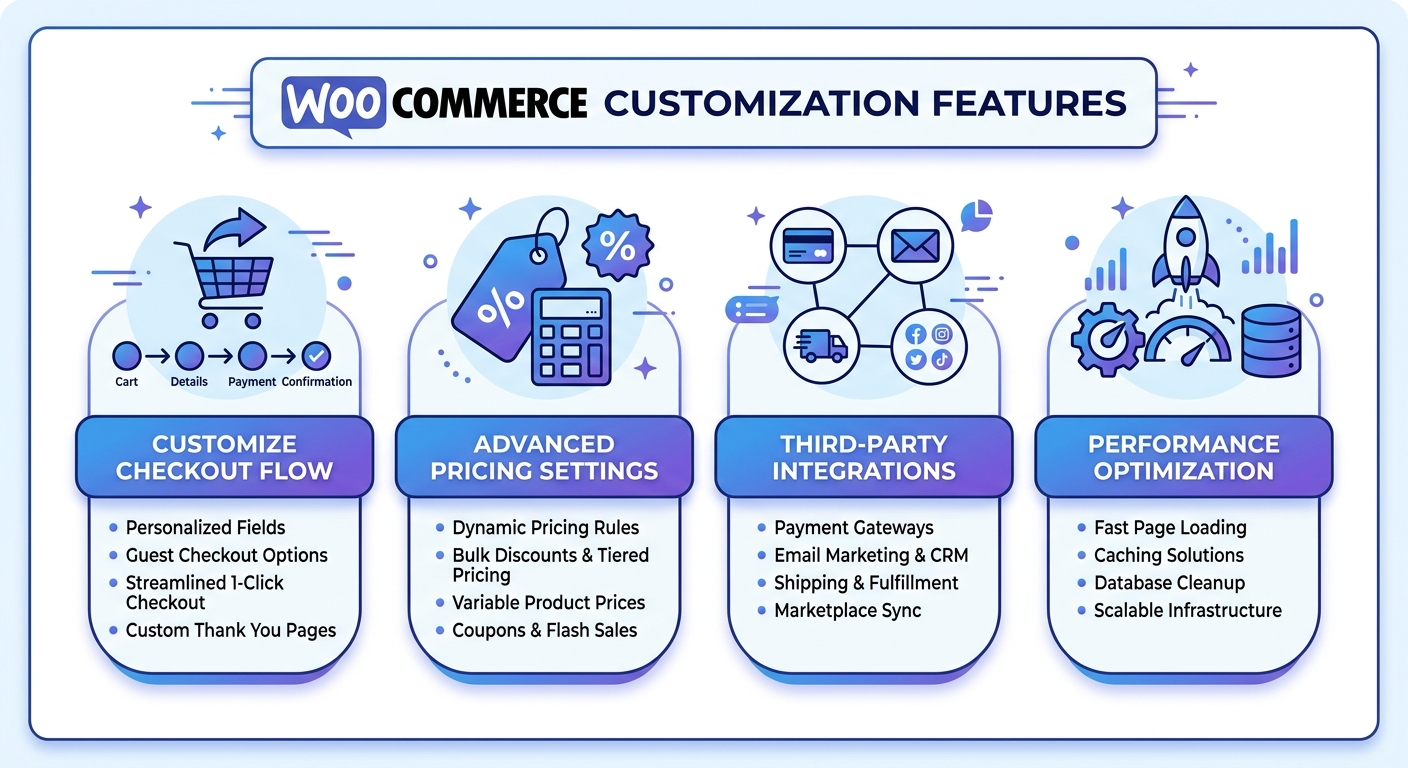
Custom Checkout Experiences The original WooCommerce checkout works but is seldom the best solution. Businesses frequently need to add or remove fields, build multi-step checkout flows, apply conditional logic such as displaying different shipping methods based on product (i.e., weight/dimensions), or implement custom upsell prompts. Localized WooCommerce customization can directly influence cart abandonment.
Custom Products: Product Pages and Configurators A product configurator allows customers to pick choices including colors, sizes, materials, and engravings while seeing the price change in real time. We know this because such a feature would be almost impossible to properly implement with plugins alone. It takes real development work to make it fluid and precise.
Custom Pricing and Discount Logic WooCommerce’s native tools often struggle for stores with tiered pricing, role-based pricing like wholesale vs. retail, and other complex discount rules. With WooCommerce customization development, you can write pricing logic that works precisely like your business does.
Payment Gateway Integrations Not all businesses require Stripe or PayPal. Industries also have specialized needs for payment processors, like regional ones, BNPL providers, or proprietary systems. So, if you care about your payment process being smooth and reliable, go for a custom gateway.
Third-Party Integrations Your store almost never operates in isolation. It has to communicate with your CRM, your ERP, your inventory management system, and your email marketing platform. Building these integrations right means getting data flowing in real time with no errors, and this is central to what WooCommerce customization encompasses.
Performance Optimization: A slow store is a store that misses sales. Custom development can help optimize database queries and caching strategies and streamline code so your store loads fast even under heavy traffic.
Signs Your Store Needs Custom Development
Not every company requires a full custom build, and it’s worth being honest about where you truly find yourself at the moment. Here are some indicators that basic WooCommerce is no longer enough:
You have five or more plugins that are duplicating one workflow, and they all fight each other. You’ve modified your business process because the platform couldn’t support it. More time is spent by your dev team fixing plugin compatibility problems than building features. You see your customers dropping off at certain points in the checkout or product journey—but you need to touch code to do something about it. Your store is slower than ever, despite your best efforts to optimize.
If any of these resonate with you, consider this as a clear indication that WooCommerce custom development will be worth the investment.
Working With a WooCommerce Development Company
This is the messy middle where most businesses get stuck. They know that they need custom work done but aren’t sure how to find the right team or what the process will actually be like for them.
The best WooCommerce development company doesn’t only code. They understand eCommerce. They question your business model, who your customers are, and plans for growth. They consider performance, security, and maintainability from the beginning—not as an afterthought.
Here is the thing that you should check when choosing a WooCommerce development company:
A Portfolio of Real WooCommerce Projects Generic web development experience is nice to have, but you want to see real WooCommerce projects. Seeking out case studies that outline the problem, solution, and results. Extra credit if they’ve worked in your industry.
Communicative Process and Discovery Step A professional WooCommerce development company must first know the requirements before providing a quote. If a company is willing to quote you a fixed price based on your two-sentence brief, that’s a warning sign. Good discovery takes time.
Technical Depth WooCommerce is a PHP-based application that integrates with the architecture of WordPress. They should be well-versed in WooCommerce hooks and filters, the WooCommerce REST API, custom post types, and database optimization. If they can’t, they’re probably just more comfortable doing surface-level theme stuff rather than real development.
Continued Support: WooCommerce regularly updates its plugins, and a customized build will need to be maintained over time. Does the WooCommerce development company provide post-launch support? Are they both still there six months from now when something breaks due to an update?
What to Expect from WooCommerce Developers
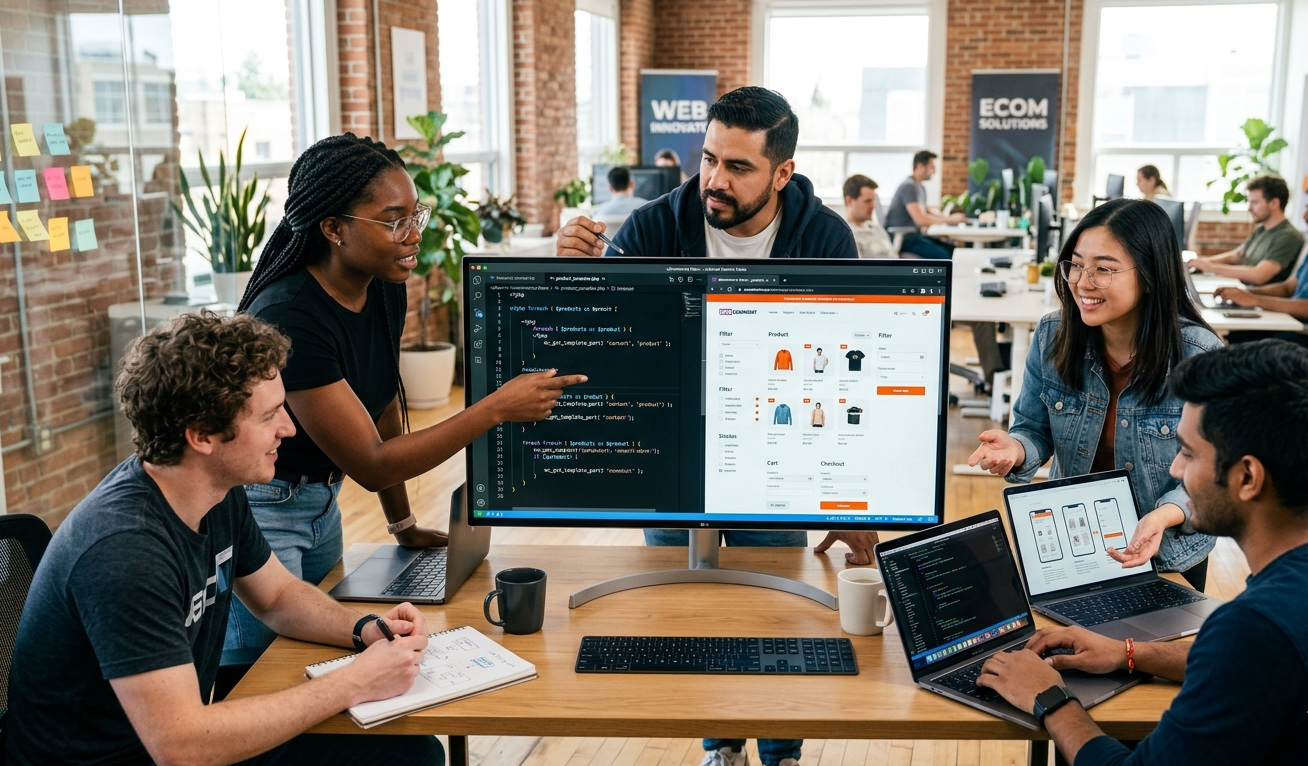
A certain type of contractor to avoid great WooCommerce developers They are at the crossroads of WordPress development, PHP, front-end, and eCommerce. They’re not always easy to find, but knowing what to look for gives you the tools to assess who and what you’re working with.
Good WooCommerce developers will spend some time upfront mapping out what you need to do in detail. They’ll write technical specifications before writing a line of code, because mixed or poorly defined requirements are the number one thing that makes custom projects go off the rails.
Throughout development at least, they’ll build using WooCommerce’s existing hooks and filter system whenever possible as opposed to overriding core files that will break with every update. They’ll write clean, documented code that’s designed to be handed off or maintained by another developer in the future.
Expert WooCommerce developers also run extensive tests. Not only does it work on my machine—cross-browser, device, and stress testing for traffic spikes— They will create a staging environment that is as close to your production site as possible, ensuring no last-minute surprises on launch day.
The best WooCommerce developers become involved after launch. They watch for problems, respond to bugs promptly, and assist you in iterating as your business matures. Good development teams are about building relationships over the long haul, because they come to trust you and understand your platform.
Common Mistakes Businesses Make With WooCommerce Custom Development
For this guide to be actionable, though, let’s discuss some of the mistakes that best-found businesses trip over because they’re common enough you might identify them.
Discovery Phase Discussion: Your ticket to skipping the discovery phase is jumping straight into development without properly defining requirements; it is perhaps the single biggest cause of project failures. You build the wrong thing and then have to rebuild it, which costs more than getting it right the first time.
Managing the Worst Selection WooCommerce custom development technique is itself an expert task. When you go for the low-cost option, what you’re usually getting are developers who will take shortcuts, overriding core files, writing spaghetti code, and foregoing tests. A seemingly valuable business becomes a burden.
Not Preparing for Scalability Right now, your store may see 100 orders a month — but how will it tackle 10,000? Custom development must be architected for your growth trajectory, not just your current state. It impacts database design, caching strategy, API architecture, etc.
Ignoring security, custom code is vulnerable. Regardless of anything else, the security audit needs to be done along with WooCommerce customization work at all times; there should be a mention of specific lookouts in connection with payment handling and user data, as well as admin access. This isn’t optional.
No Documentation: It is a nightmare to hand over your codebase when someone new joins and it has no documentation on custom codes. Always ensure documentation writing is included as a deliverable.
How to Scope a WooCommerce Custom Development Project
Scoping is when you define what exactly you are building. It’s not glamorous work, but it is where successful projects are won or lost.
Get things started by writing down everything you need, in plain language. Don’t think about how it would be constructed; just focus on what its functionality should be from the point of view of a user. Next, get the entire list and review it with your WooCommerce development company. They’ll help you determine what’s possible with existing tools, what needs custom work, and what is potential scope creep in the making.
Out of that conversation, a good team will generate a technical specification, a document that describes in detail how each feature is going to be built. Review this carefully. Inquire about anything that doesn’t make sense. This becomes the contract for the project.
Then, prioritize. Not all features need to be in version one. A gradual, phased-in approach often works better. Build the minimum viable product, ship, collect actual output data, and adjust. This helps you keep costs down and gets you to market more quickly.
The ROI of WooCommerce Custom Development
Let’s talk about money, because that’s what this decision is really about.
Building a custom solution costs more upfront than purchasing a plugin. There’s no getting around that. But it’s not “how much does it cost?” It’s “what does it cost relative to the alternative?”
The alternative is typically mixture of plugins that clash with one another, slow your site down, and are a pain to maintain. Or it’s a business process that has been warped to fit the constraints of your platform. Or customers leaving merchandise in carts because your checkout is confusing and inflexible.
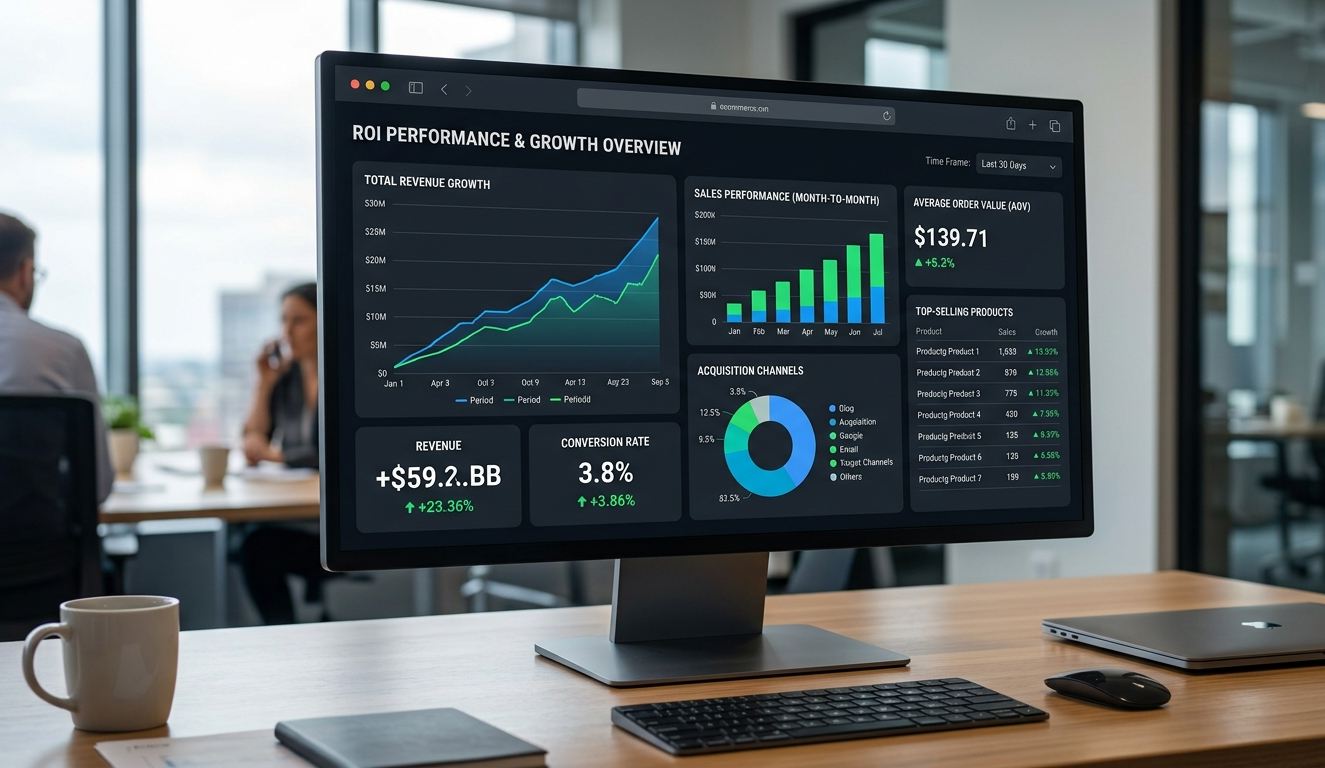
Friction-free WooCommerce customization can make a tangible difference in your conversion rate. You are talking about a store that is doing $500,000 a year—even adding 1% to conversion on that means $5,000. The math on custom development investment starts to look a whole lot better if you explain it this way.
In addition to conversion, custom work lowers ongoing ops costs. This means that when your store is built to your workflow, less of your team’s time will be spent on manual processes and workarounds. That’s real money too.
Choosing the Right Path Forward
If you’re reading this and feeling it’s time to move forward, here’s a simple framework for next steps.
So start with your pain points and write them down. What is not working about your current store? Where are customers dropping off? What does your team complain about? This will end up being the basis for your project brief.
After that, find (good) WooCommerce development companies or specific WooCommerce developers & check their portfolios. Review portfolios, read case studies, and book introductory calls. You’re not simply assessing technical ability. You’re judging whether you can spend time working with these people for months.
Request references, and then go ahead and call them. Inquire about communication: Would the team stick to a timeline? How did they address issues as they emerged? Every project hits a snag. The question is how your development partner reacts.
Finally, budget realistically. Great WooCommerce custom development doesn’t come cheap, but rest assured that it pays off thanks to your store potential over the long term. Cutting corners here usually means spending more later.
Final Thoughts
WooCommerce is one of the most flexible eCommerce platforms available today, and this flexibility is its key strength as well as its biggest challenge. Generic solutions only get you so far. Whether you’ve reached technical limits, have performance issues, or have simply outgrown what plugins can provide, someday WooCommerce custom development becomes not just a nice-to-have but an actual business need.
The stores that succeed in competitive markets are not always the ones with the deepest pockets. They’re the ones who have created a customer experience — and an experience for their own teams — that has been designed to actually align with how they do business. The key to getting there is an effective WooCommerce customization with the right partners.
Look for a WooCommerce development agency that asks great questions. Your WooCommerce developers commute with your business, not just the code. And invest in building something that works for you, not something with which you’re always working around.
This is the true power of WooCommerce custom development, and it’s totally doable.
FAQs
WooCommerce custom development involves building tailored features, plugins, or integrations to match specific business needs, enabling better performance, flexibility, and a unique shopping experience beyond standard themes and plugins.
You should choose WooCommerce customization when plugins cannot meet your requirements, your store has complex workflows, or you need better performance, unique features, or improved customer experience.
The cost of WooCommerce custom development depends on project complexity, features, and developer expertise, ranging from small customizations to large-scale builds requiring advanced integrations and ongoing maintenance support.
A custom checkout improves user experience by simplifying steps, adding relevant fields, and reducing friction, which helps lower cart abandonment rates and increases overall conversions in your WooCommerce store.
Choose a WooCommerce development company with proven experience, strong portfolio, clear communication, technical expertise, and post-launch support to ensure your custom store is scalable, secure, and future-ready.


 WooCommerce Solutions
 Solutions for WordPress