If you have spent any time researching your way on how to develop a WordPress website, then you might have found yourself in the middle of the same debate that everybody seems to be having with Elementor vs custom WordPress development. Both methods can bring your website to life. However, the degree to which that website has actually served your business, delivered value, been able to grow with you, and avoided being a dumpster fire in 2 years’ time is an entirely different matter depending on which path you ultimately take and how.
This isn’t a post about which one is better or not. It’s a straight approach comparing both of them so that you might choose what is in your REAL-life situation instead of others.
What We’re Actually Comparing
Before diving in, let’s get clear on the two sides of this debate.
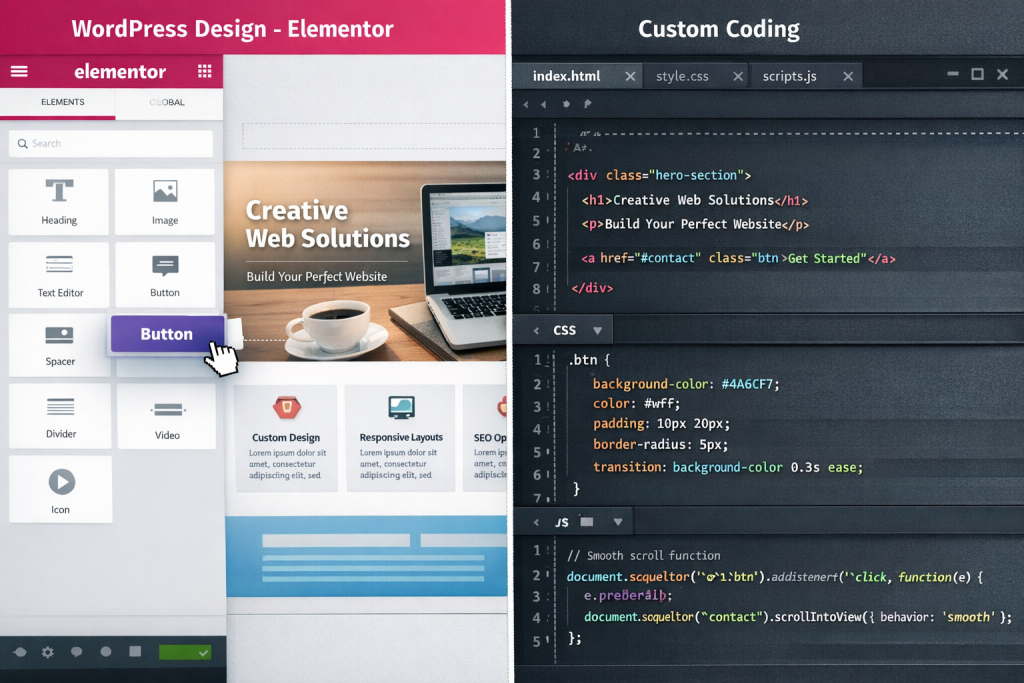
Elementor is a WordPress drag-and-drop page builder plugin. It allows you to visually create pages rather than writing code. You choose a template, move elements here and there, customize colors and fonts, and bang, bam, boom, publish! It allows you to get started quickly and is relatively easy.
Custom WordPress development is where a developer (or team of developers) writes your theme, functionality, and how your site is structured from scratch—or builds onto a minimal starter theme leveraging their knowledge of PHP, HTML, CSS, JavaScript, and WordPress APIs. Nothing comes pre-packaged. Designed for you, by you—everything is.
Suddenly, the question of Elementor vs custom WordPress development feels less like a technical comparison and more a question about business strategy. And that’s how you should treat it.
The Case for Elementor: Speed, Accessibility, and Cost
Elementor has transformed website development because its performance meets most website creation requirements. The software enables users to create websites with essential functions through its basic build.
You Can Launch Fast
Elementor was built for small business owners, freelancers, and startups wanting to test an idea to make building their website as quickly as possible. You can do it without hiring a developer. No need to wait weeks for a custom build either. Choose a template, tailor it to your brand, and go live within days.
And speed is important for a landing page, simple portfolio, or brochure site. You are not over-engineering anything like merely existing and looking decent.
The Visual Editing Experience
The live editor for Elementor is really an intuitive tool. Instant feedback lets you see your changes in real time, which is helpful when making quick updates or testing layout differences. It lets even the most nontechnical users change up content, replace images, or move things around without ever needing to write a line of code.
A real asset when your budget does not easily allow for having a developer on retainer for small content tweaks.
Lower Upfront Investment
Custom development costs money because it requires actual financial expenditure. The cost of a professionally developed custom WordPress website starts at $3000 and can exceed $30000 based on its existing website’s complexity. Elementor Pro costs between $59 and $99 for yearly access. The financial difference between two alternatives becomes important when budget serves as a legitimate expense barrier.
Where Elementor Starts to Show Its Cracks
The shift in discussion takes place at this point. The more you attempt to use Elementor for complex designs, the more you encounter design limitations, which you need to comprehend before deciding to use it for your important work.
Elementor Limitations: The Code Bloat Problem
The other major Elementor limitation that everyone is talking about is the code it generates. When you drag and drop any element on the page, it brings its own inline CSS & JavaScript with it. Over time, as your page scales, so does the mass of the code that is working behind it.
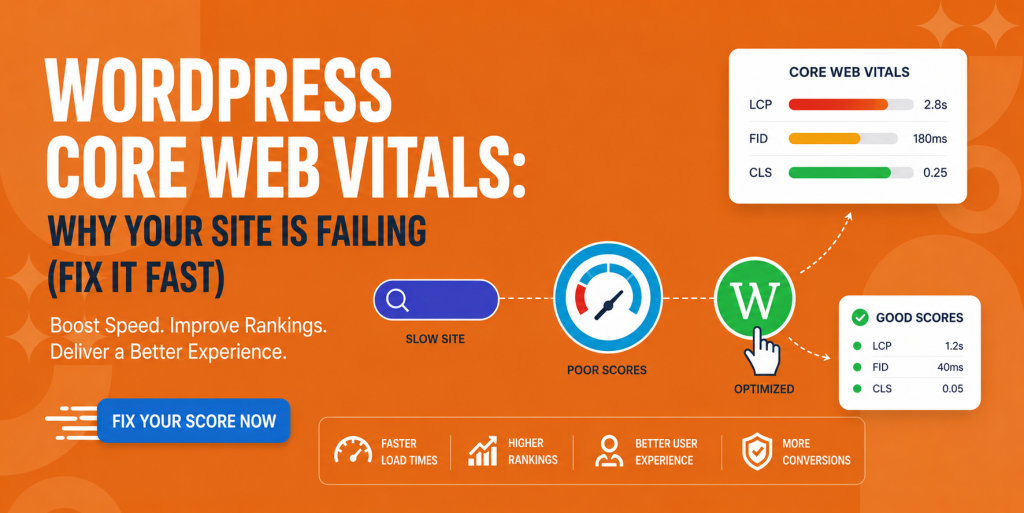
This is important because it relates to your Google rankings but also to the experience of your visitors. Elementor-based websites have to be optimized more than clean, hand-coded themes to achieve good Core Web Vitals scores. Then you proceed to install caching plugins and image optimization tools and occasionally pay for a CDN just to negate the code overhead that was created by the builder in the first place.
The Plugin Dependency Chain
Building with Elementor means your site is not only building on WordPress. This is partly reliant on Elementor itself, any add-on plugins you’ve added for Elementor, your theme, and those other plugins after: All of those have separate update schedules, separate conflicting libraries they may rely on, and separate risks of abandonment.
Some sites crash every time a major Elementor update is rolled out because one add-on plugin has not moved with the times. This isn’t a hypothetical—this is a common complaint in WordPress circles. Downtime Can Be More Than Just Frustrating When You Have a Business to Run. It costs you.
Design Flexibility Has a Ceiling
Elementor Free is very visual in nature. But the operative phrase is “within its system.” Once you want anything Elementor was never built to do, like a genuinely complex animation, a complicated data-driven layout, or deep custom integration with whatever plugin you’re writing code on top of (which is basically pointless since it’s also coded by the dev behind Elementor at this point)—you’re out.
That ceiling doesn’t apply to custom developers. They construct to the right specifications as stated in design, not what is supported by the builder.
Scaling and Performance Under Real Traffic
This is one of the Elementor limitations that surprises business owners the most. A site that performs fine with 50 visitors a day can struggle when you hit 500 or 5,000. Elementor’s architecture exists to handle standard website needs, but it does not support enterprise-level requirements. Businesses that need new features will outgrow their existing Elementor websites, which requires them to spend money for custom site redevelopment.
Custom WordPress Development: Built for the Long Game
Now let’s talk about what custom development actually gives you that a page builder can’t.
Performance That’s Engineered In
If a developer is delivering your site from the ground up, performance isn’t considered an after-the-fact thing—it’s baked into every aspect. They select only the scripts that need to be selected. They write optimized queries. They have made a structured way to load the CSS in an efficient manner. No 25 separate plugins that make up for what the theme can’t provide work as anticipated; end result: a nice slim website working smarter, not harder.
This is one of the most obvious custom WordPress benefits for businesses where search visibility is important. A quicker site also ranks better, converts better, and keeps visitors engaged longer.
Complete Design and Functional Freedom
Custom WordPress Development Has No Design Ceiling The designer does it and the dev builds it; just put it in if your designer can imagine it. You don’t get the “sorry that feature isn’t supported” from some plugin you can’t control. Membership systems with complex needs, custom post types and relations, API integrations with other platforms, and custom user experiences—all of this can be done if you build the site from scratch.
Particularly for businesses that need some specific functional requirements, this is a crucial point in the Elementor vs custom WordPress development dialogue. Elementor is designed for your average case of use. Your Business May Be Unusual
Security Done Right
Elementor has years of CVEs disclosed. Page builders are a high-profile category for the security vulnerability class. If your site’s frontend relies on a mainstream plugin that’s later found to harbor a bug that you should never have had any problems with, then it’s your fault.
Themes built from scratch and not relying on plugins have a much smaller attack surface. You control the install, you control what runs, and you control how sensitive actions are carried out. This is not optional for businesses that transmit user data, information associated with payments, or any other sensitive material.
You Own It. Completely.
This is one of those custom WordPress advantages that are often overlooked. If your site is custom-built, you own the code. You are not locked in to any one builder. The company behind your page builder will never decide to raise its prices, remove support for a feature you rely on, or be acquired and have the product pivoted.
Companies that constructed their own digital experience on a proprietary drag-and-drop ecosystem have been put in challenging positions when the tool adapted to its circumstances. That risk is not present in a custom site.
Custom WordPress vs. Page Builders: A Practical Decision Framework
The custom WordPress vs. page builders debate doesn’t have a single answer. It has a framework. Here’s how to think through it.
Choose Elementor if:
You need to launch quickly on a tight budget
Your site is relatively simple—mostly static content with standard functionality
You’re comfortable managing plugin updates and dependencies
You plan to rebuild in two to three years anyway as your business grows
Choose Custom Development if:
Your site is a core part of your business model (eCommerce, SaaS, booking platform, membership site)
Performance and SEO are business-critical.
You have unique functional requirements that page builders can’t handle
You’re planning for a site that lasts five or more years
You want a professional digital presence that reflects your brand without template constraints
The Real Cost Comparison
This is where a lot of business owners get tripped up. They see the upfront cost of custom development and compare it directly to the annual cost of an Elementor license. The two costs should not be compared to each other.
The right comparison includes:
The cost of the Elementor license plus add-on plugins
Developer time spent troubleshooting plugin conflicts and performance issues
The cost of the eventual rebuild when Elementor can’t scale with you
The cumulative cost of slow load times eating into conversion rates
When you do that math over three to five years, the gap between custom development and a page-builder site narrows considerably. Most businesses prefer to use custom-built solutions because they provide superior results.
What Good WordPress Development Services Look Like
Who builds your site is just as important as how it’s built, whether you settle on Elementor or lean custom.
And good WordPress development services do not merely write code. They don’t open the code editor unless they hear about your business goals. Think about who your target market is, where you plan on taking this, and how good your tech stack is for ongoing maintenance. They build with documentation and handoff top of mind so that if you start to feel married to a single developer, the relationship can easily transition.
When evaluating wordpress development services, look for:
A portfolio with work that’s actually similar to what you need
Clear communication about timelines and deliverables
A process that includes performance testing, not just visual review
Transparency about what’s custom-built vs. what relies on third-party plugins
Red flags include developers who push Elementor for every project regardless of the use case or developers who insist on fully custom development even for a simple brochure site. The best shops match the tool to the requirement.
The Middle Ground: When Hybrid Makes Sense
The comparison between Elementor and custom WordPress development serves as a framework. Some businesses land in the middle—a custom-developed theme with Elementor used only for specific content areas, or a fully custom backend with a carefully constrained page builder for marketing pages.
This hybrid approach can work well when:
Your development team wants control over performance-critical pages but wants to give marketers editing flexibility elsewhere
You’re rebuilding a site in phases and Elementor is a temporary bridge
Specific landing pages need rapid iteration while the main site stays custom
The main element that drives this process needs to be executed with complete purposefulness. The organization needs to establish strict boundaries that control how Elementor can be used throughout their entire website.
The SEO Angle Nobody Talks About Enough
This is where the Elementor vs custom WordPress development breaks down to fairly quick real-world examples of search engine optimization. In response to this, a growing number of Google ranking signals are closely connected to the technical performance itself—Core Web Vitals, time to first byte, cumulative layout shift, and largest contentful paint. These aren’t buzzwords. They are quantifiable numbers that influence the rank of your pages in search engine results.
With proper optimization setup, Elementor sites can get good scores. But they begin with a handicap. With code overhead, you are working uphill from the get-go.
Custom sites are a cleaner starting point. Written with good coding practices, a light footprint of plugins makes scoring above average on Core Web Vitals scores really possible without superhero-level optimizations. That head start pays dividends (in the form of visibility and traffic) as time goes on for businesses that are targeting organic search.
Final Verdict: It Depends on What You’re Building
To answer the Elementor vs custom WordPress development question after an exhaustive examination of every angle, the sad truth is it depends. But not in a kind of hand-wavey, dodge-the-question way. It’s all very specific and answerable to your business.
All in all, if you want fast results for a simple webpage and lack resources to make it look nice from the beginning, Elementor is a reasonable place to start with (not ideal). And don’t let anybody ever try to shame you into using the tool that is most suitable for your reality at every moment.
However, if your website is at all critical to the operation of your business (if it drives leads, processes payments, serves members, or represents a brand that needs to stand out)—the Elementor vs custom WordPress development math almost always favors custom development. Improved performance, higher adaptability, enhanced security, and a site that can seriously scale with you.
The companies that view their website as a true, key business asset and not just a checkbox project are also the ones who invest in actually building it well. They hire dedicated WordPress development services, guide their developers about business objectives, and then sit back with a website that would automatically pay for itself over time.
Overall, in the battle of Elementor vs WordPress custom development, page builders win on speed and ease of use. Custom development wins on what matters still in the future. Be aware of what tradeoff you are making, and make it consciously.
FAQs
The Elementor vs custom WordPress development cost debate favors custom for business-critical sites. While Elementor costs $59-$99 yearly, custom development ($3,000+) offers better long-term ROI through superior performance and scalability and eliminates eventual rebuild expenses.
Yes. In the Elementor vs custom WordPress development performance comparison, Elementor generates code bloat affecting Core Web Vitals and Google rankings. Custom sites typically score 85-95 on PageSpeed, while Elementor sites struggle to reach 70 without extensive optimization.
No. The Elementor vs custom WordPress development migration challenge requires complete rebuilding. Elementor stores layouts in proprietary formats incompatible with standard WordPress themes. Content transfers, but all design, layouts, and custom functionality must be recreated from scratch.
For eCommerce, custom WordPress development wins the Elementor vs custom WordPress development debate. Online stores need fast load times, secure checkout processes, and scalability. Custom development delivers optimized performance that directly increases conversion rates and handles high-traffic sales periods.
In the Elementor vs custom WordPress development timeline comparison, Elementor sites launch in days or weeks, while custom development requires 6-12 weeks. However, custom sites don't need rebuilding every 2-3 years like Elementor sites typically do when businesses outgrow them.