Your site says a product is in stock. A customer pays. Then your team opens the shelf and finds it empty.
That one slip costs you a refund, a support ticket, and a buyer who may not come back. It often starts with how you control stock.
So, which is better: centralized vs. decentralized inventory management? Centralized means one team and one system control all stock. “Decentralized” means each location controls its own. This guide shows the pros and cons of both, so you can pick the model that fits your store and sell without surprises.
Diagram comparing centralized vs. decentralized inventory management, with one hub on the left and several local stock points on the right

What Is the Difference Between Centralized and Decentralized Inventory Management?
Centralized inventory management keeps all stock data, buying choices, and order rules in one place. Decentralized inventory management lets each warehouse, store, or branch track stock and reorder on its own. The main difference is who holds control: one hub or many local teams.
That’s the short answer. Now let’s look at how each model works day to day.
How Centralized Inventory Management Works
In a centralized setup, one system holds the master stock count. Every sale, return, and transfer update that one count. Your head office or a core team decides what to buy, when to buy it, and where to send it.
Picture a WooCommerce store with three warehouses. A buyer orders a jacket. The central system checks all three locations, picks the nearest one with stock and updates the count in seconds. No one at the warehouse has to guess.
Pros of Centralized Inventory Management
- One view of stock. Sales, buying, and warehouse teams all see the same numbers.
- Less overselling. The system blocks orders when stock runs out anywhere.
- Better buying power. You order in bulk from one supplier and ask for a better price.
- Lower safety stock. You hold one buffer, not five.
- Cleaner reports. You can see your best sellers and slow movers across the whole business.
- Easier rules. You set one reorder rule, and it applies everywhere.
Cons of Centralized Inventory Management
- Slower local response. A store manager can’t fix a local shortage without asking head office.
- Higher shipping time. Stock sits far from some buyers, so delivery takes longer.
- Single point of failure. If the central system goes down, every location feels it.
- Setup cost. You need to buy or build the right software and connect it to your store.
- Less local insight. A central team may miss a local trend, like a sudden spike in one city.
How Decentralized Inventory Management Works
In a decentralized setup, each location runs its own stock. A branch counts its shelves, picks its suppliers and sets its own reorder points. Head office may see a report, but it doesn’t control daily choices.
Think of a retail chain with ten shops. The Leeds shop sees a cold snap and orders extra coats on the same day. It doesn’t wait for approval.
Decentralized Inventory Pros and Cons
Let’s look at decentralized inventory pros and cons in plain terms.
Pros of Decentralized Inventory
- Fast local decisions. Managers react to local demand right away.
- Quicker delivery. Stock sits close to buyers, so orders ship sooner.
- Better fit for local taste. Each shop stocks what its own customers buy.
- Lower risk of a total stop. If one location fails, the others keep selling.
- Lower start-up cost. Small teams can start with simple tools or even spreadsheets.
Cons of Decentralized Inventory
- Messy data. Each site may use its own format, SKU names, and count method.
- More overselling. Your online store may sell an item that another site already sold.
- Extra stock. Every location keeps its own buffer, so you tie up more cash.
- Weak buying power. Ten small orders get worse prices than one big one.
- Hard to report. Head office must chase numbers before it can see the full picture.
- Rule drift. Each site slowly builds its own habits, and they stop matching.
Centralized vs Decentralized Inventory Management: Side-by-Side
Use this table to compare the two models fast.
| Factor |
Centralized |
Decentralized |
| Who controls stock? |
Head office |
Each location |
| Data view |
One shared view |
Many separate views |
| Overselling risk |
Low |
Higher |
| Buying cost |
Lower, thanks to bulk orders |
Higher, small orders |
| Safety stock |
One buffer |
Many buffers |
| Local speed |
Slower |
Faster |
| Shipping time |
Can be longer |
Often shorter |
| Setup cost |
Higher up front |
Lower up front |
| Best for |
Online stores, B2B, wholesale |
Shop chains, local markets |
Neither model wins every time. The right pick depends on how you sell.
Which Model Should You Choose?
Weigh the decentralized inventory pros and cons against your own sales plan. Then ask yourself five simple questions.
- Where do your buyers live? If they sit in one region, a central hub works. If they spread across many cities, local stock may help.
- How fast must you ship? Next-day promises often need stock close to the buyer.
- How many sales channels do you run? Online, wholesale, and retail together call for one shared count.
- How big is your team? A small team can’t watch five separate stock sheets.
- How much cash can you tie up? Decentralized stock needs more cash on shelves.
Here’s my take. If you sell online, lean central. Your website needs one true number at all times. A shopper can’t see which shelf has the item, and they don’t care. They want to buy it and get it.
But you don’t have to go all the way. Many strong businesses pick a hybrid. They keep one central system for data and buying, and they let local sites handle daily picking and packing. You get a clear view of stock and still ship from the closest spot.
Multi-Location Inventory Management in WooCommerce
WooCommerce tracks one stock number per product out of the box. That works for one warehouse. It breaks when you add a second.
Multi-location inventory management means you track stock by place. You know that 40 units sit in London, 15 in Dallas and 0 in Berlin. You also set rules for which place ships each order.
Good multi-location inventory management starts with three things:
- A stock count for every location.
- Order rules that pick the best location for each order.
- A clear owner for the master number.
Our guide to WooCommerce multi-warehouse inventory shows how to set this up for B2B stores. It covers order routing, split shipments, and the common ways stock counts drift apart.
Want a deeper look at the general side? Read our guide to WooCommerce inventory management. It explains why a stock number on a product page is often only a starting point and how to show stock you can truly promise.
How Multi-Location Retailers Keep Inventory in Sync
This is where most stores struggle. You can pick the right model and still lose money if your numbers don’t match. Here is how multi-location retailers keep inventory in sync.
1. Pick one source of truth.
Choose one system that owns the stock count. It might be your ERP, your warehouse system or WooCommerce itself. Every other tool reads from it. Don’t let two systems both claim to be the boss.
2. Connect your systems.
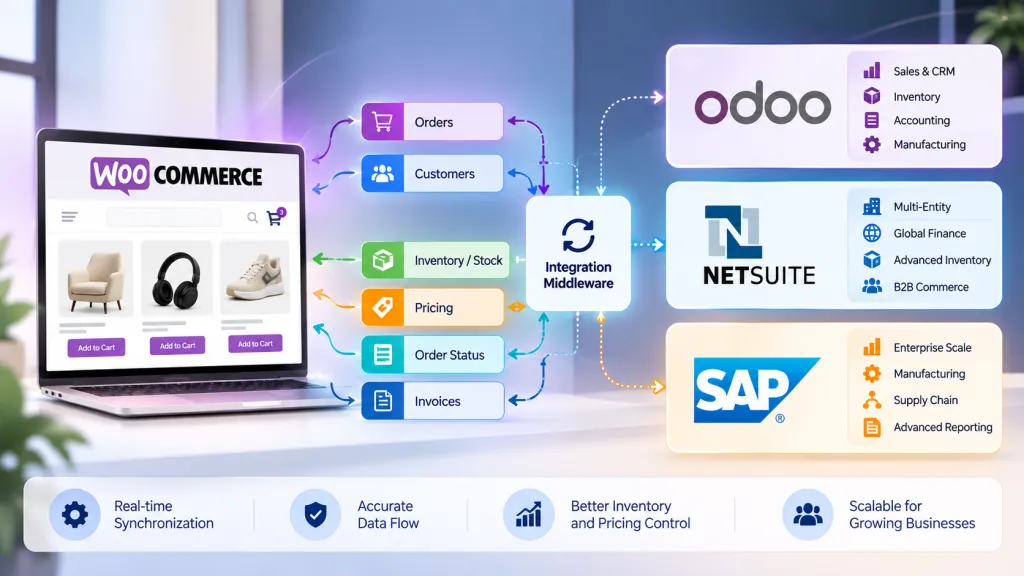
Link your store, ERP, warehouse tools, and marketplaces. Some stores use direct APIs. Others use middleware. Our post on how to sync inventory between WooCommerce and your ERP explains both paths and where delays creep in.
3. Update stock on every move.
Sales are not the only thing that changes stock. Returns, damaged goods, transfers, and reserved units do too. Each one needs a rule. If you reserve a unit for a wholesale buyer, your site shouldn’t show it as free.
4. Set clear availability rules
Decide when a product shows as “in stock,” “low” or “backorder.” Tie those labels to real counts. This one step cuts a lot of customer complaints.
5. Test real cases.
Try partial stock, a return, a transfer between sites, and a late supplier. Fix what breaks before a real buyer finds it.
6. Check on a schedule
Run a count check each week or month. Compare system numbers with shelf numbers. Catch drift early.
Plan Your Stock With Better Forecasts
Good multi-location inventory management starts with sync. Sync tells you what you have. Forecasting tells you what to buy next.
Central data makes forecasts easier. You see demand across all channels in one place. You can set reorder points, plan safety stock, and spot slow movers before they eat your cash.
Our WooCommerce inventory forecasting guide shows how to turn demand data into buying targets. It also covers accuracy checks, so you know if your plan works.
Common Mistakes to Avoid
Most stores that fail to keep inventory in sync repeat the same few habits. Watch for these. Fix them before you buy new software or pay for extra stock.
- Running two masters. When your store and ERP both edit stock, they overwrite each other.
- Syncing too slowly. A delay of even a few minutes can cause a double sale on a fast-moving item.
- Ignoring reserved stock. Counting units that are already promised leads to false “in stock” labels.
- Skipping returns. A returned item sits in a box and never goes back on sale.
- Buying too much “just in case.” Extra stock ties up cash and takes up space.
- Never auditing. Without checks, small errors grow quietly.
If you see two or three of these in your own store, it’s time for a proper review.
When to Get Help
You can fix some of this alone. But if you sell across several warehouses, channels, or countries, the work gets hard fast. Wrong setup can mean lost orders, angry buyers, and weeks of cleanup.
At Dazzlebirds, we build centralized inventory systems for WooCommerce stores. We start with a stock audit, map where your numbers come from, and connect your tools. Then we test with real cases before you go live. We work with manufacturers, distributors, wholesale sellers, and multi-location sellers in the UK, the USA, and worldwide.
Final Thoughts
Centralized vs decentralized inventory management comes down to control versus speed. Central gives you clean data, fewer errors and better buying power. Decentralized gives you fast local action. Most online sellers do best with a central brain and local hands.
Whichever model you pick, learn how multi-location retailers keep inventory in sync. Start by fixing your source of truth. Then connect your tools and set clear rules. Your buyers will see the right stock, order with trust and pay without refunds. Your team will stop chasing errors.
Ready to see where your numbers break? Book your free stock audit with Dazzlebirds and get a clear plan.
FAQs
Centralized inventory management puts one team and one system in charge of all stock. Decentralized inventory management lets each location track and order its own stock. Centralized gives you one clear view. Decentralized gives you faster local choices.
The pros are fast local decisions, shorter delivery times, and lower start-up costs. The cons are messy data, a higher risk of overselling, extra stock, and weaker buying power. It works best for shop chains that serve local markets.
For most online stores, yes. Your website needs one true stock number to avoid overselling. A central system also makes it easier to connect your store, ERP, and warehouses. You can still ship from several places.
Yes. Many businesses keep data and buying central and let local sites handle picking, packing, and shipping. This gives you one clear view of stock and fast delivery to local buyers.



 WooCommerce Solutions
 Solutions for WordPress