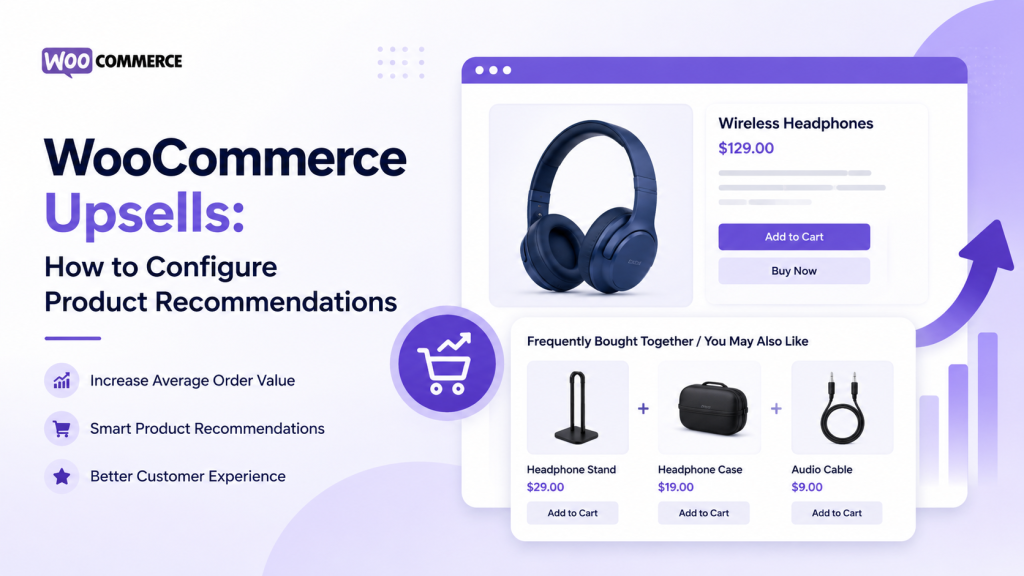
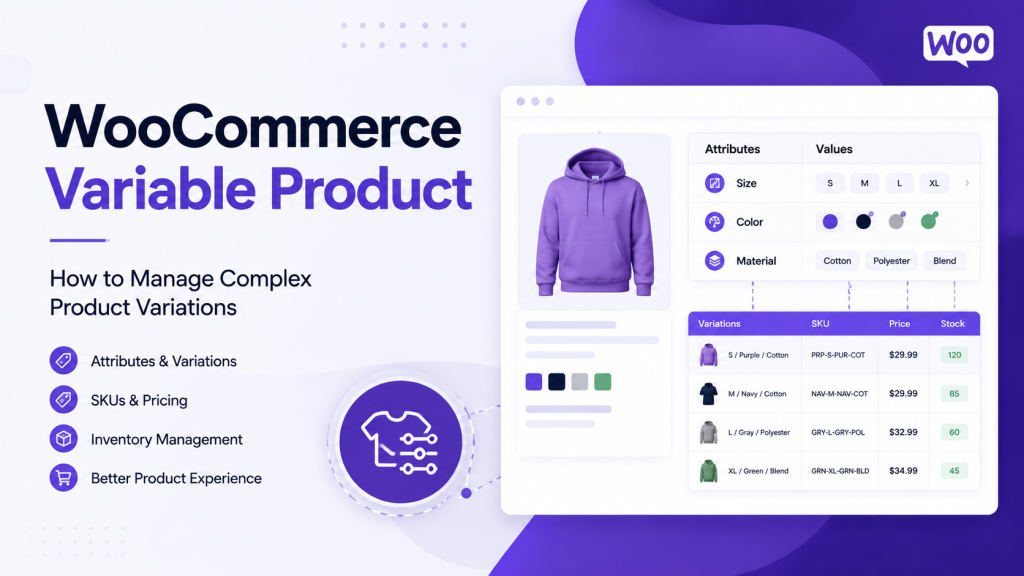
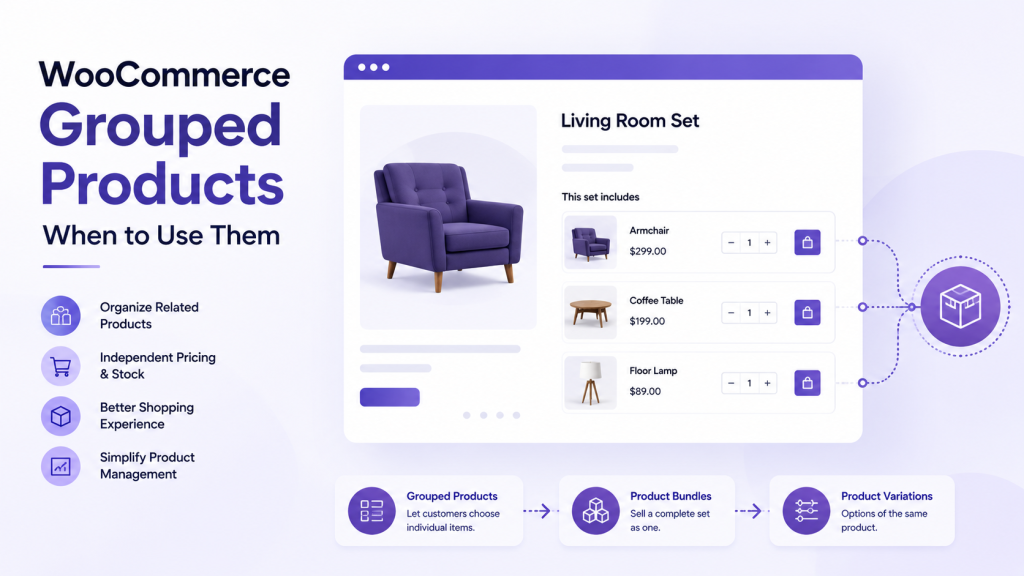
A customer adds a product to their cart and proceeds toward checkout. At this moment, a well-configured cross-sell could present a genuinely useful complementary product. But effective cross-selling requires understanding which products truly complement the purchase, not simply displaying the highest-margin items alongside every product in the cart.
The challenge emerges quickly as product catalogs grow. A store with hundreds of products can manage cross-sell relationships individually. A store with thousands of products needs systematic rules for when products qualify as cross-sells. Without this structure, WooCommerce cross-sells become random product pairings that feel disconnected from the customer’s actual purchase intent.
This guide explains exactly how WooCommerce cross-sells work, how to identify genuinely complementary products, how to configure cross-sell relationships, and how to manage those relationships as your catalog grows in complexity and size.
What Are WooCommerce Cross-Sells?
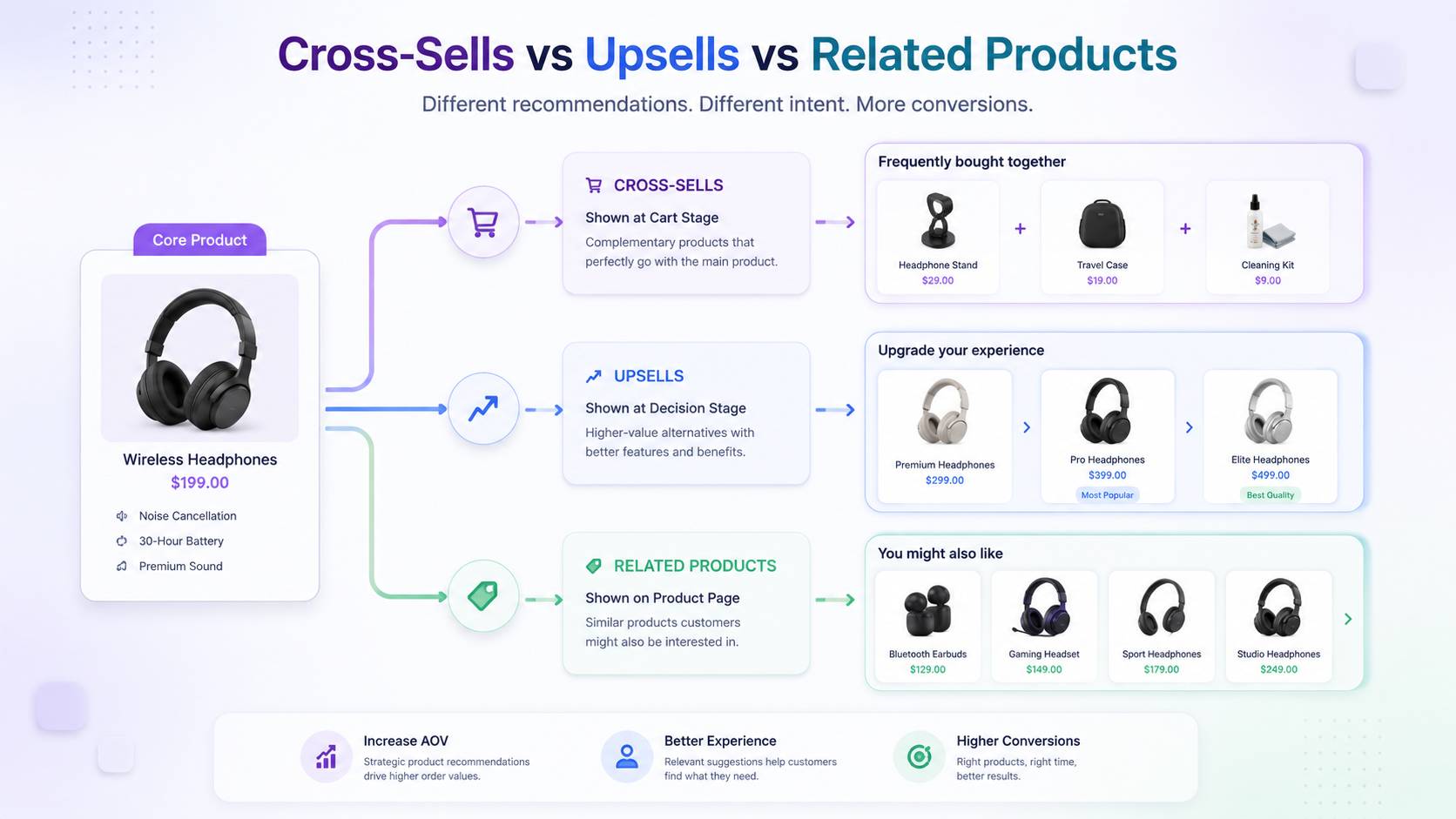
WooCommerce cross-sells are products intentionally associated with another product as complementary items to support or enhance the customer’s existing purchase or cart context. Unlike upsells, which offer higher-value alternatives, or related products, which show similar items, cross-sells suggest products that naturally pair with or support the product being purchased. A cross-sell appears on the cart page or at checkout, positioned to encourage customers to add complementary items to their order.
The core relationship is:
Primary Product → Complementary Product → Cross-Sell Relationship → Cart Context → Customer Sees Relevant Recommendation
A customer purchasing a drill may see drill bits as a cross-sell. A customer buying a camera might see memory cards or lenses. The recommendations work because they directly complement and improve the customer’s primary purchase, not because they are more expensive or similar products.
Key Points About WooCommerce Cross-Sells
Before diving into configuration details, understand these foundational concepts about how WooCommerce cross-sells function:
- Cross-sells should genuinely complement the customer’s existing purchase rather than replace it or upsell them to something better. A product that does not enhance or support the primary purchase should not be classified as a cross-sell, regardless of profitability.
- Product compatibility and purchase context matter significantly when selecting cross-sell products. A cross-sell only works if the customer can realistically use both products together or if the complementary product directly supports their primary purchase decision.
- Storefront behavior should be tested because how cross-sells actually display depends on your specific WooCommerce theme, cart template, installed extensions, and any custom development. Two WooCommerce stores may configure identical cross-sells but see completely different results on their storefronts.
- Large catalogs require structured management to prevent outdated, irrelevant, or duplicate cross-sell relationships from accumulating over time. A systematic approach prevents the common problem of cross-sells that once made sense becoming irrelevant as products change or are discontinued.
How WooCommerce Cross-Sells Work
WooCommerce handles cross-sells through a specific technical workflow that connects the configured product relationship to the cart experience:
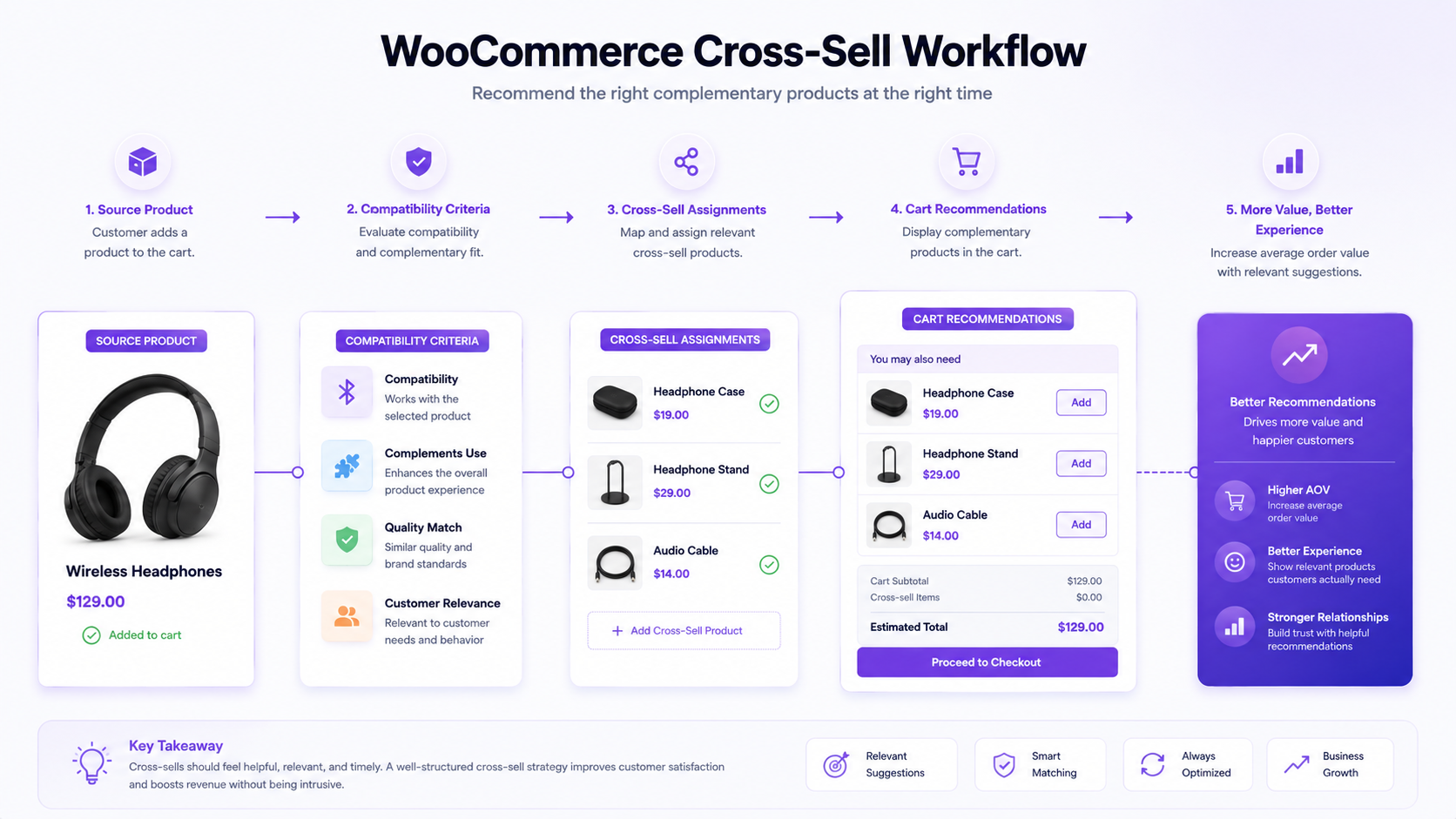
Source Product → Assigned Cross-Sell Products → Cart Context → Storefront Display → Customer Experience
Here’s the process:
You select a source product (the item being added to the cart). You then manually assign one or more products as cross-sells for that source product. Those assigned products represent complementary items. WooCommerce displays the cross-sell products on the cart page or checkout, encouraging the customer to add them to their order. The customer can accept the recommendation by adding the cross-sell product or proceed without it.
The distinction between configured and displayed is important. What you assign in the WooCommerce admin may not be exactly what customers see on the storefront. Theme templates control how cross-sells display. Extensions might modify the layout. Custom code might override the default behavior. Always validate that your cross-sells actually appear and look correct on your live cart page, not just in the admin.
How to Identify a Genuine Cross-Sell Product
Choosing which products qualify as cross-sells requires a different logic than selecting upsells or related products. A genuine cross-sell complements the primary purchase in a meaningful way.
A complementary product directly supports or improves the use of the original purchase. Drill bits complement a drill. Lens filters complement a camera. A carrying case complements power tools. These products enhance the functionality or convenience of the primary purchase.
A related product is similar or relevant but may not directly complement the specific purchase. A circular saw relates to a miter saw, but they do not complement each other. Both are saws solving similar needs. Neither directly supports the other.
An upsell is a higher-value or more capable alternative. A professional drill is an upsell to a standard drill. It offers more capability but is not complementary to the standard drill; it replaces it.
Use this decision framework when evaluating potential cross-sell products:
Does the additional product directly complement the original purchase? If the answer is no, it should not be a cross-sell. If yes, continue evaluation.
Can the products reasonably be used together, or does one support the other? If customers would realistically use or need both products together, this is a positive signal. If the products serve separate purposes, they are not complementary.
Is the recommendation relevant to the customer’s purchase context and timing? A customer buying a camera needs memory cards immediately. A customer buying a drill needs bits if they do not already own them. Context matters.
Would the cross-sell remain valid when products change? If the source product is discontinued or significantly updated, would the cross-sell still make sense? Relationships that break easily when catalogs shift are problematic at scale.
How to Add and Configure WooCommerce Cross-Sells
Creating WooCommerce cross-sell relationships requires systematic attention to ensure they remain relevant and functional as your catalog evolves.
Step 1: Identify the Source Product
Select the product for which you want to configure cross-sells. This is the primary product customers are purchasing. The source product should be clearly defined. For example, “Standard Cordless Drill” rather than “Drill Product A.” Clear naming helps maintain consistency as you manage cross-sells at scale.
Step 2: Define Complementary Product Criteria
Determine what makes a product complementary to your source product. For a drill, complementary products might be drill bits, chuck keys, carrying cases, or protective eyewear. For a camera, complementary products include memory cards, lens filters, or cleaning kits. Define these categories consistently so team members assigning cross-sells follow the same logic.
Step 3: Select Compatible Cross-Sell Products
From your catalog, identify products that genuinely complement the source product. A drill might have cross-sells, including drill bit sets for different materials, carrying cases for different sizes, and safety equipment. Assign only the most relevant cross-sells rather than every possible complementary product. Too many recommendations dilute the value of each one.
Step 4: Configure the Cross-Sell Relationship
In the WooCommerce admin, open the source product for editing. Locate the product data section and find the “Cross-sells” field. Add the complementary products to this field. You can assign multiple cross-sells to a single source product. Save the changes. The relationship is now configured in WooCommerce.
Step 5: Validate the Product Recommendation
After saving, verify that the cross-sell products are accurate and the configuration is correct. Check that you have not accidentally assigned a product that does not complement the source, or that you have not missed an obvious complementary product. This validation happens in the admin before storefront testing.
Step 6: Test the Storefront and Cart Experience
Navigate to your live storefront. Add the source product to the cart. Proceed to the cart page and checkout. Verify that cross-sell products appear in the correct location. Check whether the product images, titles, and prices display correctly. Review whether the recommendations make intuitive sense to a customer in that context. Test on mobile and desktop. Test in different browsers. This testing reveals display issues that configuration alone cannot catch.
Step 7: Review Relationships When Products Change
Set a calendar reminder to periodically review cross-sell relationships. When source products are updated (specifications, features, or pricing changes), verify that their cross-sells still make sense. When complementary products are discontinued, remove them from cross-sell relationships. When new products are added to your catalog, evaluate whether they should become cross-sells for existing products. This ongoing review prevents relationships from becoming stale or irrelevant.
Where Do WooCommerce Cross-Sells Appear?
WooCommerce cross-sells typically display on cart pages and checkout pages, but the exact location and visibility can vary significantly across different installations and configurations.
Cart page display: Most WooCommerce themes show cross-sells on the cart page, sometimes above or below the cart summary. Some themes place them in a sidebar. Others hide them below the main cart content where customers might not notice them.
Checkout page display: Some themes show cross-sells on the checkout page to offer last-minute additions. Others do not display them at all during checkout.
Theme-dependent behavior: Different WooCommerce themes position cross-sells differently. Premium themes may offer customization options for cross-sell placement. Default themes may show them in a standard location. Custom or heavily modified themes might display them differently or not at all.
Extension influence: Plugins that add checkout fields, payment methods, or shipping options might affect how cross-sells display. Some extensions deliberately hide or reposition cross-sells. Others leave them untouched.
Custom code impact: Custom development can completely override default cross-sell display. A developer might create a custom checkout flow that displays cross-sells in an entirely different way.
The key takeaway is that configured cross-sells and displayed cross-sells are not always the same thing. You should test your cart page after assigning cross-sells. Verify they appear where you expect. Check the sizing, formatting, and positioning. Ensure the recommendation makes sense in that customer context. This validation prevents the common problem of configuring cross-sells that are never actually visible to customers.
WooCommerce Cross-Sells vs Upsells
Cross-selling and upselling serve different purposes and should not be confused. Understanding the distinction helps you classify product relationships correctly.
| Aspect |
Cross-Sells |
Upsells |
| Purpose |
Suggest complementary products to support the primary purchase. |
Encourage upgrading to a higher-value or more capable alternative. |
| Product Relationship |
Complementary product that pairs with the purchase |
Better version of the same solution |
| Customer Stage |
At cart or during checkout, after the primary decision |
Before or during purchase consideration of the primary product |
| Typical Context |
“Add these bits for your new drill.” |
“Consider this professional drill instead.” |
| Product Role |
Enhances or supports the primary purchase |
Replaces the primary purchase option |
| Example |
Drill bits and cases with a drill |
Professional drill instead of standard drill |
Cross-sells enhance; upsells replace. A customer buying a standard drill should see drill bits as a cross-sell. That same customer, if they are still deciding which drill to purchase, might see a professional drill as an upsell. For deeper understanding of how upsells function and how they differ from cross-sells, understanding how WooCommerce upsells work is essential.
WooCommerce Cross-Sells vs Related Products
Cross-sells and related products both appear on product pages or in shopping contexts, but they represent different product relationships.
Cross-sells are complementary products specifically positioned at the cart or checkout stage to support the purchase. Related products are similar or relevant products that may help customers explore alternatives or related items, typically shown on product pages. A cross-sell is contextual to the purchase journey; a related product is contextual to the product being browsed.
To better understand how related products work and how they differ from cross-sells, reviewing how WooCommerce related products work clarifies the distinction between product recommendation types.
Managing WooCommerce Cross-Sells at Scale
Large catalogs present specific challenges for maintaining cross-sell relationships. A store with hundreds of products can manage cross-sells individually. A store with thousands of products needs systematic rules and processes.
Product Catalog → Product Classification → Compatibility Rules → Cross-Sell Mapping → Product Data Validation → Storefront Testing → Ongoing Governance
Manually assigning cross-sells to every product becomes unsustainable at scale. Instead, create rules about when products qualify as cross-sells. For a hardware store, cross-sell rules might be all drill bits cross-sell to all drills, all saw blades cross-sell to all saws, and all safety equipment cross-sells to all power tools. Document these rules so team members assigning cross-sells apply them consistently.
Categorize products based on compatibility. Products in certain categories naturally cross-sell to products in other categories. Power tools cross-sell to tool bits and safety equipment. Cameras cross-sell to lenses and memory cards. Footwear crosses-sells to socks and insoles. Define these category relationships systematically.
Identify which cross-sell relationships can be automated or rule-based and which require manual judgment. A drill bit product might automatically cross-sell to all drills. But a specialized bit for a specific drill model might require manual relationship configuration. Hybrid approaches scale better than purely manual management.
Update cross-sells when products change. When a source product is discontinued, remove it from active cross-sell relationships. When new complementary products enter the catalog, evaluate whether they should become cross-sells for existing products. When managing inventory across complex WooCommerce operations, consider how inventory status affects cross-sell recommendations.
Create periodic review cycles. Set a quarterly or semi-annual schedule for reviewing all cross-sell relationships. Look for relationships that no longer make sense. Identify products that should have cross-sells but do not. Flag duplicate or conflicting assignments. This systematic review prevents catalogs from accumulating outdated or irrelevant cross-sells over time.
Common WooCommerce Cross-Sell Problems and How to Fix Them
Real stores encounter predictable problems with cross-sells. These problems typically stem from configuration issues, product changes, or display problems.
Irrelevant cross-sell recommendations: This usually happens when products are selected based on profit margin or inventory levels rather than genuine compatibility. A customer buying a low-cost item should not see a high-margin product as a cross-sell unless it actually complements the purchase. Fix this by reviewing your compatibility criteria and reassigning cross-sells based on actual product relationships.
Cross-sells not appearing on the cart page: This often indicates a theme or template issue. Not all WooCommerce themes display cross-sells by default, or the theme may have been customized to remove the cross-sell section. Verify your theme includes the cross-sell template. Check your theme’s cart template files for the cross-sell function call. If your theme lacks cross-sell display functionality, you may need theme updates or custom development.
Outdated relationships when products change: When source products are updated or discontinued, their cross-sells should be reviewed. A complementary product that was relevant might become irrelevant as specifications change. This is why periodic review cycles matter.
Manual vs Rule-Based Cross-Sell Management
Different approaches to managing WooCommerce cross-sells have different trade-offs and scalability characteristics.
Manual Management
Manual cross-sell assignment gives you complete control over every relationship. You decide exactly which products are cross-sells for each source product. This approach works well for B2B products with complex compatibility requirements or for high-value products where relationship accuracy matters significantly.
Advantages include complete control, highly accurate relationships, and flexibility for exceptions. Disadvantages include poor scalability beyond a few hundred products, requiring ongoing maintenance, and becoming a bottleneck for new product additions.
Use manual management for technical products with specific compatibility requirements, high-value products requiring careful curation, and specialized product lines with complex relationships.
Rule-Based Management
Rule-based management applies predefined logic to automatically determine cross-sell relationships. Rules might be based on product categories, types, or compatibility attributes. When a new product is added and categorized correctly, it automatically receives appropriate cross-sells.
Advantages include excellent scalability, requiring little ongoing maintenance once rules are defined, and new products automatically receiving cross-sells. Disadvantages include less control, accuracy depends on rule quality, and inability to handle exceptions easily.
Use rule-based management for large standardized catalogs, product lines with consistent compatibility patterns, and situations where new products follow predictable cross-sell logic.
Hybrid Approach
A hybrid model combines both approaches:
Rules → Handle repeatable relationships for standard products. Manual review → Handle exceptions, strategic products, or complex relationships.
This approach scales better than purely manual while maintaining control over relationships requiring judgment.
| Aspect |
Manual |
Rule-Based |
Hybrid |
| Control Level |
Complete control |
Limited; follows rules |
High for important relationships |
| Scalability |
Poor beyond hundreds of products |
Excellent for large catalogs |
Good with structured rules |
| Maintenance Effort |
High; continuous review required |
Low once rules are defined |
Moderate; maintain rules and exceptions |
| Accuracy |
High for curated relationships |
Depends on rule quality |
High where it matters most |
| Best Use Case |
Specialized B2B or high-value products |
Large catalogs with consistent structures |
Mixed catalogs with standard and specialized products |
How Product Data Affects Cross-Sell Management
The quality and organization of your product data directly influences how well you can identify and maintain cross-sell relationships.
Product Data → Compatibility Criteria → Cross-Sell Eligibility → Product Mapping → Recommendation Quality
Product data elements that influence cross-sell decisions include:
Categories: Clear product categorization helps identify potential cross-sells. Products in “drill bits” naturally cross-sell to products in “drills.” But if product categories are inconsistent or overly broad, determining compatibility becomes difficult.
Product type: Does your product data clearly distinguish between product types? A “power drill” type is fundamentally different from a “drill bit” type. Clear type classification helps identify compatibility.
Specifications: Do your product records include detailed specifications? A cross-sell might depend on compatibility between specifications. Drill bit sizes must match drill chuck sizes. Connector types must align. Without specification data, these relationships are invisible.
Product compatibility information: Do your product records document which products are compatible with which others? This explicit compatibility information is invaluable for maintaining accurate cross-sell relationships.
Product lifecycle status: Are products clearly marked as new, current, updated, or discontinued? Without this information, cross-sells might point to discontinued products or miss newly released compatible products.
When product data lacks these details, two problems emerge: you cannot systematically identify cross-sell relationships, and your cross-sells become inconsistent or outdated.
The solution requires treating product data as infrastructure for your recommendation system. Implement bulk WooCommerce product data management tools or processes that ensure data consistency across your catalog. Accurate, complete product data is not just administrative overhead; it directly impacts whether your cross-sells make business sense to customers.
How DazzleBirds Approaches WooCommerce Cross-Sell Management
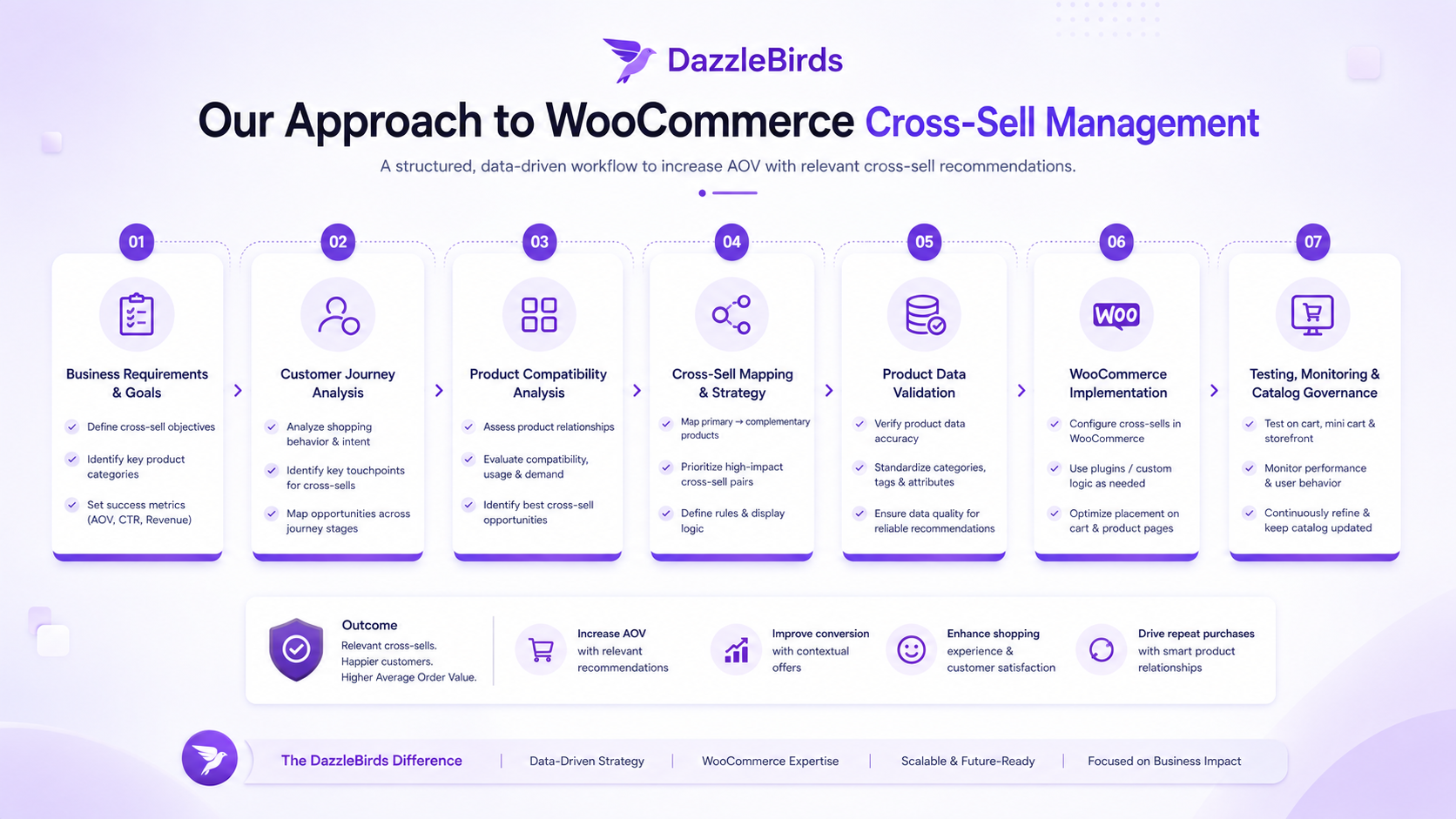
Effective cross-sell management requires treating complementary relationships as strategic product logic, not just cart page features. DazzleBirds approaches WooCommerce cross-sell management systematically:
Business Requirements → Customer Purchase Journey Analysis → Product Compatibility Analysis → Cross-Sell Mapping → Product Data Validation → WooCommerce Implementation → Cart and Storefront Testing → Ongoing Catalog Governance
Start by clarifying business requirements. Why are cross-sells important to your business? Are you trying to increase average order value? Do you want to help customers discover products they need but might forget? Understanding your goal shapes how you structure cross-sells.
Map the customer purchase journey. What products do customers typically buy together? At what point in the buying process would a cross-sell recommendation be most valuable? Are there specific customer needs that could be addressed by complementary products?
Analyze product compatibility systematically. Which products genuinely complement which others? What makes them compatible? Document these compatibility relationships so team members can apply them consistently. This analysis often reveals complementary relationships that are not obvious from category structure alone.
Map cross-sell relationships explicitly. Create documentation showing which source products have cross-sells and what those cross-sells are. This documentation serves as a reference for consistency and a governance tool for reviewing relationships over time.
Validate product data before implementation. Verify that your product records include the information needed to determine compatibility. Clean incomplete or inaccurate data. Update records to clearly distinguish product types, versions, and compatibility requirements.
Implement in WooCommerce carefully. Assign cross-sells to the admin. Test thoroughly on the cart and checkout pages. Verify that cross-sell products display correctly. Ensure positioning and formatting make sense in the customer context.
Test the cart and storefront systematically. Do not assume implementation is complete once you save changes in the admin. Navigate to product pages. Add products to cart. Verify cross-sells appear on the cart page and checkout. Check formatting and readability. Test on mobile and desktop. Test across different browsers. Validate across different payment methods if your checkout process varies.
Establish ongoing governance. Assign responsibility for cross-sell management. Create processes for adding new products and assigning appropriate cross-sells. Set review cycles for evaluating existing relationships. Define how cross-sells are updated when products change or are discontinued.
Building a Scalable WooCommerce Cross-Sell Strategy
WooCommerce cross-sells should be treated as structured product relationships rather than random additional product recommendations added to the cart.
Product Data → Compatibility Logic → Cross-Sell Mapping → Storefront Validation → Ongoing Governance
Small catalogs can manage cross-sells individually without much structure. As catalogs grow, that approach breaks down. A business with thousands of products needs systematic rules for what constitutes a complementary relationship, clear documentation of compatibility categories, and regular review cycles to maintain consistency.
The most successful implementations treat cross-sells as part of product relationship architecture. Start with business requirements and customer needs. Understand which products genuinely complement each other. Define clear compatibility criteria. Maintain product data that supports cross-sell decisions. Implement systematically. Validate on the storefront. Review continuously. This discipline ensures your cross-sells actually help customers complete their purchases with the products they need, rather than creating friction through irrelevant recommendations.
FAQs
WooCommerce cross-sells are complementary products suggested to customers at the cart or checkout stage. Unlike upsells, which encourage upgrades or related products which show similar items, cross-sells recommend products that directly support or enhance the customer's primary purchase.
Open the source product in the WooCommerce admin. In the product data section, find the "Cross-sells" field. Select complementary products to add. Save the changes. The cross-sells will appear on the cart page when customers add the source product to their cart, though the exact display location depends on your theme.
WooCommerce cross-sells typically display on the cart page or checkout page, but the exact location varies by theme. Some themes show them immediately after the cart summary; others place them in different positions. Some themes do not display cross-sells at all. Always test your cart page to verify where cross-sells actually appear on your storefront.
Upsells encourage customers to upgrade to a better or more expensive product. Cross-sells suggest complementary products that pair with the purchase. An upsell says, "Consider this a better alternative." A cross-sell says, "Add this to enhance your purchase."
Cross-sells may not display if your theme does not include cross-sell functionality in the cart template, if a plugin is interfering with the display, or if custom code has overridden default behavior. Check your theme's cart template files, deactivate plugins to identify conflicts, and verify the cross-sell configuration in the admin


 WooCommerce Solutions
 Solutions for WordPress